24 Wildcat (BL2000)
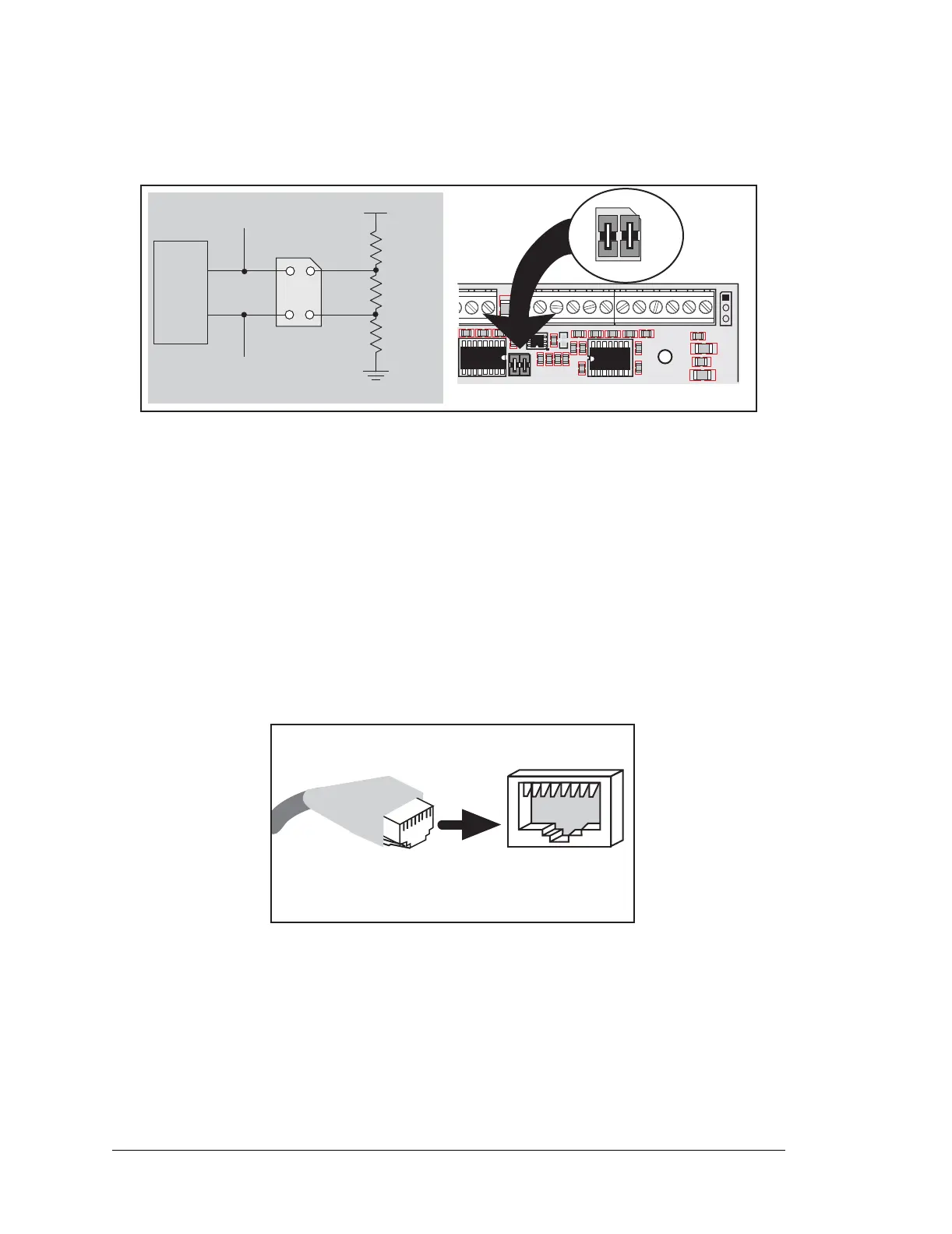
The BL2000 comes with a 220 Ω termination resistor and two 681 Ω bias resistors installed
and enabled with jumpers across pins 1–2 and 3–4 on header JP1, as shown in Figure 13.
Figure 13. RS-485 Termination and Bias Resistors
The bias and termination resistors in a multidrop network should only be enabled on both
end nodes of the network. Disable the termination and bias resistors on the intervening
BL2000 units in the network by removing both jumpers from header JP1.
3.4.3 Ethernet Port
Figure 14 shows the pinout for the Ethernet port (J6). Note that there are two standards for
numbering the pins on this connector—the convention used here, and numbering in reverse
to that shown. Regardless of the numbering convention followed, the pin positions relative
to the spring tab position (located at the bottom of the RJ-45 jack in Figure 14) are always
absolute, and the RJ-45 connector will work properly with off-the-shelf Ethernet cables.
Figure 14. RJ-45 Ethernet Port Pinout
RJ-45 pinouts are sometimes numbered opposite to the way shown in Figure 14.
R68
681 W
R70
220 W
R77
681 W
485+
485
6
7
termi-
nation
bias
bias
U8
Factory
Default
U1
C2
C3
J4
J3
C8
U2
R5
R11
R10
C75
C11
C4
U3
R8
R18
R2
R3
R7
C78
C79
C5
+
C9
R14
C12
C7
J12
RXD1 TXD1 AGND DAC1 DAC0 ADC8 ADC7 ADC6 ADC5 ADC4 ADC3 ADC2 ADC1 ADC0
GND AGND
AGND
AGND
AGND
AGND
AG ND
C85
JP1
R157
JP1
1
2
3
4
JP1
1
2
3
4
ETHERNET
RJ-45 Plug
1. E_Tx+
2. E_Tx
3. E_Rx+
6. E_Rx
1
8
RJ-45 Jack
J6



 To Next Page