22
5 Trouble Shooting
Description of problem What to do
No connection
No pairing between
RaceChip App and
RaceChip possible.
• Follow these steps one by one until the pairing is complete:
• Check that the car´s ignition is switched on.
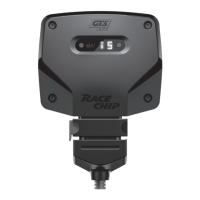
• Check that the Bluetooth indicator on the Digital User
Interface is on. If it is not, please contact our Customer
Service. The connection problem is probably caused by a
function or installation fault.
• Check that the Bluetooth function on your smartphone is fully
activated.
• Deactivate and then re-activate the Bluetooth connection.
Check if RaceChip and your phone will pair now.
• Deactivate the Bluetooth connection and completely shut
down the RaceChip App (iOS: push the home button twice
and close the RaceChip App; Android: Open the task manager
and close the RaceChip App). Activate the Bluetooth
connection and open the RaceChip App again.
• Go to your smartphone’s settings and view all discoverable
Bluetooth devices. Select “RaceChip” to pair your smartphone
with the RaceChip. In case no connection is established,
delete “RaceChip” from the list of discoverable Bluetooth
devices. Try pairing again.
• Re-start the installation dialogue of the RaceChip App. Make
sure you have entered the correct Bluetooth pin.
• Please contact our Customer Service if the issue still exists.


 To Next Page