RF320
05
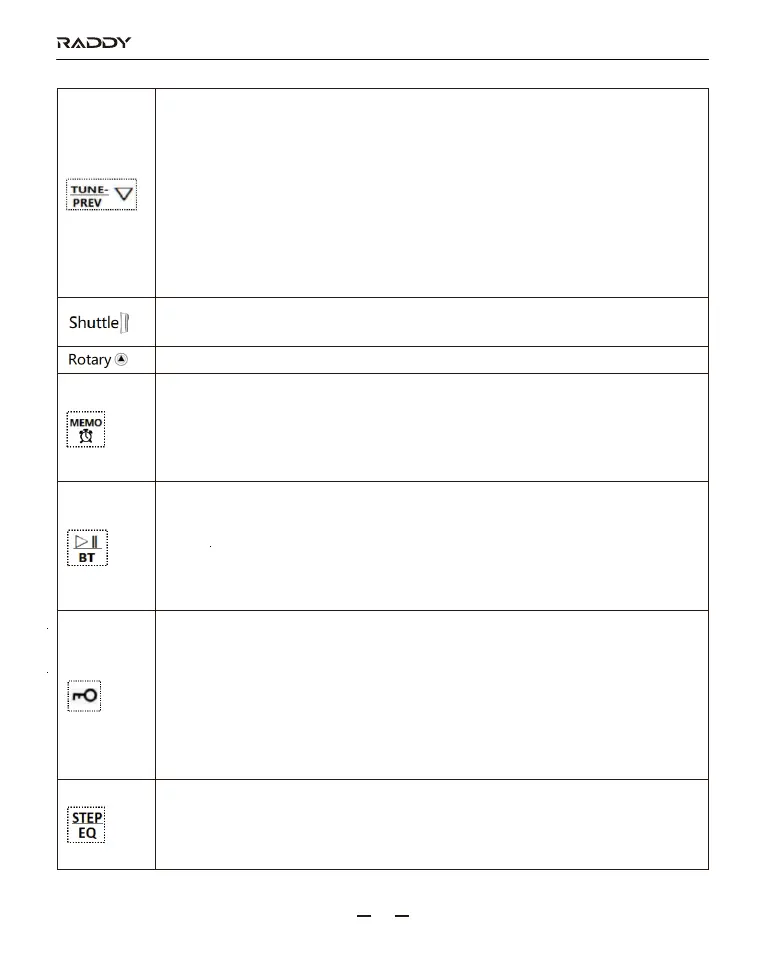
1: Time display status: enter setting time mode is time- adjustment.
2: Enter FM frequency range selection: switch between FM reception frequencies
(include the AM 9KHZ/10KHZ step to switch).
3: Enter backlight adjustment: choose a light display mode.
4: On the radio receives mode: press this button, and the frequency will decrease
based on the min step value. Long press this button for 2 seconds to
automatically search channels down.
5: On TF card play mode: press this button to play the previous song, and long
press it to fast backward.
6: On the play mode of Bluetooth: press this button to play the previous song.
1: On the radio receive mode: start the rotary shuttle channel selection.
2: On the play mode of Bluetooth or TF card: rotary song selection.
On the mode of FM/MW/SW: adjust the receiving frequency of FM/MW/SW manually.
1: Time display status: press this button to start/close the alarm clock function.
2: On the radio receive mode:
2-1: Press this button to enter recall station mode.
2-2: Long press it for 2 seconds to enter the manual storage station, and press it
again to confirm it.
1: On the radio receive mode: long press this button for 2 seconds to start/close the
mute function.
2: Switch between play modes: TF card/Bluetooth/AUX-in by 3.5mm audio cable/
connection to computer aux-in by type-c jack.
Press this button to switch between the four play modes.
Long press it for 2 seconds to pause/play.
1: Time display status/power-on state:
long press this button to start the function of the lock, and long press it for 2 seconds
to unlock.
And the Lock symbol is a constant state
(SOS alarm and flashlight are not controlled by the lock)
2: Time display status/power-on state: press this button to start locking the shuttle
button and press it again to disable the shuttle unlock.
And the Lock symbol is flashing state.
1: When searching channels using the shuttle button: the frequency on the LCD
flashes. Press this button to switch between step values and search channels
together with the shuttle button.
2: Power-on state: long press this button to choose the EQ effect.



 To Next Page