RF320
06
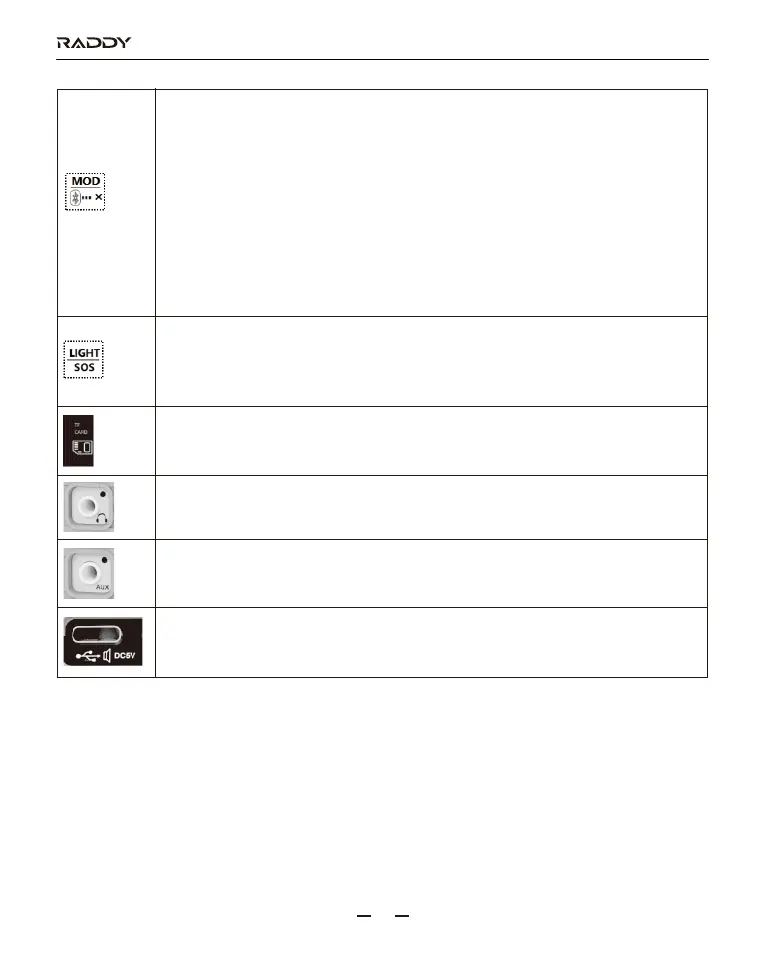
1: In the mode of working: press this button to choose a working state of marquee
【refer to details in 15】
2: In the mode of VHF: long press this button to start the bandwidth setting
【refer to details in 7.3.6】
3: In the mode of AIR: long press this button to set SQ【refer to details in 7.7】
4: In the play mode of TF card: long press this button to start the setting of play
mode【refer to details in 9.3】
5: In the play mode of Bluetooth: long press this button for 2 seconds then
disconnect the Bluetooth.
6: When APP is connected: long press this button for 2 seconds to exit the APP
connection after the radio is powered off.
1: In any mode: press this button to turn on the flashlight and press it again to turn
off the light.
2: In any mode: long press this button for 2 seconds to start the SOS alarm and
flashing light and long press it again to cancel.
3.5mm earphone audio output jack
3.5mm external audio input jack
1: Charging jack
2: Connection to the audio output jack on the computer
3: Connection to a computer with a USB cable. Use as TF card reader.
TF card jack.



 To Next Page