50
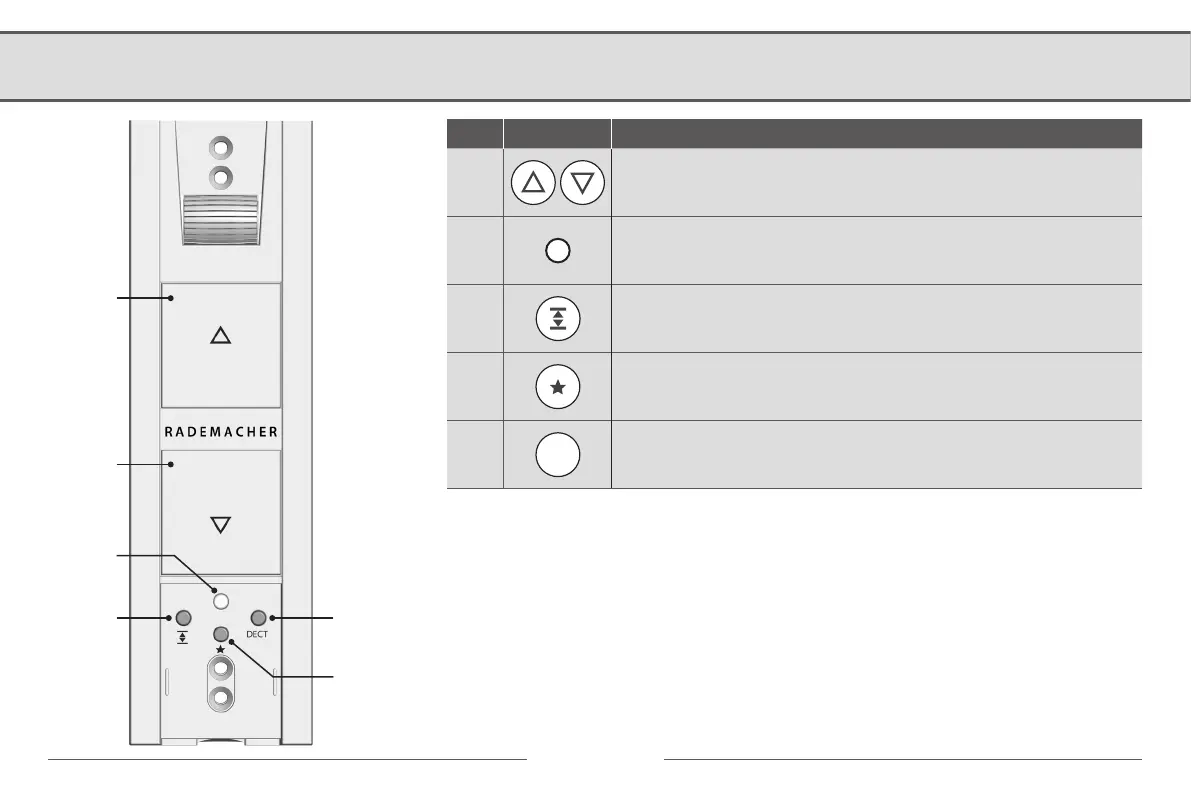
5.1 Operating buttons and indicator light
Pos. Symbol Description
1)
2)
Up/Stop button + Down/Stop button
The roller shutter travels up / down or stops
3)
Indicator light / status display (red / green)
4)
End point button
Set both end points
5)
Favourite position
Set any position where the roller shutter stops when it is being lowered.
6)
DECT
DECT button
Log on/off at the DECT base station (FRITZ!Box)
1)
2)
3)
4)
5)
6)


 To Next Page