4
engineeringengineering
JDV Mk3 Owner’s Manual
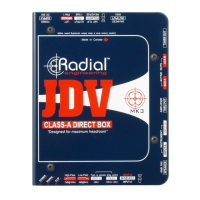
Control Panel
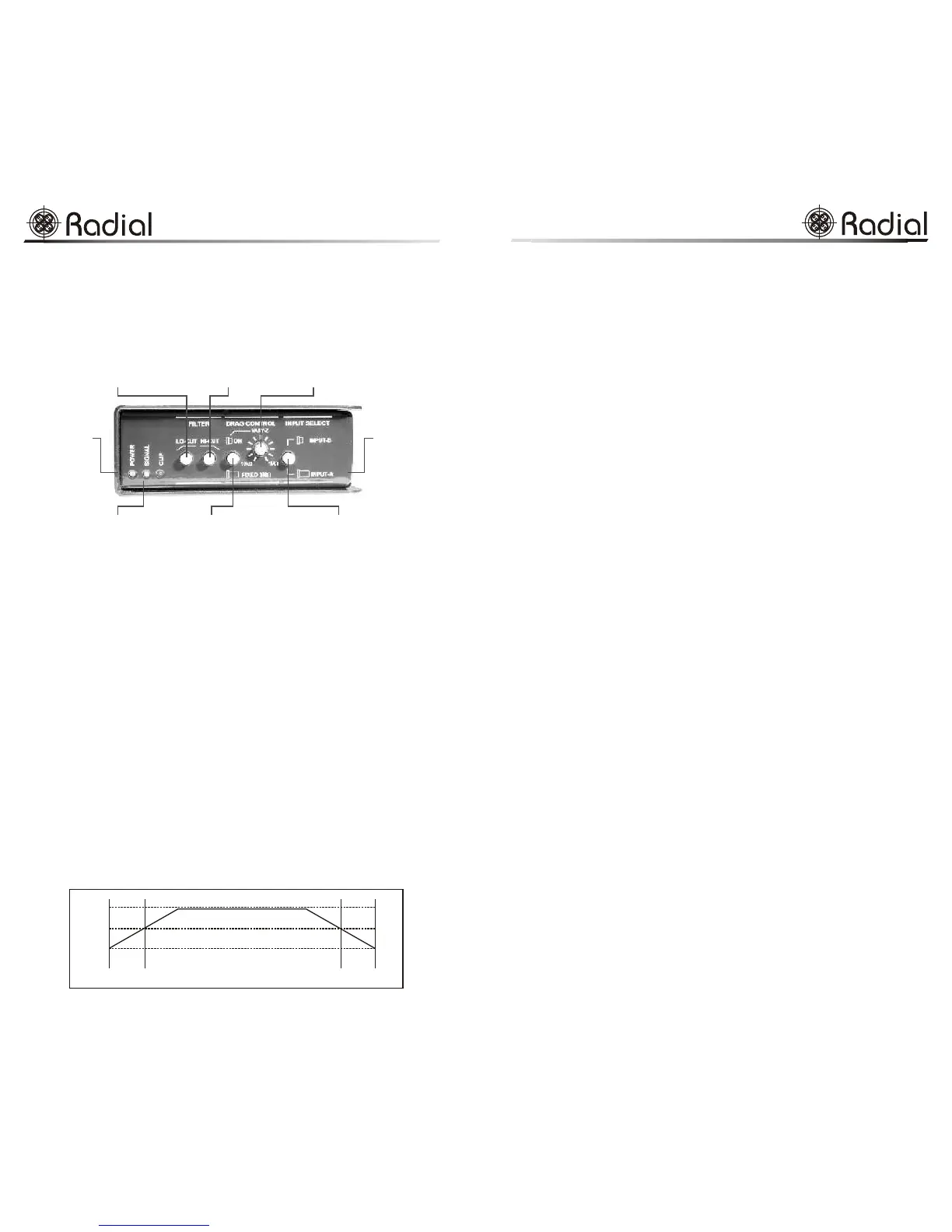
All input controls and visual monitoring are located on the JDV’s input panel.
No connectors are on this panel so clear access to the controls and monitoring is
provided without cables being in the way.
LED Status Indicators
LED status indicators for POWER on, SIGNAL presence and CLIP peak
overload. Normally, the green power LED should be on as soon as the
JDV power supply is connected. The yellow signal presence LED will
flash on and off following the music program while the red overload LED
will light up should the input signal ever exceed the normal operating level.
LO-CUT and HI-CUT Filters
The JDV is outfitted with two filters: The LO-CUT (Hi-Pass filter - cuts
low frequencies thus allows the allows high frequencies to pass) is set at
-3dB@175Hz for a gentle, natural sounding roll-off. Hi-Pass filtering is
used to lessen low-frequency 'mud' that can sometimes cause bass to lose
definition. It is also extremely effective at reducing resonance or rumble
that is common with acoustic guitars during a live performance.
The HI-CUT (Low-Pass filter - cuts high frequencies and allows low
frequencies to pass) is set at -3dB@8kHz providing a simple solution to
reducing hiss and noise from older equipment such as noisy keyboards,
older active acoustic guitars or when using the direct out from noisy
amplifiers.
LED status indicators include
POWER (system on), SIGNAL
(signal present) and CLIP
(peak level overload)
HI-CUT (Low-pass) filter gently rolls
off high end to reduce noise and hiss
from older instruments
LO-CUT (Hi-Pass) filter
cuts low-end rumble, acoustic
resonance and excessive bass
Book-end design
protects switches
and jacks from
damage in real-
world environments
14 gauge steel
construction with
baked enamel
coat for maximum
durability
VARY-Z selects between ultra-high
3.9 meg-Ohm input impedance or
variable impedance with Drag control
DRAG™ control is used to recreate
the natural loading and feel of the
instrument pickups on the outputs
Selectable A or B INPUT switch
allows two instruments to be
connected for quick select
20Hz
20kHz
8kHz
175Hz
0dB
-3dB
-6dB
Filter response.
Questions and Answers
What is a direct box anyway?
A direct box is an impedance matching and signal-balancing device. DI's convert
hi-impedance instrument signals to mic-level balanced lines for interface with
pro-audio equipment such as mixing consoles. A good direct box will ensure
proper electrical signals are maintained throughout the signal chain and allow
long cable runs without added noise. A good DI box is just as important as a
good microphone.
What is the difference between active and passive direct boxes?
Active direct boxes require power such as a separate power supply, 48V
phantom power, or a battery to activate their circuits while passive direct boxes
convert the signal from high-Z to low-Z using only a transformer. Passive DI's
do not require a power supply to work.
I heard active direct boxes are better?
This can be thought in terms of a dynamic mic compared to a condenser mic.
There are good dynamic mics and there are good condenser mics. A good
passive direct box depends entirely on the transformer that is being used. For
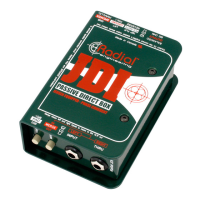
instance, the Radial JDI uses the world's finest transformer, a Jensen. These DI's
sound fabulous! In fact way better than most active direct boxes!
If the JDI is so good, why should one buy the JDV over the JDI?
It comes down to the application. For keyboards, and simple live set-ups, the JDI
is fantastic. No power supply, no batteries to go dead. You just plug it in and it
sounds great. The JDV on the other hand will give you more reach. You will
enjoy more detail or as Khaliq Glover (Engineer for Marcus Miller and Herbie
Hancock) said: “the JDV is almost holographic compared to the single
dimension of most DIs.”
Can I power the JDV with the 48V phantom on my console?
No. Typical 48V phantom power only has 5 milliamps of available current. The
JDV requires much more current than this to drive its 30 Volt rails. Phantom
power is simply unable to do the job.
Why would I buy the JDV over other active direct boxes?
Sound quality. There is nothing on the planet that will do a better job than the
JDV. It is designed from the ground up to be sonically pure, exceptionally
dynamic, and totally transparent. The combination feed-forward design, class-A
circuit and 30 volt internal rails combine to put the JDV in a class of its own.
Why is Class-A considered best?
Class-A circuits do not employ multiple gain stages to achieve greater efficiency.
They are pure gain stages that have and continue to be the choice for audiophiles
and purists. Although more efficient, Class-B or AB circuits suffer a problem
called zero-cross distortion that Class-A devices do not. In the JDV, we are not
concerned about power-per-watt output, we are only concerned about getting the
best possible sound. We go a step further in employing a unique feed-forward
design.
What is a feed-forward design?
The 'easy guide' to circuit design always includes a feedback loop in the circuit
to stabilize the circuit. The JDV does not take the easy way out; there is no
feedback loop. The JDV circuit is akin to a pure tube circuit design. The result
is razor sharp precision without overshoot, ringing or rounded-off wave
generation. This things is almost alive!
13
JDV Mk3 Owner’s Manual
engineeringengineering


 To Next Page
 Loading...