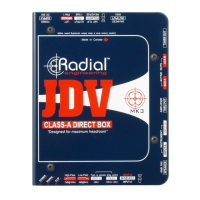
If you are using a passive instrument like an old Precision or Jazz bass, a Strat or
a Les Paul, we recommend that you depress the Vary-Z switch and use the
DRAG control to dial-in just the right amount of natural sounding pickup loading.
Start at 12 o'clock and use your ears!
Remember that any post JDV effect you introduce into the signal chain will only
be heard coming from your stereo rig. The original ‘dry’ sound from the
instrument will still appear at the JDV’s XLR output allowing the engineer to
either record a dry track or mix the dry track with the mic'ed amps on stage.
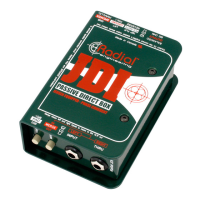
Re-amping using the JDV with a Radial JDI
A common trick used in recording today is to record a dry guitar track and then
send the recorded track back into the guitar amplifier. This allows the guitarist to
listen to various amplifiers and effects while in the control room.
A great solution to re-amplifying over extremely long distances can be achieved
by combining the JDV and the Radial JDI wired backwards. This may sound
strange, but because the JDI is a passive direct box, it employs an impedance
matching transformer that can either be used to transform the signal from high-Z
to low-Z (traditional DI) or from low-Z to high-Z for use when sending a
balanced signal back to a high impedance input such as on a guitar amplifier.
Record a dry track using one of the JDV setups previously discussed, then send
the recorded track into one of the JDV’s high-Z unbalanced inputs (A or B).
Connect the JDV’s low-Z balanced output to the balanced input of the Radial
JDI, and use the high-Z input of the JDI to feed the amplifier.
12
engineeringengineering
JDV Mk3 Owner’s Manual
JDV high-Z
un-balanced input
JDV low-Z
balanced output
JDI using low-Z
output as input
XLR-F to XLR-M
‘turn-around’
To amp using JDI’s
high-Z input as output
JDV
Mk3
JDI
Mk3
JDV
Mk3
DRAG™ Control
‘Drag’ was developed during the R&D phase of the Radial’s JD7 Injector
guitar signal distribution amplifier/router. After many listening tests we
found that the JD7’s output was too perfect. It did not sound right. The
reason was simple: a vintage pick-up signal, when passing through a pre-
amplifier, becomes active and the natural loading or interaction between the
guitar's pick-up and the amplifier's tube input circuitry is lost. Drag control
re-introduces the desired loading effect by providing the user with control
over impedance and resistance.
The JDV's DRAG control is activated by depressing the VARY-Z switch. A
typical vintage Stratocaster to a Fender Twin relationship can be dialed in
at about 10 o'clock. Less Drag (turning the knob clockwise) will open up
the sound and result in more high-frequency content. It is important to note
that you should use your ears to set the Drag control as every amplifier and
every pick-up will be different. The more you play with Drag, the more
you will find that it is extremely musical.
INPUT Selector Switch
To increase functionality, the JDV allows two instruments to be connected
via the A & B ¼” input jacks which are located on the instrument control
panel. Two guitars or basses are often used during a performance for
alternate tuning, different sounds or simply as a spare for a broken string.
The JDV allows the musician to quickly select an instrument by simply
depressing the instrument INPUT select switch, eliminating hassles such as
setting the amp on standby or muting the instrument to avoid connection
popping.
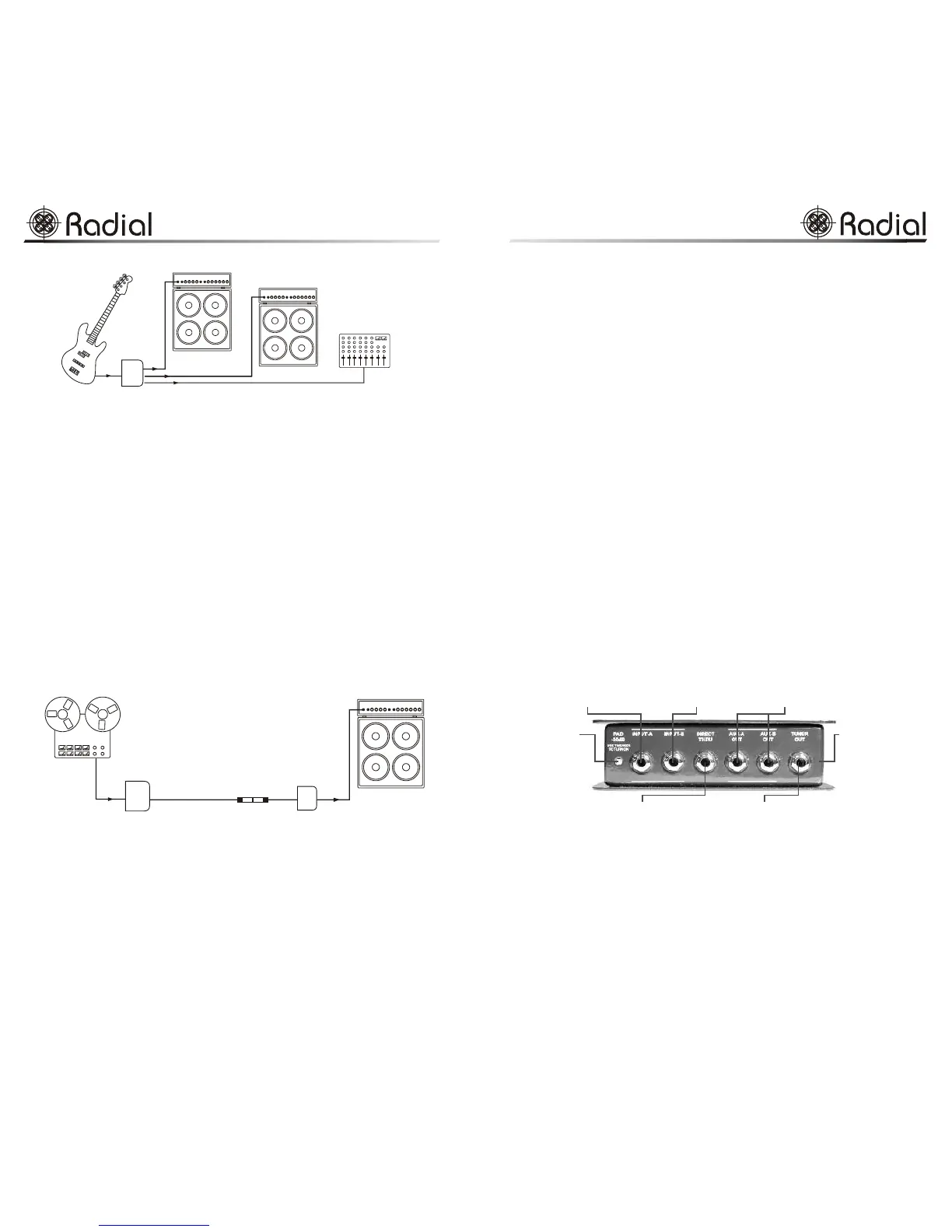
Connector Panel
Amplifier Outputs
Four ¼” outputs are provided on the JDV to provide the musician or engineer
the greatest flexibility for recording or live performance.
DIRECT THRU - Used as the primary output to the guitar amplifier.
AUX-A OUT & AUX-B OUT - Used to drive additional amps and effect devices.
TUNER OUTPUT - Connects to tuner while keeping the tuner out of the audio
circuit. Can also be used to drive an additional amplifier.
PAD -30dB allows
tapping of signal directly
from the speaker cabinet.
Switch is recessed to
prevent accidental use.
All instrument connections
are positioned on the side
panel. This keeps cables
away from the input controls
for improved organization
DIRECT THRU is used to connect
the primary instrument amplifier
INPUT-A is the primary instrument
input. It is selected from the
front panel switch
INPUT-B is used for second
instrument such as spare.
A-B selector on front panel
AUX-A OUT and AUX-B OUT
are used for additional amps,
stereo rigs or effects for added
system flexibility
TUNER OUT may also
be used for an extra amplifier
5
JDV Mk3 Owner’s Manual
engineeringengineering


 To Next Page
 Loading...