MAINTENANCE INSTRUCTIONS
5.2 Setting the parameters
To modify the preset values of the parameters reported in the previous table, open the parameter
settings menu as follows:
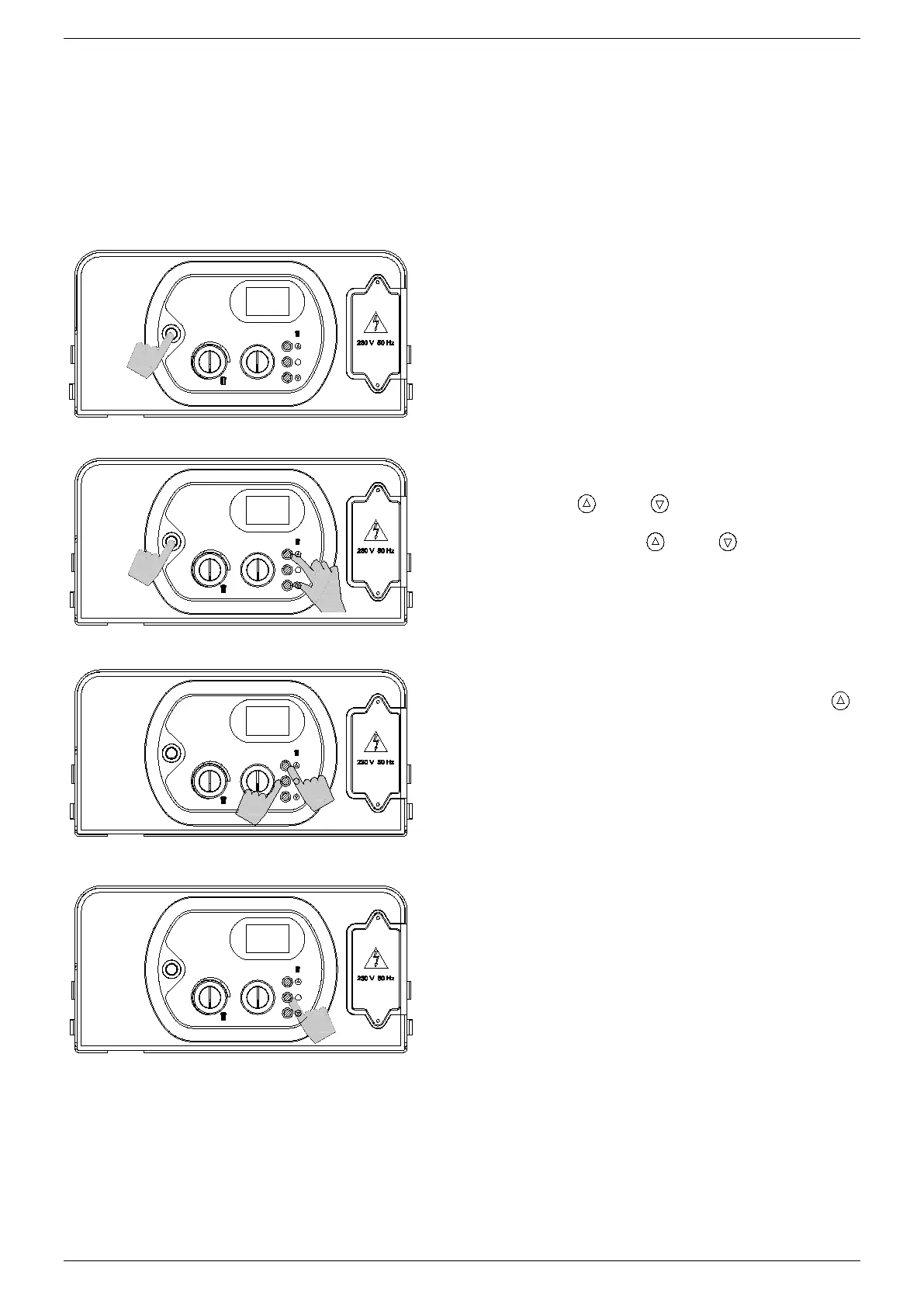
1. Place the On/Off switch in the OFF position.
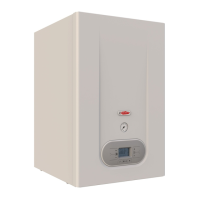
2. Activate the On/Off switch while keeping
buttons ‘
’ and ‘ ’ pressed. Wait for “P00”
to appear on the display.
3. Release buttons ‘
’ and ‘ ’.
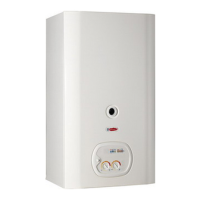
4. Keep button ‘S’ pressed and use button ‘
’
to select the parameter to modify.
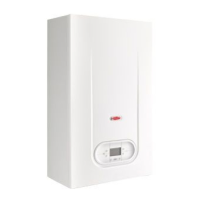
5. Release button ‘S’, then re-press and release
it. The display will indicate the value of the
parameter to modify.
Adjust the value of the parameter using the procedure described in the following pages.


 To Next Page