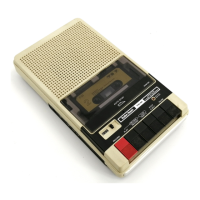
The Radio Shack Quick Printer II (Catalog Number 26-1155) is a compact, affordable, and versatile line printer designed for use with the TRS-80 Micro Computer System and other serial output devices. It features a built-in microprocessor that controls printing and facilitates communication with the connected output device.
Function Description:
The Quick Printer II serves as an output device for printing text and data. It can be connected directly to the TRS-80, to the TRS-80 Expansion Interface via an optional cable (Catalog Number 26-1406), or to a serial (RS-232C) output unit. The printer operates by receiving data and printing it one line at a time. It stores characters in a 32-character holding buffer until the buffer is full or a carriage-return code (hexadecimal 0D) is received, at which point it prints the line. If the buffer is empty when a carriage return is received, it advances the paper one line, leaving a blank line. The printer supports both upper and lower case characters, as well as a variety of symbols.
Important Technical Specifications:
- Printing Speed: 120 lines per minute, 64 characters per second.
- Characters per Line: Software selectable between 32 or 16 characters per line.
- Character Form: 5 x 7 dot matrix.
- Vertical Spacing: 6 lines per inch.
- Horizontal Spacing: 18 or 9 characters per inch (software selectable).
- Print Head Life: 30 million characters.
- Character Set: Modified Subset of ASCII, 96 characters with upper and lower case.
- Interfaces: TRS BUS (direct to TRS-80), Expansion Interface (26-1140), Serial (RS-232C) Device (600 baud).
- Temperature Ranges:
- Operating: 23° to 122° F (-5° to +50° C)
- Storage: -40° to 176° F (-40° to +80° C)
- Paper: Aluminum-coated, Radio Shack Catalog Number 26-1412.
- Size: 3-5/16" x 6-3/4" x 9-1/4" (8.4 cm x 17.2 cm x 23.5 cm) (HWD).
- Power Requirements: 120 VAC, 60 Hz.
Usage Features:
The printer offers several user-selectable options and modes:
- Input Select Switch: Allows selection of the desired input source: TRS BUS (TRS-80), PARALLEL (Expansion Interface), or SERIAL (RS-232C output device).
- PRINT Mode Switch: Has three positions:
- ON LINE: The printer accepts output from the computer and prints it.
- OFF LINE: Interrupts printing without losing data. The printer completes the current line and then stops, indicating it is busy.
- RESET: A momentary-contact position used to re-initialize the printer without turning off the system. This is useful when changing the INPUT SELECT setting, checking the current input setting, or recovering from temporary power loss or brownouts.
- Automatic "Wrap-Around": If a line exceeds the maximum character length (32 characters in normal mode), the printer automatically wraps the text to the next line, preventing data loss.
- Double-Size Mode (16-characters/line): For special effects like titling, the printer can be switched to a double-size mode. This is activated by including CHR$(15) as the first item in an LPRINT list in LEVEL II BASIC. The printer automatically reverts to 32-character mode after printing a double-size line. If more than 16 characters are sent in this mode, the printer wraps around to the next line and reverts to 32-character mode.
- Lower Case Characters: The printer can produce both upper and lower case letters, as well as many symbols. Lower case characters can be entered from the keyboard by holding down the SHIFT key while typing (opposite of a normal typewriter) or by using the CHR$ function with their ASCII codes in BASIC programs.
- Control Codes: The Quick Printer II recognizes two ASCII control codes: Carriage Return (Hex 0D, Decimal 13) and SHIFT IN (Hex 0F, Decimal 15) for 16-character/line mode. All other control codes are ignored.
- Power-Up Messages: Upon turning on, the printer displays a ready message indicating the selected input (e.g., "R++++++++ PRINTER READY +++++++S" for TRS BUS, "[******** PRINTER READY ffffff]" for Expansion Interface, or "S++++++++ PRINTER READY ++fffff]" for Serial Interface).
- Serial Output Device Compatibility: When using a serial output device, the printer supports a transmission rate of 600 baud and various data/parity/stop bit configurations. The printer's microprocessor converts received data into seven-bit ASCII codes. It can accept one "extra" word after receiving a busy signal (CLEAR TO SEND=Mark) without losing data.
Maintenance Features:
The Quick Printer II requires minimal maintenance.
- Paper Loading: Paper rolls are inserted with the shiny side down, feeding downward from the back. The paper spindle is mounted in slots on either side of the paper compartment. The leading edge of the paper is guided over a tension bar and into the feed gate, then rotated until it comes up behind the print mechanism and paper cutter.
- Paper Removal: To remove a paper roll, press and hold the paper release lever forward, and rotate the roll backward until the paper edge is free.
- Print Head Cleaning: If print quality deteriorates, the print head may need cleaning. This involves sliding the paper cutter to the left and lifting it off, then using a small, fine brush to remove any debris from the print head. The print head can be tilted back for easier access.
- No Lubrication Required: The printer mechanism does not require lubrication.
- Troubleshooting Guide: A table is provided in the manual to help users diagnose and resolve common issues such as the TRS-80 not operating, printer not line-printing, printer running continuously, paper not advancing, serial interface errors, light characters, or broken characters.



 To Next Page
 General