Need help?
Do you have a question about the RadioLink RC4GS V2 and is the answer not in the manual?
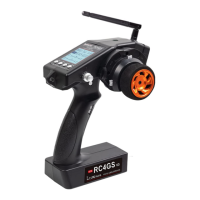
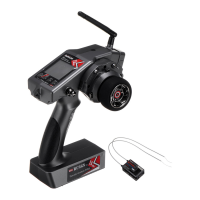
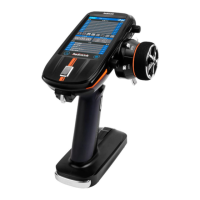
The RadioLink RC4GS V2 is a 4-channel 2.4 GHz radio control system designed for use with RC cars, boats, and robots. It comes with an R6FG receiver, which features an integrated gyro and supports high-voltage servos. This system is designed for hobbyists and enthusiasts looking for precise control and advanced features for their models.
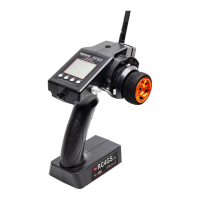
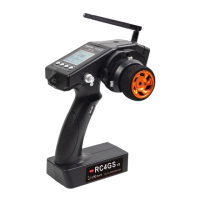
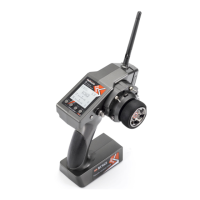
The RC4GS V2 transmitter allows for comprehensive control over your RC model. It features a clear LCD screen that displays essential information such as the model name, subsidiary ID, transmitter name, transmitter battery voltage, model battery voltage, steering trim, and throttle trim. The transmitter supports various functions accessible through its menu, including language settings, model selection, end point adjustment (EPA), steering and throttle exponential settings (STEXP, THEXP), steering and throttle speed settings (STSPD, THSPD), anti-lock braking system (A.B.S), throttle acceleration (ACCEL), idle-up setting (IDLUP), sub-trim for servo center position adjustment, and channel reverse. Dual rate settings (D/R) are available for both steering and throttle, along with brake side adjustment (ATL). The system also offers two programmable mixes (PMIX01, PMIX02) for advanced control configurations and an auxiliary channel setting (AUX-CH) that can be assigned to SWA or SWD buttons. Other features include model naming, low voltage/RSSI battery alarm, gyro sensitivity adjustment, fail-safe settings (F/S), subsidiary ID setting (ID SEED), and a factory reset option.
The R6FG receiver is a 6-channel unit with an integrated gyro, which enhances the stability of the model, especially for professional car drifting. The gyro function can be enabled or disabled and its phase adjusted to ensure correct steering correction. Gyro sensitivity can be fine-tuned via the VR rotary switch or through the menu buttons.
To begin using the RC4GS V2, power on the transmitter with 6 AA batteries or a 2S-4S LiPo battery. Enter the setup menu by pressing both EXIT and ENTER buttons simultaneously for one second. Use the DEC(-) or INC(+) buttons to navigate through functions and the ENTER button to modify parameters.
Binding the transmitter and receiver is a straightforward process. Place the transmitter and receiver close to each other (within 50 centimeters) and power both on. The LED on the R6FG will flash slowly. Press the black binding button (ID SET) on the receiver for more than one second and release. The LED will then flash quickly, indicating the binding process is underway. Once the LED stops flashing and remains solid, binding is complete, and a signal tower will appear on the transmitter's LCD screen. If binding fails, the LED will continue to flash slowly, prompting a repeat of the steps.
The R6FG receiver operates in two modes: normal working mode (green LED on, gyro off) and gyro function working mode (both green and red LEDs on). By default, the gyro function is off. To enable it, short press the ID SET button three times within one second. The red indicator will flash three times, and its on/off state will confirm the gyro function's status. To adjust the gyro phase, short press the ID SET button twice within one second.
The RC4GS V2 supports mix control setups, particularly useful for dual-engine models like tracked vehicles. Before setting up mixes, ensure the throttle and rudder phases are correct by testing the trigger and steering wheel. If necessary, adjust the reverse settings in the menu. For tracked vehicles moving forward/backward, throttle leads steering (Master-Throttle, Slave-Steering) can be configured in PMIX01. For turning left/right, steering leads throttle (Master-Steering, Slave-Throttle) can be configured in PMIX02. The percentage values in these mixes adjust the speed or turning angle, with "+" indicating master and slave move in the same direction, and "-" indicating opposite directions.
The transmitter also features an FPV device holder hole, a simulator port, and a USB port for potential future updates or connectivity.
To ensure safe and reliable operation, several maintenance precautions should be observed. Always avoid operating your model in adverse weather conditions or crowded/illegal areas. Before connecting the receiver, ensure trim levers are at 0 and the battery is fully charged. Always check all servos and their connections before each run. It is crucial to turn off the receiver before turning off the transmitter.
The product is not a toy and should be kept out of reach of children under 14. If operating in wet conditions is unavoidable, use plastic bags or waterproof cloth to cover the transmitter to prevent moisture ingress, which can lead to model instability or loss of control.
For the receiver, keep antennas as straight as possible to maximize effective control range. In large models with metal parts, position antennas on both sides of the model to ensure optimal signal status. Maintain at least a half-inch distance between antennas and metal conductors or carbon fiber, and avoid over-bending. Keep antennas away from motors, ESCs, and other potential interference sources.
When installing the receiver, use sponge or foam material to prevent vibration. The receiver contains high-precision electronic components, so avoid strong vibration and high temperatures. Packing the receiver in a well-sealed plastic bag with special vibration-proof material (like foam or rubber cloth) can protect it from humidity and dust, which could cause loss of control. After completing all installation steps, turn off the transmitter and re-power it on to test the receiver's connection.
Technical updates and additional programming examples are available on the RadioLink website. For after-sales service, users can download the electronic detailed manual from the RadioLink website or send an email to the provided service addresses.
 General
| Channels | 4 |
|---|---|
| Frequency | 2.4GHz |
| Model Memory | 10 models |
| Failsafe | Yes |
| Gyro Sensitivity Adjustment | Yes |
| Channel Bandwidth | 500KHz |
| Screen | LCD |
| Simulator | Yes |
| Model Type | Car, Boat |
| Display | LCD |
| Telemetry | Yes |
| Range | 400m (open area) |
| Battery | 4x AA (not included) |
| Spread Spectrum | FHSS |
| Operating Voltage | 4.8V to 6.0V |
| Control Distance | 400m |
| Weight | 320g |
| Receiver | R6FG |
| Voltage Range | 4.8V to 6.0V |
| Compatible Receivers | R6FG, R6F |
| Range (open area) | 400m |
| Transmitter Power | Less than 20dBm |

 To Next Page