9
3. Email Notication
Please first set up an e-mail address for the notification of a malfunction drive or the removed
drive.
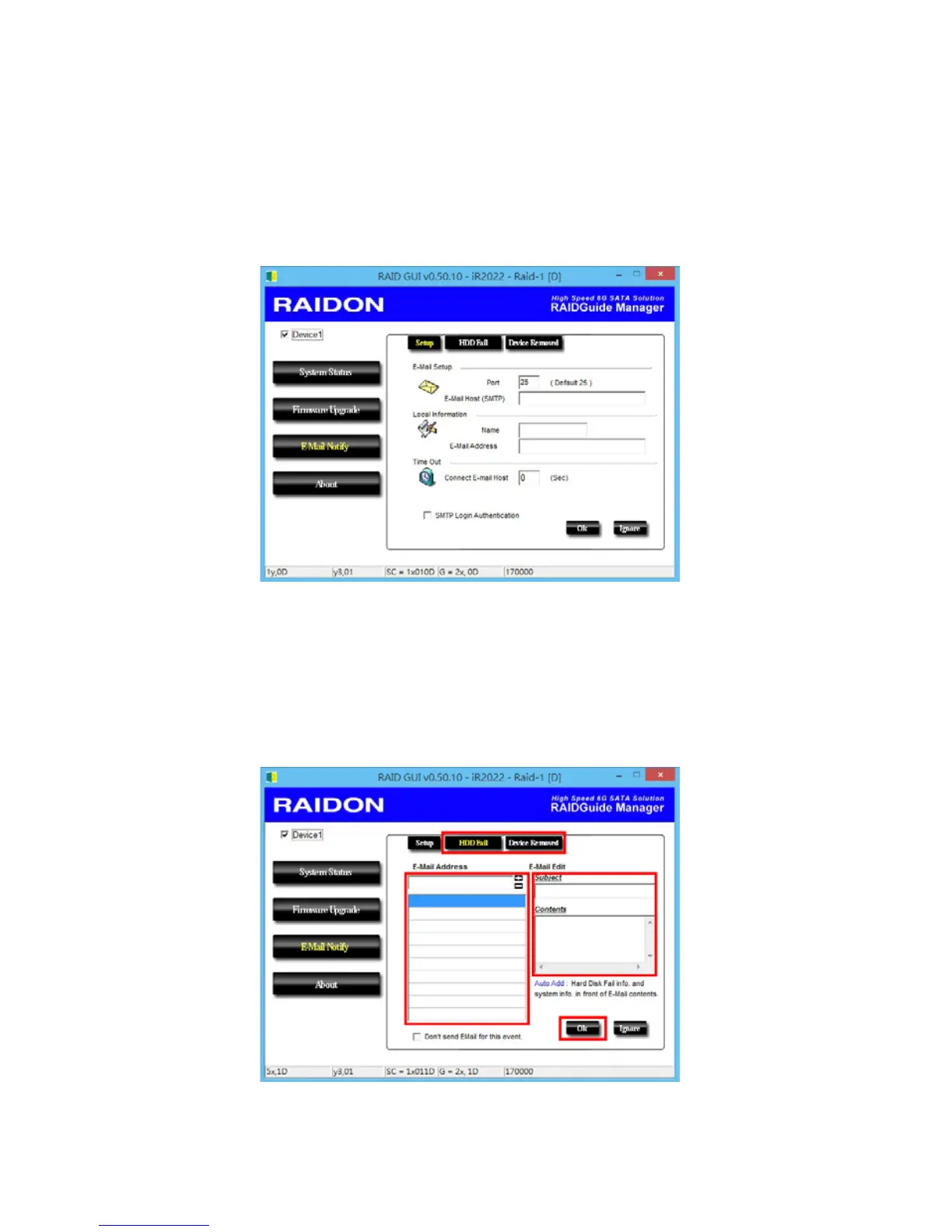
3-1 Setup
1). Select an Outgoing SMTP and write down your e-mail name and address.
2). If it requests a password, select an option SMTP Login Authentication, and key-in the
password.
3). When completing the conguration, click on the “OK” button to save.
※
Device must be in the operation states during conguration works.
3-2 HDD Failure / Device Removed
1). Insert your e-mail address as the receiver for notication, and click on “+” to add the e-mail
address onto the Notification List. (Maximum up to 10 e-mail addresses)
2). Key-in the Subject title and contents in the columns of “Subject” and “Contents”.
3). When completing the conguration, click on “OK” button to save.
※
Device must be in the operation status during congurations works.


 To Next Page