iR2022 User Manual
8
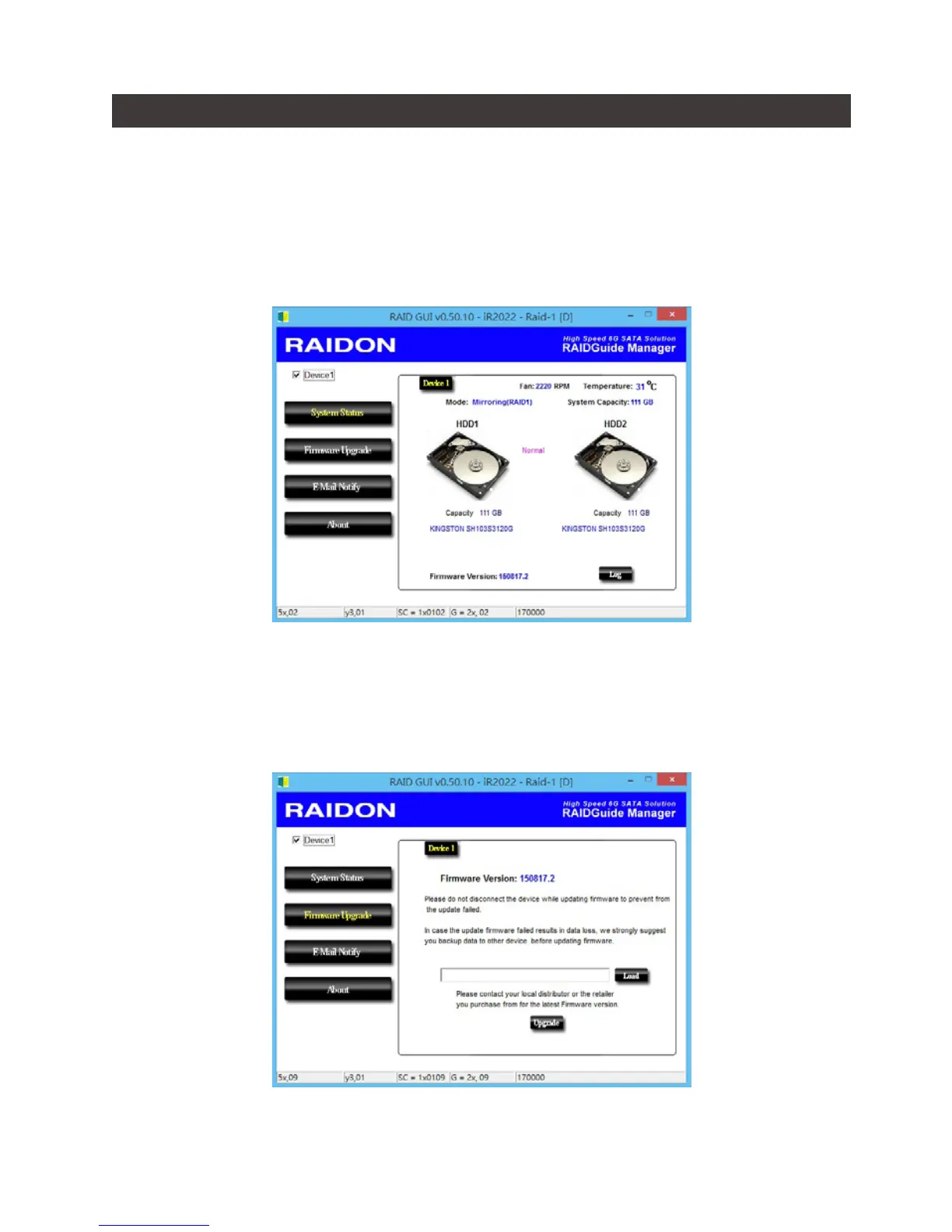
You can install GUI software to monitor the status of iR2022. And this can be done by installing
software from CD.
1. System Status:
This GUI automatically detects your iR2022 and reveals relative information accordingly.
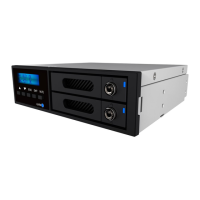
2. Firmware Upfrade:
You may update the Firmware via this GUI, to just simply click on the “Load” button to locate the
rmware le to proceed. After completing the update, you may restart the power to work with the
new rmware.
※
Caution: Any random rmware update may cause the malfunction at your iR2022, We strongly recommend you not to change/upgrade
iR2022 rmware if still works properly.
9. GUI Monitoring Software and Firmware Update


 To Next Page