Oslostrasse 5, CH – 4023 Basel
Tel. +41 [0]61 333 70 33, Fax +41 [0]61 333 70 32
www.easyrain.net info@easyrain.net
Brunner Bewässerung - Arrosage
Gebrauchsanweisung Steuerung ESP-TM 3
Sample Station Layout
ESP-TM Installation and Operation Page 3
Controls and switches
LCD Display - during normal operation, displays the
time of day; during programming, shows the results of
your commands; during watering, shows the station that
is running and the minutes remaining in its run time.
Arrow ON-OFF Buttons - used to set times and days,
and to make program changes.
A / B Program Button - used to select watering
program A or B. (On some ESP models, this button is
labeled PGM.)
Manual Start / Advance Button - used to start the
irrigation program manually or to manually advance
watering from one station to the next.
Programming Dial - used to turn controller off and on,
and for programming.
Schedule Slide Switch - used to select one of the
fixed-interval watering schedules or a custom watering
schedule.
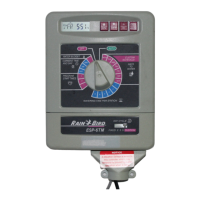
The illustration shows the programming controls on the face
of the ESP-TM. These controls include:
1
2
3
4
5
6
ESP-TM Installation and Operation Page 4
All manuals and user guides at all-guides.com

 To Next Page
 Loading...