EasyManua.ls Logo

Rain Bird ESP-Me - User Manual

Rain Bird ESP-Me
36 pages
Print Icon
To Next Page IconTo Next Page
Loading...
Rain+Birdt
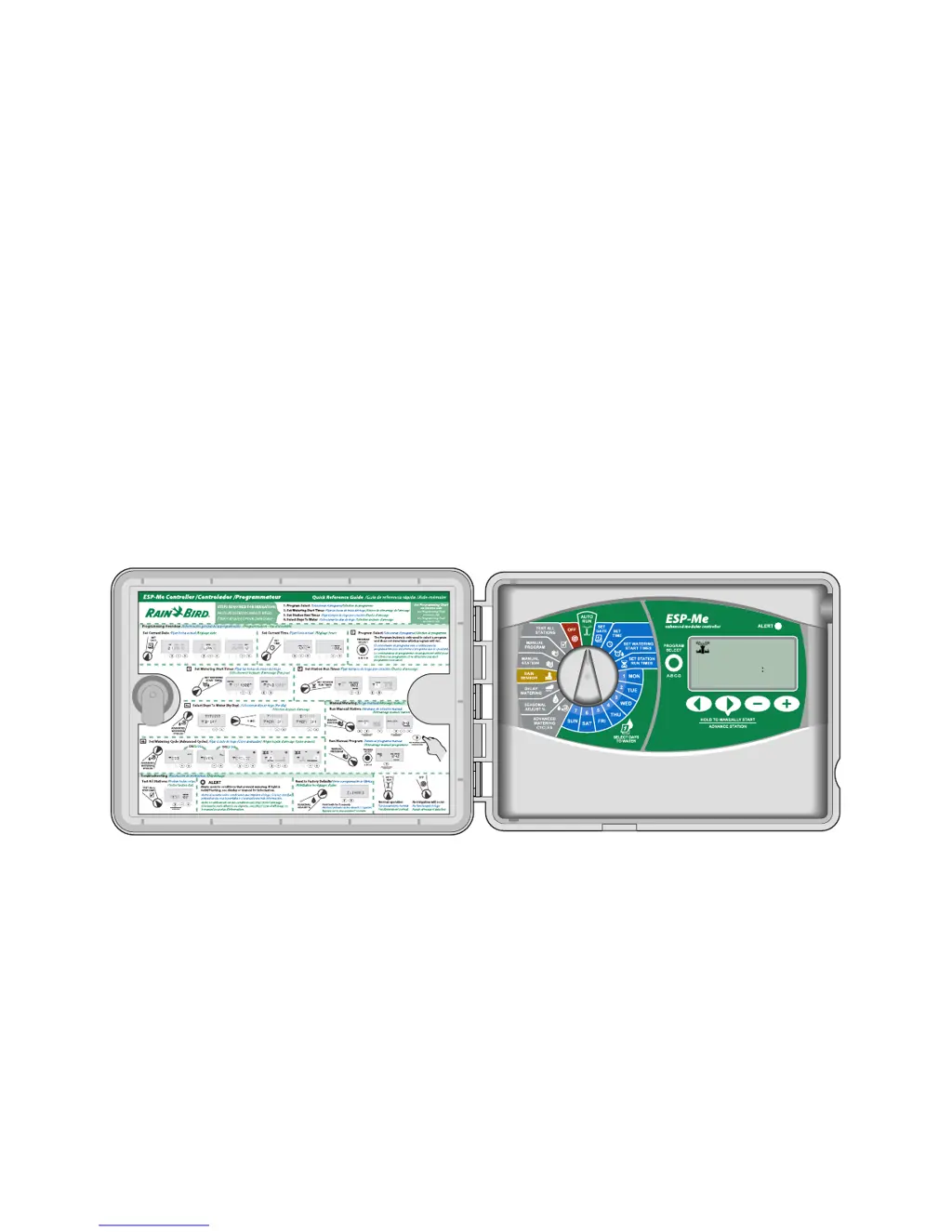
ESP-Me enhanced modular controller
Advanced User Manual

1 02 0
MINUTESHOUR
REMAINING
RUN TIME
STATION

Table of Contents

Other manuals for Rain Bird ESP-Me

Questions and Answers

Summary

Symbols

Safety Information

Check Box Contents

Introduction

Controller Features

Details the advanced water management capabilities of the ESP-Me controller.

Station Expansion Modules

Module Options

Describes the available base and expansion modules for increasing station capacity.

Controls and Indicators

Identifies key operational features and components of the ESP-Me controller.

Programming Overview

Controller Definitions

Defines key terms and concepts used in controller programming.

Display Legend

Normal Operation

Auto Run

Explains the automatic watering mode and how to operate the controller.

Off

Details how to turn off the controller and its implications for irrigation.

Basic Operation

Set Date

Instructions for setting the current calendar date on the controller.

Set Time

Instructions for setting the current time of day on the controller.

Program Select

Guide for selecting or creating irrigation programs (A, B, C, D).

Set Watering Start Times

Procedure for setting the times when a program begins to water.

Set Station Run Times

Procedure for setting the duration of watering for each station.

Select Days to Water

Introduction and Overview

Explains how programs can be scheduled based on days or intervals.

By Day (Custom)

Details how to schedule watering on specific days of the week.

Advanced Cycles

Covers alternative watering schedule options beyond specific days.

Cyclic Days

Sets watering to occur at specified intervals, e.g., every 2 or 3 days.

Advanced Options

Seasonal Adjust

Adjusts watering duration based on seasonal weather conditions (5% to 200%).

Delay Watering

Suspends automatic irrigation for a specified period (up to 14 days).

Rain Sensor

Configures the controller to obey or bypass the connected rain sensor.

Manual Watering Operations

Initiates immediate watering for a station or an entire program.

Manual Station

Starts watering for an individual station immediately.

Manual Program

Starts watering for an entire program immediately.

Total Run Time Calculator By Program

Calculates the total watering duration for a program based on station run times.

Test All Stations

Sequentially tests the operation of all connected valves.

Special Features

Overview

Introduces additional features for enhanced irrigation control.

List of Special Features

Lists the available special features and their corresponding dial positions.

Delay Between Valves

Sets a delay time between the operation of consecutive watering stations.

Set Master Valve By Station

Controls water supply to selected stations using a master valve or pump start relay.

Permanent Days Off

Designates specific days of the week as permanent non-watering days.

Bypass Rain Sensor For Any Station

Allows individual stations to ignore the rain sensor.

Additional Features

Mentions other special features like factory resets and saving programs.

Installation

Installation Checklist

Provides a step-by-step guide for installing the ESP-Me controller.

Gather Installation Tools

Lists the necessary tools and materials for controller installation.

Mount Controller

Instructions for selecting a location and mounting the controller unit.

Remove Front Panel

Procedure for safely removing the controller's front panel.

Remove Knock-outs

Details on how to remove cabinet knock-outs for conduit and wire access.

Connect Power

Guidance for connecting the controller to the power source, including indoor/outdoor models.

Station Expansion Modules

Information on installing modules to increase station capacity.

Station Numbering

Explains the fixed station numbering system and module configuration.

Wiring Connections

Connects valve wires for stations, master valve, and pump start relay.

Connect Pump Start Relay

Details on connecting an optional pump start relay for water source pumps.

Connect Optional Rain Sensor

Instructions for wiring a rain sensor to the controller.

Complete Installation

Final steps to reassemble and test the controller after wiring.

Optional Features

Connect Optional Accessory

Information on using the front panel's port for external devices.

Remote Programming

Enables programming the controller's front panel remotely using battery power.

Troubleshooting

Battery Life

Troubleshooting indicator for low battery life during remote programming.

Reset Button

Procedure for resetting the controller when it is not working properly.

Error Detection

Explains built-in error detection for programming or electrical faults.

Electrical Issues (solid LED illuminated)

Addresses problems like blank displays or unresponsive controls with solid LED indicators.

Frequently Asked Questions

Declaration of Conformity

FCC Part 15

States compliance with FCC rules for digital devices and potential interference.

Summary

Symbols

Safety Information

Check Box Contents

Introduction

Controller Features

Details the advanced water management capabilities of the ESP-Me controller.

Station Expansion Modules

Module Options

Describes the available base and expansion modules for increasing station capacity.

Controls and Indicators

Identifies key operational features and components of the ESP-Me controller.

Programming Overview

Controller Definitions

Defines key terms and concepts used in controller programming.

Display Legend

Normal Operation

Auto Run

Explains the automatic watering mode and how to operate the controller.

Off

Details how to turn off the controller and its implications for irrigation.

Basic Operation

Set Date

Instructions for setting the current calendar date on the controller.

Set Time

Instructions for setting the current time of day on the controller.

Program Select

Guide for selecting or creating irrigation programs (A, B, C, D).

Set Watering Start Times

Procedure for setting the times when a program begins to water.

Set Station Run Times

Procedure for setting the duration of watering for each station.

Select Days to Water

Introduction and Overview

Explains how programs can be scheduled based on days or intervals.

By Day (Custom)

Details how to schedule watering on specific days of the week.

Advanced Cycles

Covers alternative watering schedule options beyond specific days.

Cyclic Days

Sets watering to occur at specified intervals, e.g., every 2 or 3 days.

Advanced Options

Seasonal Adjust

Adjusts watering duration based on seasonal weather conditions (5% to 200%).

Delay Watering

Suspends automatic irrigation for a specified period (up to 14 days).

Rain Sensor

Configures the controller to obey or bypass the connected rain sensor.

Manual Watering Operations

Initiates immediate watering for a station or an entire program.

Manual Station

Starts watering for an individual station immediately.

Manual Program

Starts watering for an entire program immediately.

Total Run Time Calculator By Program

Calculates the total watering duration for a program based on station run times.

Test All Stations

Sequentially tests the operation of all connected valves.

Special Features

Overview

Introduces additional features for enhanced irrigation control.

List of Special Features

Lists the available special features and their corresponding dial positions.

Delay Between Valves

Sets a delay time between the operation of consecutive watering stations.

Set Master Valve By Station

Controls water supply to selected stations using a master valve or pump start relay.

Permanent Days Off

Designates specific days of the week as permanent non-watering days.

Bypass Rain Sensor For Any Station

Allows individual stations to ignore the rain sensor.

Additional Features

Mentions other special features like factory resets and saving programs.

Installation

Installation Checklist

Provides a step-by-step guide for installing the ESP-Me controller.

Gather Installation Tools

Lists the necessary tools and materials for controller installation.

Mount Controller

Instructions for selecting a location and mounting the controller unit.

Remove Front Panel

Procedure for safely removing the controller's front panel.

Remove Knock-outs

Details on how to remove cabinet knock-outs for conduit and wire access.

Connect Power

Guidance for connecting the controller to the power source, including indoor/outdoor models.

Station Expansion Modules

Information on installing modules to increase station capacity.

Station Numbering

Explains the fixed station numbering system and module configuration.

Wiring Connections

Connects valve wires for stations, master valve, and pump start relay.

Connect Pump Start Relay

Details on connecting an optional pump start relay for water source pumps.

Connect Optional Rain Sensor

Instructions for wiring a rain sensor to the controller.

Complete Installation

Final steps to reassemble and test the controller after wiring.

Optional Features

Connect Optional Accessory

Information on using the front panel's port for external devices.

Remote Programming

Enables programming the controller's front panel remotely using battery power.

Troubleshooting

Battery Life

Troubleshooting indicator for low battery life during remote programming.

Reset Button

Procedure for resetting the controller when it is not working properly.

Error Detection

Explains built-in error detection for programming or electrical faults.

Electrical Issues (solid LED illuminated)

Addresses problems like blank displays or unresponsive controls with solid LED indicators.

Frequently Asked Questions

Declaration of Conformity

FCC Part 15

States compliance with FCC rules for digital devices and potential interference.

Rain Bird ESP-Me Specifications

General IconGeneral
TypeModular
Start Times per Program4
Master Valve/Pump StartYes
Watering Start Times4 per program
Cycle and SoakYes
Rain DelayYes
Power Source24V AC
Voltage24V AC
Station Run Times1 minute to 4 hours
Backup BatteryNo

Videos

How To Reset A Rain Bird ESP-Me Irrigation Controller

Related product manuals