16
16
Special Features
ESP-Me Advanced User Manual
Special Features
Overview
The ESP-Me controller has some additional, or “Special
Features” that offer enhanced irrigation control.
List of Special Features
Feature Dial Position
Delay Between Valves OFF
Set Master Valve By
Station
Set Station Run Times
Permanent Days O
“Day” position (Mon, Tue, etc.)
Bypass Rain Sensor For
Any Station
Rain Sensor
Reset to Factory Defaults Seasonal Adjust
Save Programs Test All Stations
Restore Saved Programs Advanced Cycles
Dial positions that are used to access an additional Special
Feature are indicated throughout this manual with a note
as shown below:
SPECIAL FEATURE AVAILABLE
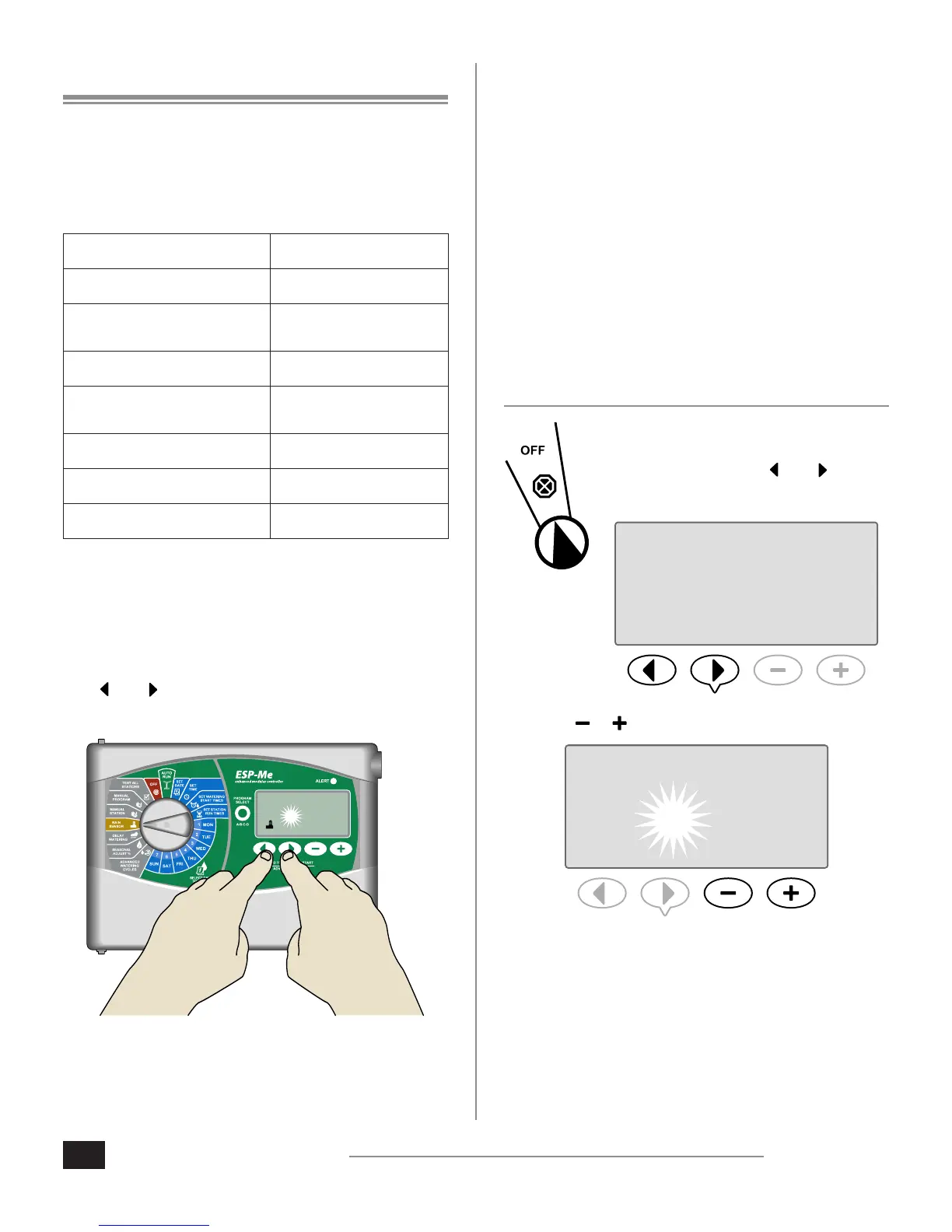
Special Features are accessed by pressing and HOLDING
both
and at the same time for at least 3 seconds, as
shown in the illustration below.
1
STATION
Delay Between Valves
Set a delay between stations for all programs.
SPECIAL FEATURE AVAILABLE
After a station has completed watering, the start of the
next station can be delayed for a set period of time ranging
from 2 seconds to 9 hours (the default value is 0 seconds).
This ensures that a valve has completely closed before the
next one opens.
NOTE: Some valves may take a long time to
mechanically close. Opening a valve before another
valve has completely closed could cause a loss in
hydraulic pressure in the system. The Master Valve
(MV) output obeys the inter-station delay as well.
1. Turn the dial to OFF.
2. Press and HOLD both and until the
Station Delay screen appears.
DELAY
STATION
3. Press or to set the desired delay time.
5 MIN












 To Next Page