18
18
Special Features
ESP-Me Advanced User Manual
Permanent Days Off
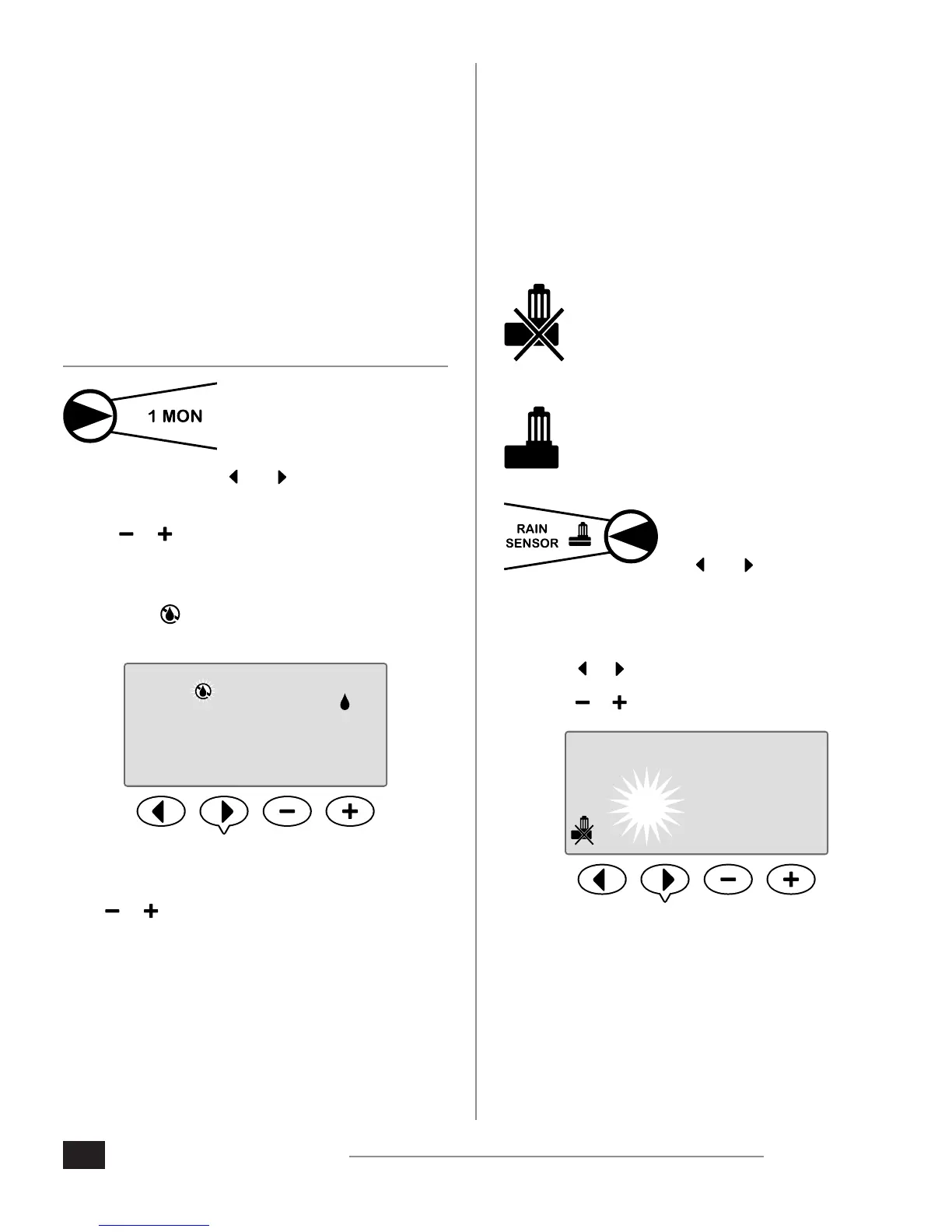
Prevent watering on selected days of the week.
SPECIAL FEATURE AVAILABLE
When the Odd Days, Even Days, or Cyclic Days option is
selected under Advanced Cycles, a day of the week can be
designated as a permanent non-watering day.
NOTE: For example, you could schedule watering on
all Odd Days with the exception of Thursdays if that
is the day that your lawn is mowed.
NOTE: Applies only to Odd, Even, or Cyclic
programming.
1. Turn the dial to the desired
day of the week
(Select Days to Water).
2. Press and HOLD both and at the same time until
the Permanent Days O screen is displayed.
3. Press or to set any days as desired to be a
Permanent Day O.
NOTE: When a day is selected as a Permanent Day
O, the symbol is displayed to indicate no
watering will occur on that day.
PERMOFF
PGM
A
TU WE TH FR SA SUMO
1 3 5
, ,
...
REPEAT to set Permanent Day O for other days as
desired. Turn the dial to the desired day and use the
or buttons to permanently turn the day o or
back on.
Bypass Rain Sensor
For Any Station
Set an individual station to obey or ignore a rain sensor.
SPECIAL FEATURE AVAILABLE
If an optional rain sensor is installed, automatic irrigation
will suspend if the sensor detects rainfall. When Bypass
Rain Sensor For Any Station is set to BYPASS, the selected
station will ignore the rain sensor.
Sensor is BYPASSED
Sensor is ACTIVE
1. Turn the dial to Rain Sensor.
2. Press and HOLD both
and at the same
time until the Bypass
Rain Sensor For Any
Station screen appears.
3. Press or to select the desired Station.
4. Press or to select ACTIVE or BYPASS.
1
STATION
Additional Features
Additional Special Features are available, including:
Reset to Factory Defaults
Save and Restore Saved Programs
For more information see the Special Features Card,
included with the ESP-Me Controller.












 To Next Page