9
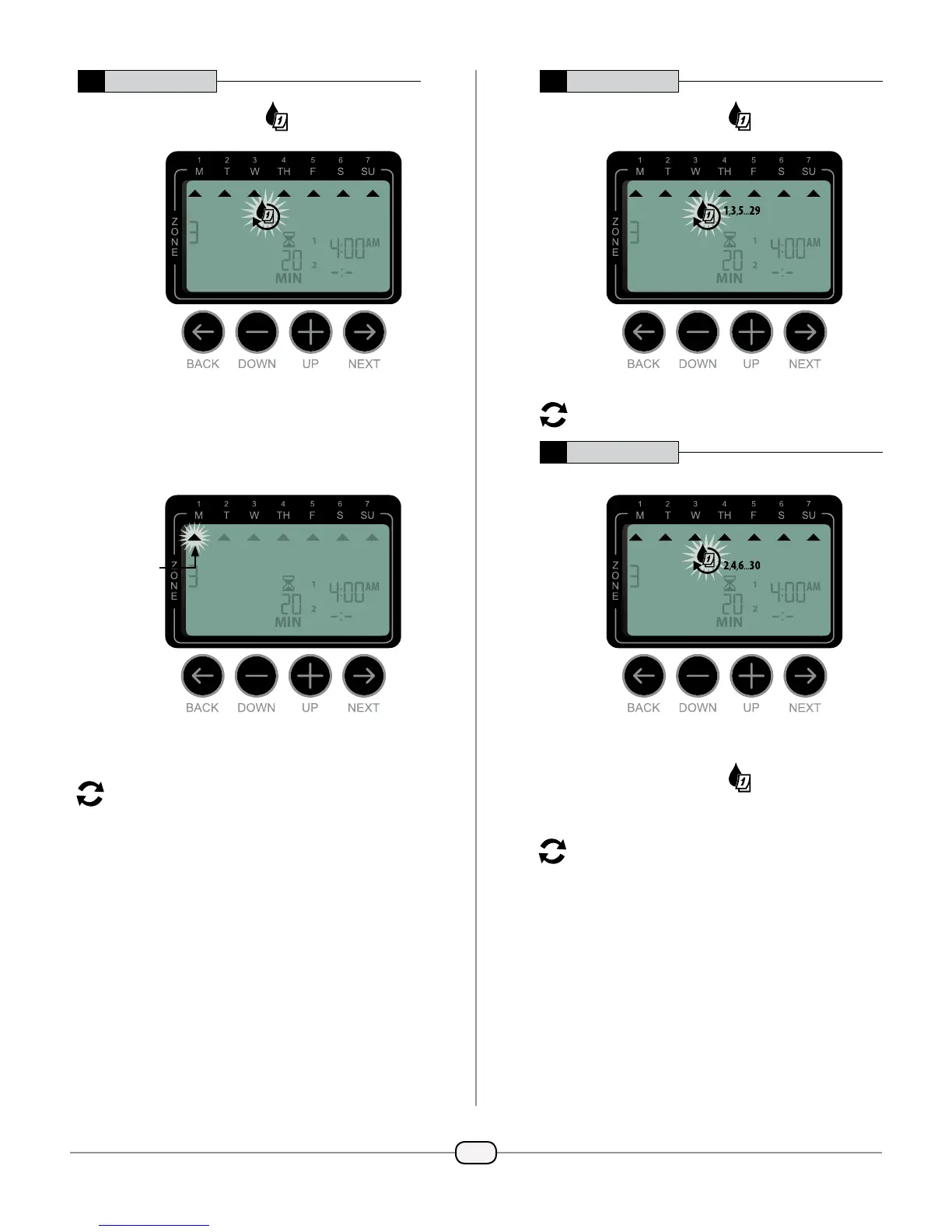
4a Custom Days
Press
+
or
–
to select
then press NEXT.
Press
+
(to enable) or
–
(to disable) the
blinking Selection Day. Cursor will then advance
to the next Selection Day.
Press
+
or
–
to set each subsequent day of the
week as desired.
REPEAT Steps 1-4 for remaining zones.
4b Odd Days
Press
+
or
–
to select
135
,,...
then press
NEXT.
REPEAT Steps 1-4 for remaining zones.
4c Even Days
Press
+
or
–
to select
then press
NEXT.
REPEAT Steps 1-4 for remaining zones.
SELECTION
DAY



 To Next Page
 Loading...