14|Page
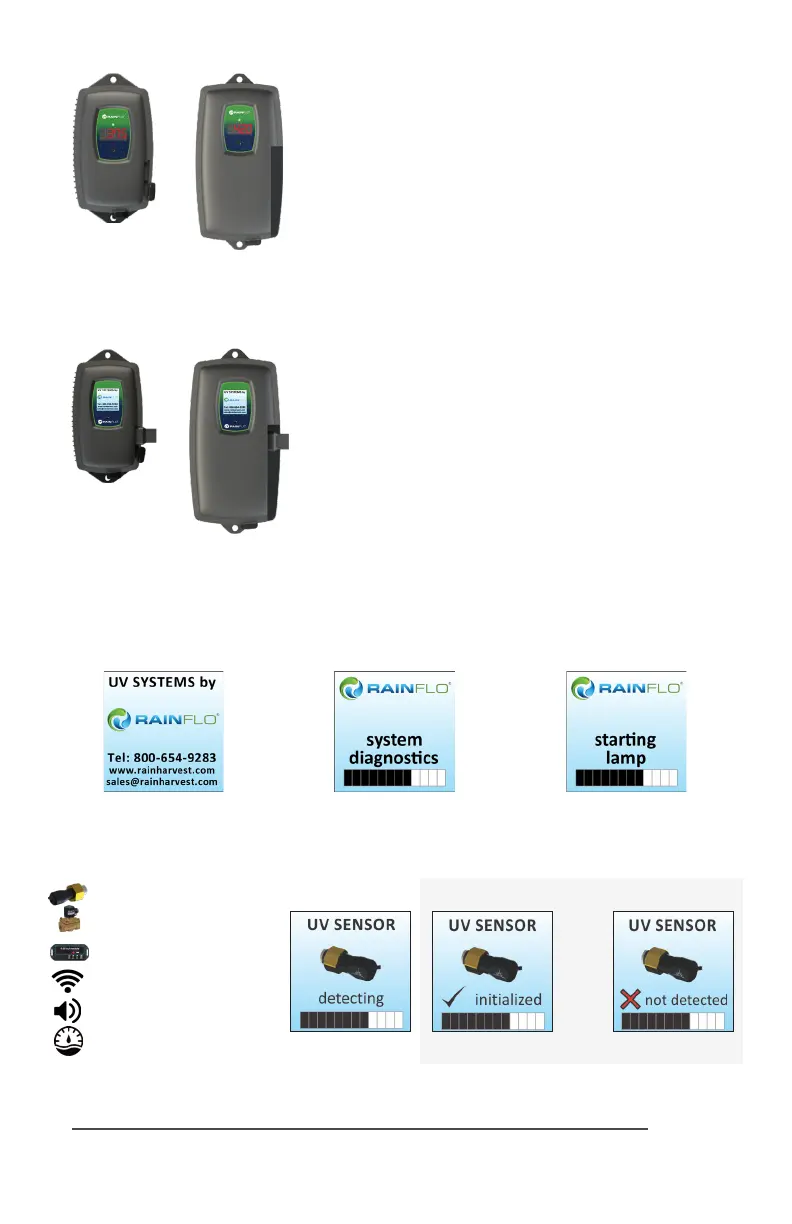
RF4 Controllers
RF4
Series
RF4-C
Series
Simplisc in operaon, these systems feature a tri-colour
LED that indicang system status and a 4-digit display to in-
dicate lamp life remaining. Pressing the buon will change
the display to indicate total running me. When the UV lamp
is on and within its operang age, the LED will be green.
When the UV lamp is not on or the lamp life has expired,
the LED will be illuminated red and an audible buzzer will be
sounding. To remedy this condion, the UV lamp must be
replaced with a new genuine RainHarvest Systems UV lamp.
RF5 & RF6 Controllers
RF5 / RF6
Series
RF5-C / RF6-C
Series
A full colour LCD screen provides the user with a detailed
descripon of the system’s performance in addion to pro-
viding any applicable fault messages and system diagnoscs.
The controllers used in both the RF5 and RF6
are idencal.
The dierence is that the RF6 series of products includes a
UV intensity monitor. All RF5 and RF6 controllers include an
“innite expandability port” located on the right side of the
controller. Simply plug in an oponal UV sensor module into
the expandability port of a RF5 controller and the system
will now monitor the UV intensity of the system!
RF5 & RF6
Power-up Sequence
On start up, the controller will run through a diagnosc start-up and the sequence will be
displayed as follows on the colour LCD:
Next, the controller checks for and inializes any oponal modules that may be aached to the
system.
Oponal Modules Check
- UV Sensor
- Solenoid
- 4-20 mA
- WIFI
- Remote Alarm
- Flow Meter
OR



 To Next Page