15|Page
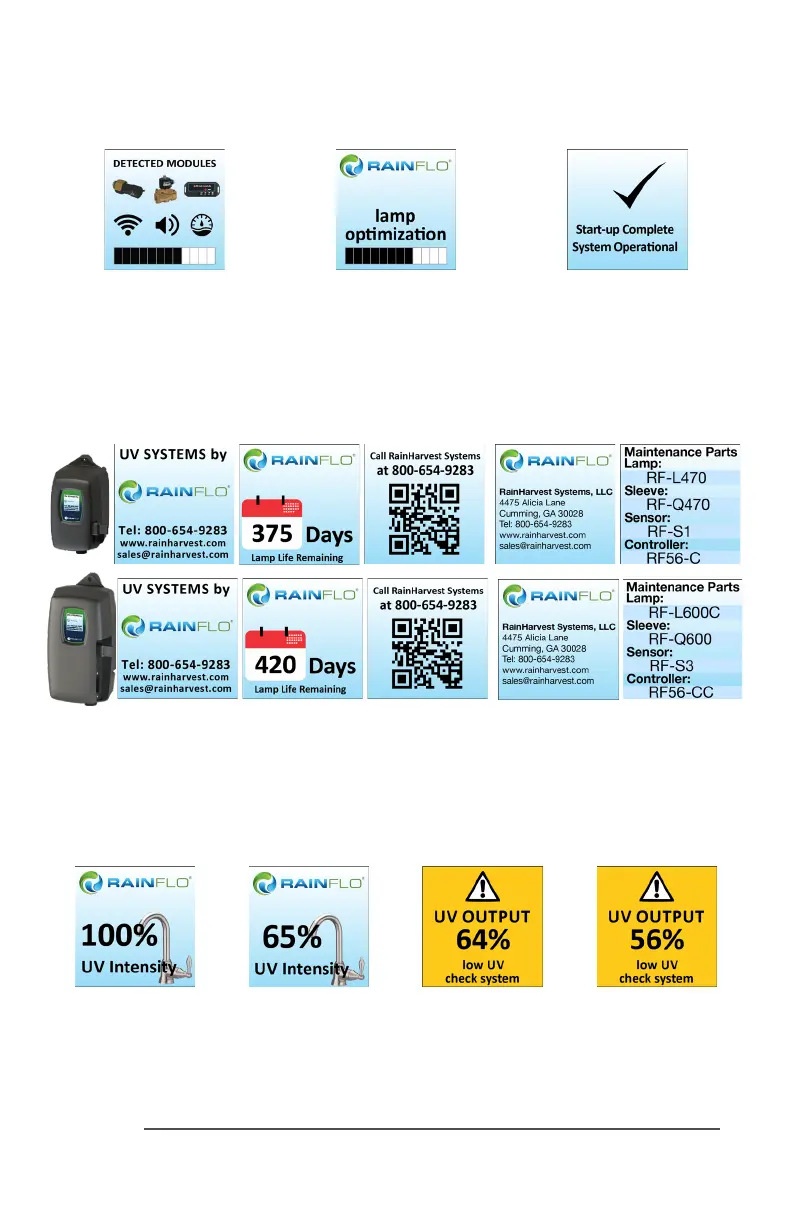
A nal module screen is displayed showing which specic modules were inialized.
The controller then displays the lamp opmizaon screen for 60 seconds to allow the lamp to
reach its opmum output. Finally, a nal “start-up complete” screen is displayed. The system will
now be ready to disinfect water ow.
all detected modules lamp reaching max output successful start-up
RF5 Operaonal Screens
On systems without the UV monitor, the default screen shows the Home Screen. At any point
during operaon the user is able to scroll through the Home Screen, Lamp life remaining, QR
Code, Contact Info and Maintenance Parts screens by pressing the buon located on the front
of the controller.
RF6 Operaonal Screens
On systems with the UV monitor, the system will display the same screens as on the RF5 except
the UV Intensity replaces the home screen. The UV Intensity screen displays the level of UV light
detected by the sensor. UV intensity can be aected by poor water quality, scaling on the quartz
sleeve and/or sensor, lamp failure or lamp expiring. The following screens show the UV Intensity
dropping.
Below 56%, the numbers and warning sign turn red and an audible chirp is given by the ballast
every 15 seconds. Below 51%, the screen is solid red and a constant audible alarm is given. This
alternates with a screen indicang “water may be unsafe for consumpon”. With the solenoid
module, the controller de-acvates the solenoid valve, shung o all water ow.



 To Next Page