How to Replace the Thermocouple – V1.0 Date:07/27/2020
- 6 / 17 -
www.raise3d.com
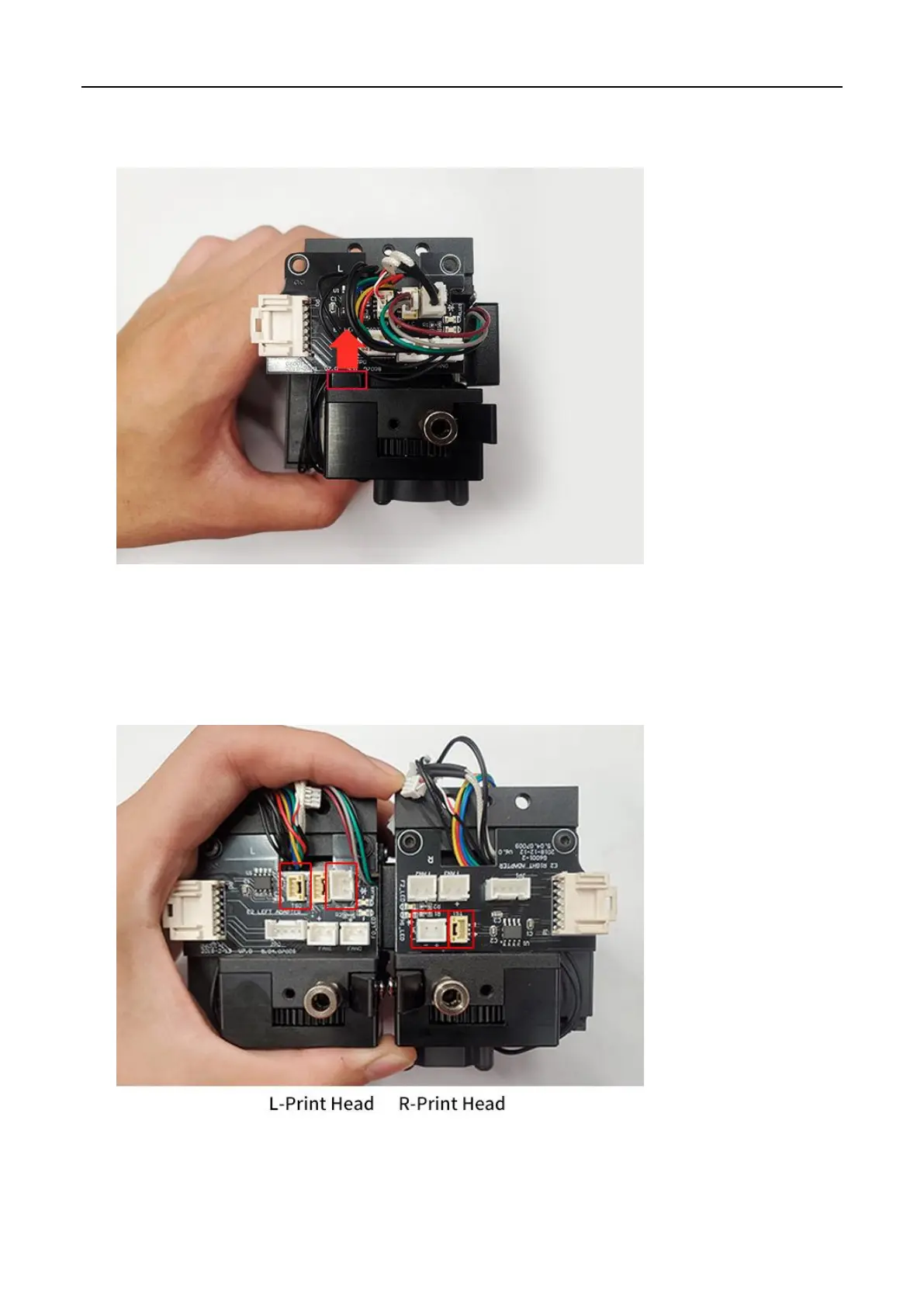
10. Gently pull out the extruder connection board in the direction of the arrow shown below. Be
careful not to break the small protrusion.
11. Remove the thermocouple cable and heating rod power cable from the extruder connection board
on the print head.
Note: The positions of thermocouple cable and heating rod power cable connector on the left and
right print head are different, please distinguish between them according to the marks in the
following figure.



 To Next Page