How to Replace the Thermocouple – V1.0 Date:07/27/2020
- 9 / 17 -
www.raise3d.com
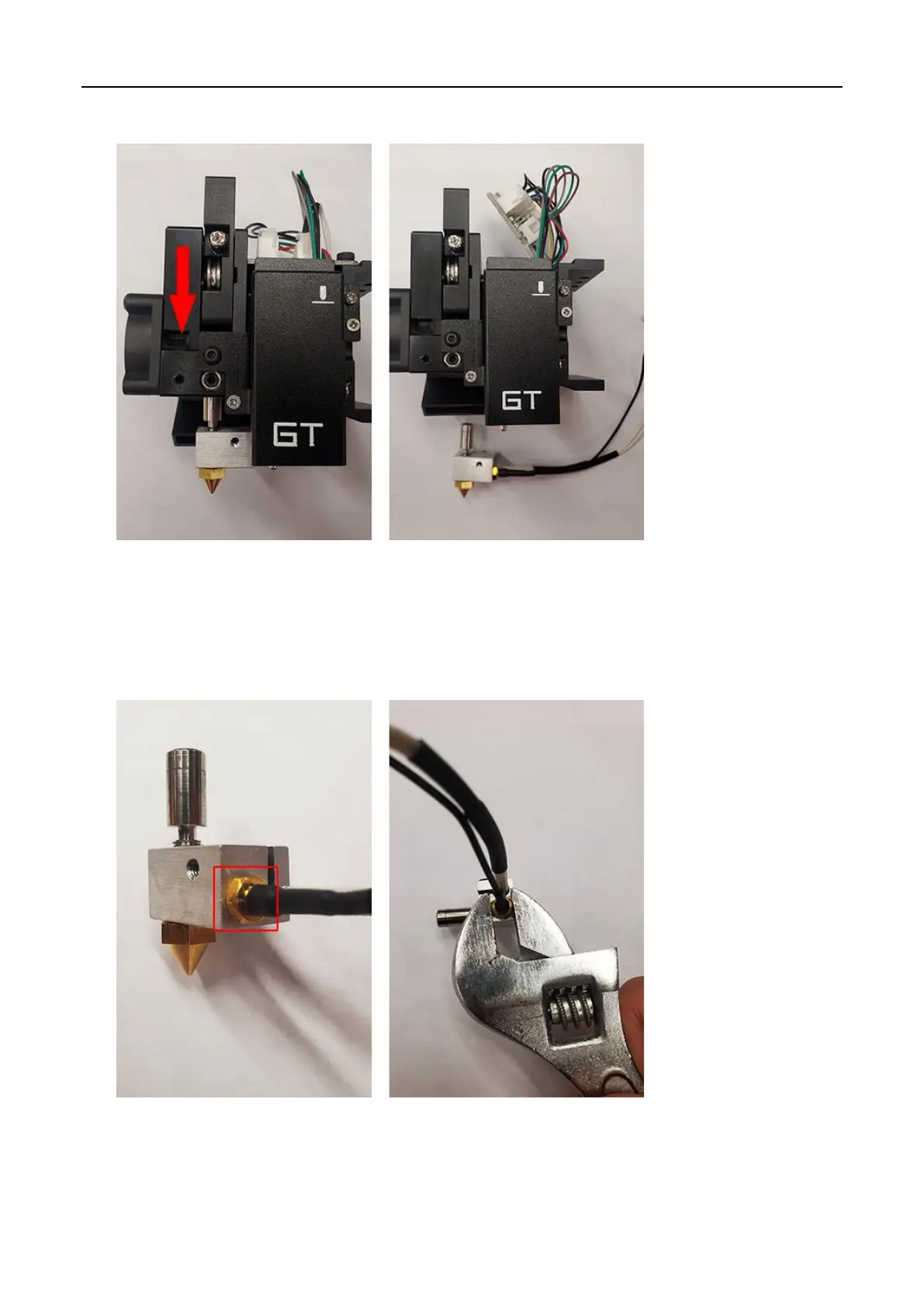
14. Pull the entire hotend assembly out.
15. Remove the thermocouple on the hotend with an adjustable wrench.
Note: It may be more difficult to disassemble the thermocouple If there are any filament
remaining on it. If this happens, please reconnect the print head and heat the hotend to melt the
filament. And be careful not to damage the heating rod power cable when removing the
thermocouple.



 To Next Page