Pro2-Series 3D Printer
/ Quick Start Guide
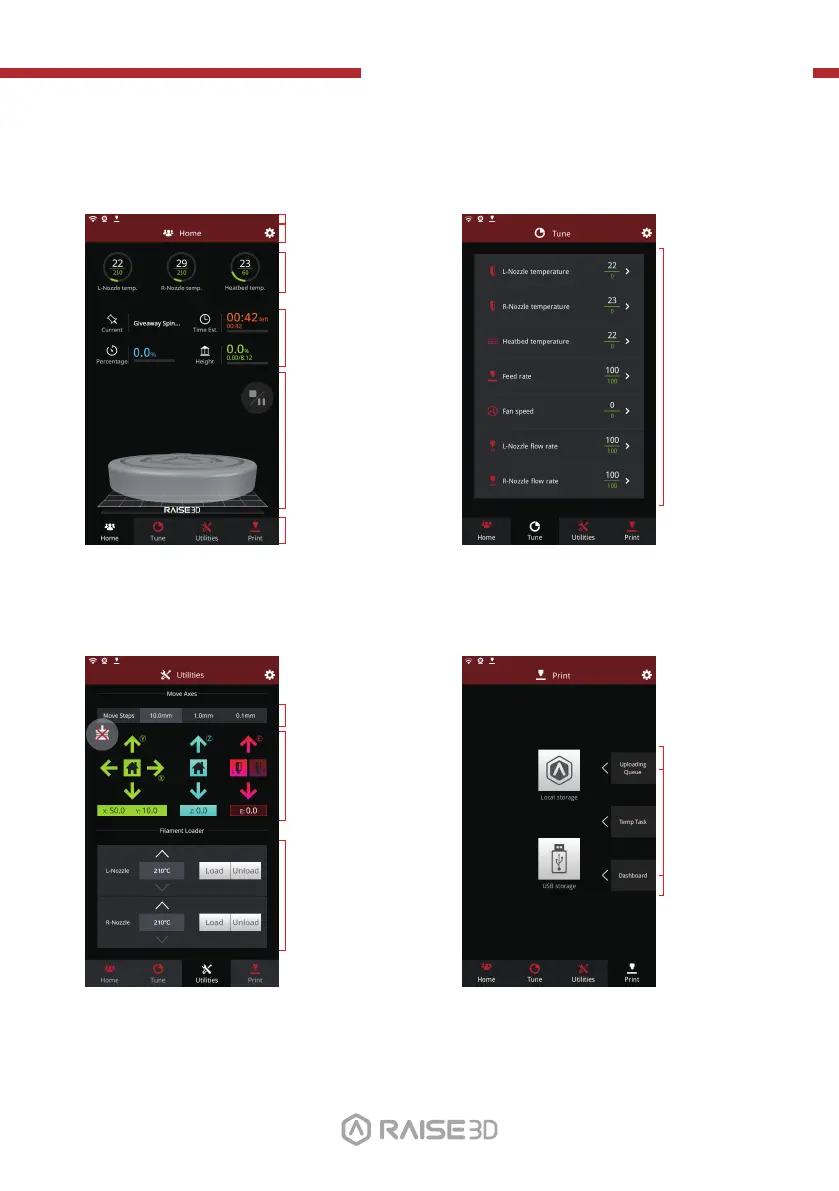
G. User Interface
· Status bar
· Menu title, Settings Button
· Taskbar
· Current model name, total
print time, current printing
status and height
· Visual display of current
model
· Pause/Resume button
· Stop button
Home Tune
· Printing
parameters and
adjustment
· Extruder and Heat Bed
temperature
· X/Y/Z axes move/return to
original position
· Load and unload function
for the L&R extruders.
· Check uploading
list, recovery task list,
printing statistics
· Moving step distance
setting
Utilities Print
· Choose where to
load the print job
from
· Disable motor button
01 02
03 04 05 06
07 08 09 10
11 12 13 14
15 16
17 18
19 20 21 22
23 2624 25
27



 To Next Page