Pro2-Series 3D Printer
/ Quick Start Guide
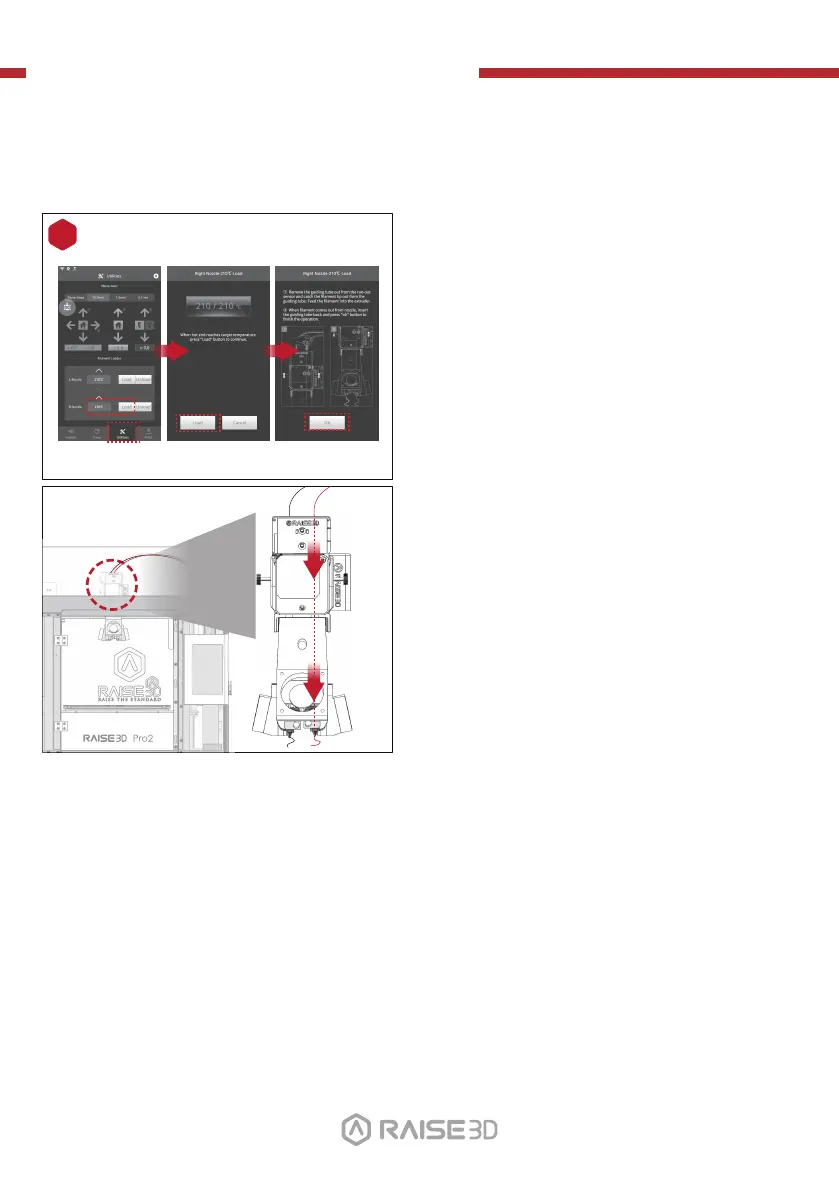
Open the “Utilities” tab on the screen and set
the temperature of the right nozzle for the
filament you're using, then press the “Load”
button.
Finish the feeding operation step by step
according to the instructions on the screen.
NOTE: This document is set based on the Raise3D PLA
filament, delivered with the printer. We advise that
using the Raise3D PLA for this initial setup and
testing.
3
H. Dual-Extruder Print - Hardware Installation (continued)
01 02
03 04 05 06
07 08 09 10
11 12 13 14
15 16 17 18
19 20 21
22
23 2624 25
27



 To Next Page