Pro2-Series 3D Printer
/ Quick Start Guide
H. Dual-Extruder Print - Start First Print
The Pro2/Pro2 Plus units are preleveled in the
factory, but we recommend verifying that the
leveling has not changed during shipping.
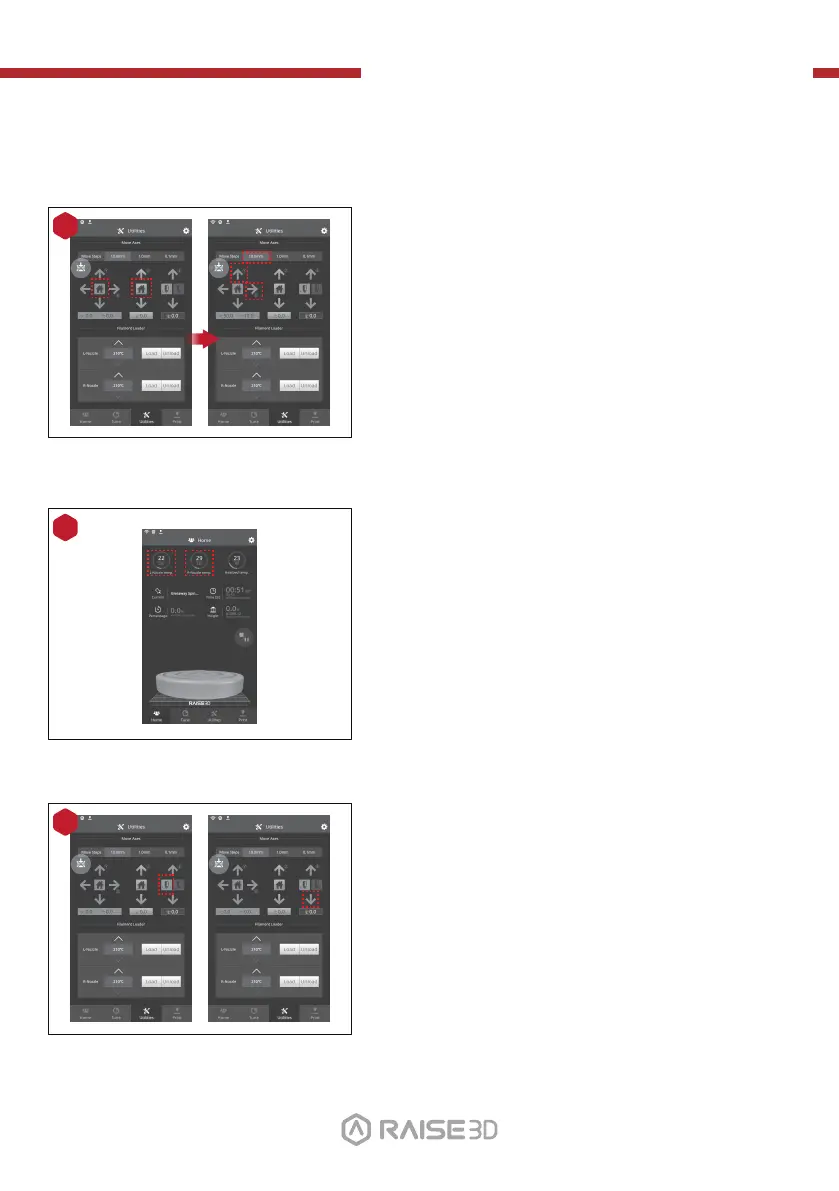
First, home the X/Y Axis by selecting the "home"
button, then Z axis "home" button. If the homing
procedures complete without issues, reposition
the print head.
Select "10mm" for "Move Steps" and move X to
50mm, Y to 10mm.
1
Press the left nozzle button and the downward
arrow.
3
2
Press the nozzles button in Ultilities page and set
the temperature to be 180 degrees. Wait until
nozzles heat up to the set temperature.
01 02
03 04 05 06
07 08 09 10
11 12 13 14
15 16 17 18
19 20 21 22
23 26
24 25
27



 To Next Page