EasyManua.ls Logo

RAMSET RAM 1000 - User Manual

Default Icon
31 pages
Print Icon
To Next Page IconTo Next Page
Loading...
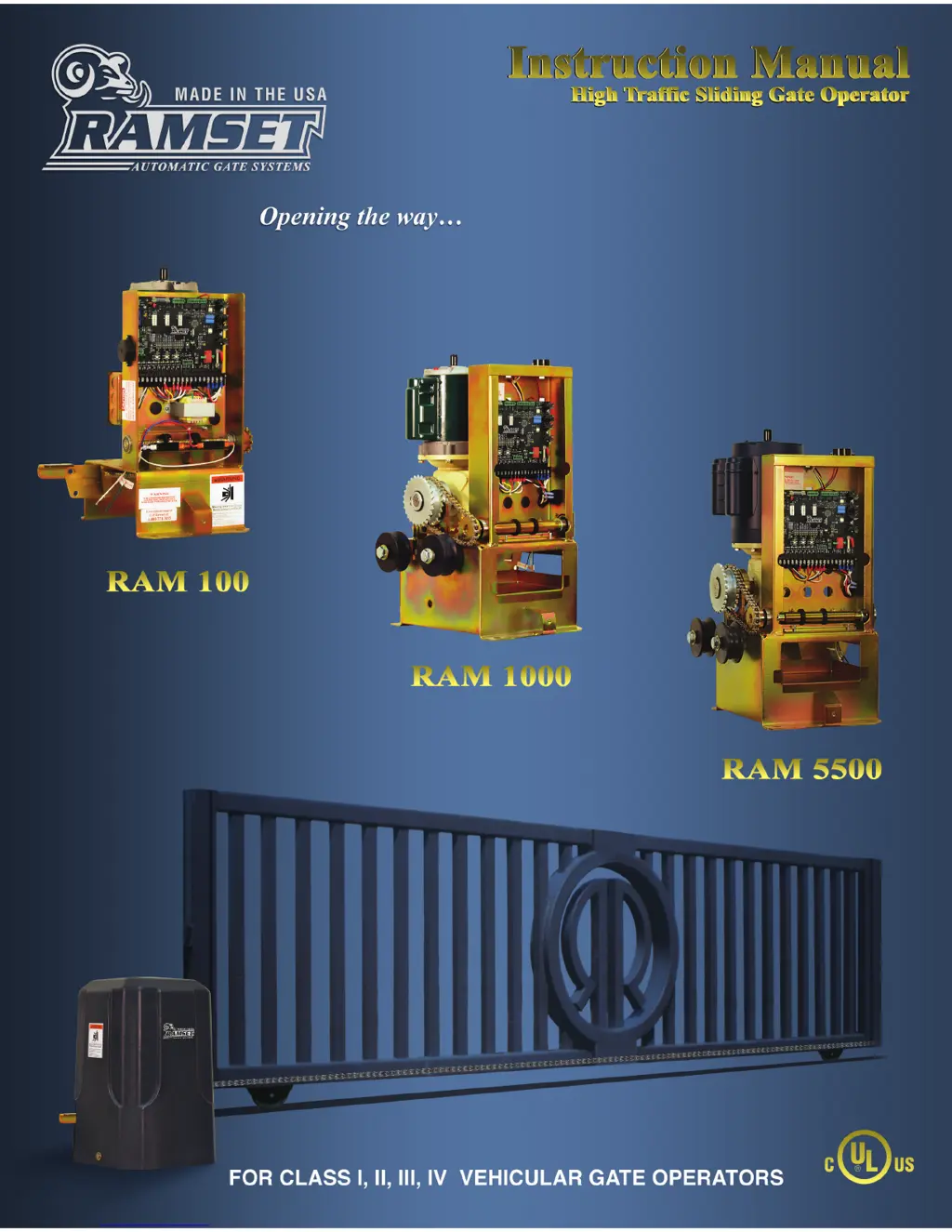
RAM 100 • 1000 • 5500
RAMSET
www.ramsetinc.com

Questions and Answers

  • D
    Diane EdwardsAug 21, 2025
    Why RAMSET RAM 1000 Gate Opener doesn't open?
    • J
      Jack WallaceAug 22, 2025
      Your RAMSET Gate Opener might not be opening due to several reasons: * The Radio L.E.D. is ‘On’ (refer to related solutions). * A 10 amp fuse might be blown; check and replace it if necessary. * The opening accessory might not be functioning; check or replace it.
  • E
    Eric DillonSep 4, 2025
    What to do if “REv LOOP” L.E.D. always ‘on’ in RAMSET RAM 1000?
    • K
      katherine55Sep 4, 2025
      If the “Rev Loop” L.E.D. is always ‘On’ on your RAMSET Gate Opener, disconnect all accessories, including plug-ins, using the “Rev Loop” input. If problem persist, contact Ramset.
  • A
    Alex VargasSep 2, 2025
    What to do if the “EXIT” L.E.D. is always ‘on’ on RAMSET RAM 1000 Gate Opener?
    • T
      Thomas KellySep 2, 2025
      If the “EXIT” L.E.D. is always ‘On’ on your RAMSET Gate Opener, disconnect all accessories, including plug-ins, using the “Exit” input. If the problem persists, contact Ramset.
  • A
    April FisherSep 1, 2025
    What to do if “RADIO” L.E.D. is always ‘on’ on RAMSET Gate Opener?
    • A
      Antonio HoodSep 1, 2025
      If the “RADIO” L.E.D. is always ‘On’ on your RAMSET Gate Opener: * Check all transmitters for a stuck button. * Remove the receiver. If the problem persists, contact Ramset.
  • A
    anthony54Aug 30, 2025
    How to troubleshoot RAMSET RAM 1000 Gate Opener when no lights are ‘on’?
    • J
      John JacksonAug 31, 2025
      If no lights are ‘On’ on your RAMSET Gate Opener: * Check if the circuit breaker has popped and reset it. * See if the 1/2 amp fuse is blown and replace it. * The power supply on the Control Board might be damaged; in this case, return the Control Board for repair.
  • B
    Brandon MartinezAug 29, 2025
    What to do if my RAMSET RAM 1000 Gate Opener automatically opens, but doesn’t automatically close?
    • D
      Denise AliAug 29, 2025
      If your RAMSET gate opener automatically opens, but doesn’t automatically close, the motor direction might be wrong. Turn on dip switch “C” 7 (left/right).
  • F
    Fred AlexanderAug 27, 2025
    Why RAMSET RAM 1000 doesn't close automatically?
    • R
      Robert SmithAug 28, 2025
      If your RAMSET Gate Opener doesn't close automatically, it could be due to these reasons: * Dip switches “A” 1-3 are all ‘Off’. Set dip switches “A” 1-3 for auto close. * A dip switch is not fully engaged. Turn off dip switches “A” 1-3, then turn the appropriate switches back ‘On’.
  • C
    Christina HobbsAug 26, 2025
    What to do if RAMSET RAM 1000 Gate Opener moves a couple of feet and then reverses?
    • R
      Ronald StewartAug 27, 2025
      If your RAMSET Gate Opener moves a couple of feet and then reverses, it might be because the E.R.D. is too sensitive. For 1/2 hp motors, turn dip switch “A” 4 ‘On’. For 3/4 hp motors, turn dip switch “B” 8 ‘On’.
  • S
    Shelly RobertsAug 25, 2025
    How to fix RAMSET RAM 1000 Gate Opener radio/receiver with no range?
    • D
      Daniel AlexanderAug 25, 2025
      If your RAMSET Gate Opener radio/receiver has no range: * Ensure the antenna is in the proper position and not shorted to the chassis, as the signal might be blocked. * Consider changing to a long range receiver if the area is not suitable for the current receiver type.
  • M
    Mackenzie NelsonAug 23, 2025
    What to do if my RAMSET Gate Opener doesn't close?
    • X
      xnelsonAug 23, 2025
      If your RAMSET Gate Opener isn't closing, consider the following possibilities: * No lights are ‘On’ (refer to related solutions). * The Exit, Rev Loop, or Radio L.E.D. is ‘On’ (refer to related solutions). * A 10 amp fuse might be blown; check and replace it. * The thermal/overload button on the motor might have popped; reset it.

Summary

Important Safety Requirements & Instructions

Responsibilities of Installers and Technicians

Installation

Guidelines for installing gate operators, considering gate type, weight, and travel.

Safety

Primary concern for gate operator installation, adhering to codes and using compliant accessories.

Important Safety Requirements by UL Standards

UL Gate Classification

Recommended Electrical Connection

Details on required electrical connections, circuit breaker, and conduit for gate operators.

Recommended Wire Gauge

Table detailing recommended wire gauges for different models and distances.

General Specifications

RAM 100 Installation Specifications

Concrete Pad Construction

Step-by-step guide for constructing the concrete pad for operator mounting.

RAM 100 Front Installation

Foot Pedal Release

Instructions and warnings for using the foot pedal release mechanism.

RAM 1000; RAM 5500 Installation Specifications

Concrete Pad Construction

Guide for constructing the concrete pad for RAM 1000/5500 operator mounting.

RAM 1000; RAM 5500 Types of Installations

Front Installation

Details for front installation of RAM 1000/5500 gate operators.

Center Installation

Details for center installation of RAM 1000/5500 gate operators.

Rear Installation

Details for rear installation of RAM 1000/5500 gate operators.

Loop Sensor Installation

Gate Travel Adjustment

Instructions on adjusting gate travel limits using adjustment nuts.

Entrapment and Safety Protection

Intelligate LED Layout

Pushbutton Controls

Primary;Secondary Installation

Guide for setting up primary and secondary gate operator installations.

Dip Switch Configuration

Dip Switch S4 - A

Configuration settings for dip switches A1-A4, including gate duration and left/right installation.

Dip Switch S6 - B

Configuration settings for dip switches B1-B8, covering prewarn, constant warn, and delays.

Dip Switch S5 C

Configuration settings for dip switches C1-C8, including ERD and slow operation.

Rotary Switch S8

Manual adjustments for ERD sensitivity using rotary switch S8.

Slide Switch S9

Switch for selecting between automatic and manual ERD adjustments.

Dip Switch S7

Bypass settings for foot pedal and stop input plugs.

Terminal Strip Connections

Terminal 2 - Safety

Safety terminal for stopping the gate, used with various sensors.

Terminal #8 - Edge

Edge terminal for stopping the gate upon sensing an obstruction.

Terminal # 9 and 10 - Limit 1 & Limit 2

Limit terminals to stop the gate at fully open or closed positions.

Terminal # 19 and 20 - AC Hot & Neutral

Terminals for powering the operator with 115 VAC and 230 VAC.

Plug Connections

Foot Pedal

Connection for the foot pedal switch input.

Primary;Secondary Connection

Connection for synchronizing movement between two gates.

Accessory Connections

Connections for loops, relays, lights, alarms, and sirens.

Monitored Anti-Entrapment Device

Connection for monitored anti-entrapment devices.

Wiring Diagrams

Gate Open Light;Siren

Wiring diagram for gate open light or siren.

Constant Warn or Prewarn

Wiring diagram for constant warn or prewarn lights/sirens.

Parts Diagram RAM 100

Parts Diagram RAM 1000 RAM 5500

Bill of Materials

Gate Entrance Safety Precautions

Important Information for the Homeowner

Troubleshooting Table

RAMSET RAM 1000 Specifications

General IconGeneral
Operating Voltage24V DC
Maximum Gate Weight1000 lbs
Maximum Current Consumption5A
Maximum Gate Length5 m
Motor TypeDC Motor
Battery BackupYes
Operating Temperature-20°C to +60°C

Related product manuals