EasyManua.ls Logo

RAMSET RAM 100 - User Manual

RAMSET RAM 100
31 pages
Print Icon
To Next Page IconTo Next Page
Loading...
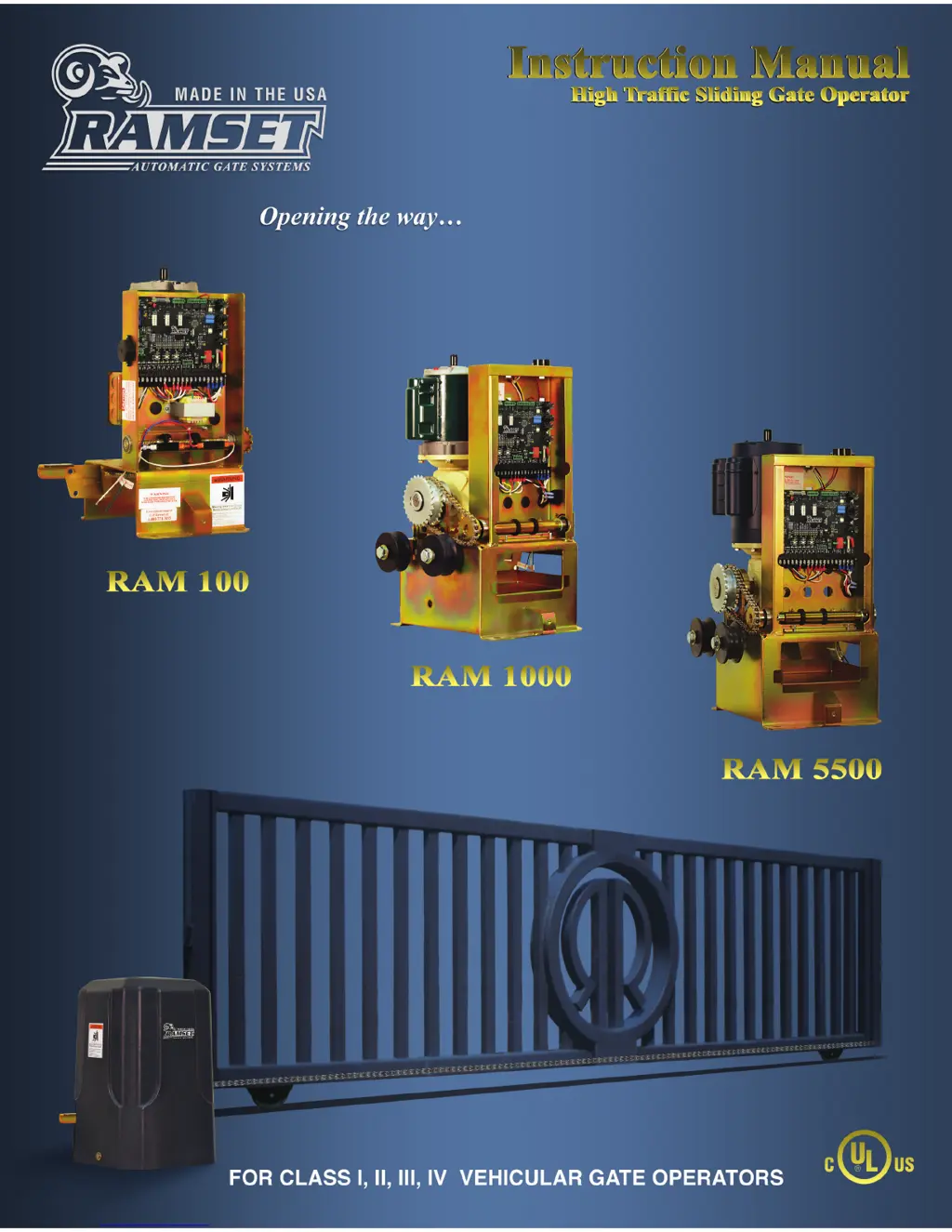
RAM 100 • 1000 • 5500
RAMSET
www.ramsetinc.com

Questions and Answers

  • M
    markparkerSep 8, 2025
    How to improve the radio range of my RAMSET RAM 100 receiver?
    • D
      Danielle WheelerSep 9, 2025
      To improve the radio range of your RAMSET Gate Opener, ensure the antenna is positioned correctly and not shorted to the chassis. If the area isn't suitable for the current receiver type, you might need to switch to a long-range receiver.
  • Q
    qbuchananAug 23, 2025
    What to do if my RAMSET RAM 100 doesn't close?
    • J
      Jennifer FarleyAug 23, 2025
      If your RAMSET Gate Opener isn't closing, consider the following possibilities: * No lights are ‘On’ (refer to related solutions). * The Exit, Rev Loop, or Radio L.E.D. is ‘On’ (refer to related solutions). * A 10 amp fuse might be blown; check and replace it. * The thermal/overload button on the motor might have popped; reset it.
  • M
    Melissa JenkinsAug 25, 2025
    How to fix RAMSET Gate Opener radio/receiver with no range?
    • C
      Catherine HarrisAug 25, 2025
      If your RAMSET Gate Opener radio/receiver has no range: * Ensure the antenna is in the proper position and not shorted to the chassis, as the signal might be blocked. * Consider changing to a long range receiver if the area is not suitable for the current receiver type.
  • N
    Nathan WilliamsAug 27, 2025
    What to do if RAMSET RAM 100 Gate Opener moves a couple of feet and then reverses?
    • T
      tabithawilliamsonAug 27, 2025
      If your RAMSET Gate Opener moves a couple of feet and then reverses, it might be because the E.R.D. is too sensitive. For 1/2 hp motors, turn dip switch “A” 4 ‘On’. For 3/4 hp motors, turn dip switch “B” 8 ‘On’.
  • J
    Jason GonzalezAug 27, 2025
    Why RAMSET RAM 100 Gate Opener doesn't close automatically?
    • K
      kelleychristinaAug 27, 2025
      If your RAMSET Gate Opener doesn't close automatically, it could be due to these reasons: * Dip switches “A” 1-3 are all ‘Off’. Set dip switches “A” 1-3 for auto close. * A dip switch is not fully engaged. Turn off dip switches “A” 1-3, then turn the appropriate switches back ‘On’.
  • C
    Carl PerezSep 22, 2025
    What does it mean if the “REV LOOP” L.E.D. is always on in my RAMSET RAM 100 Gate Opener?
    • K
      kylegilbertSep 22, 2025
      If the “REV LOOP” L.E.D. is always on in your RAMSET Gate Opener, a faulty accessory is likely connected to the “Rev Loop”. Disconnect all accessories, including plug-ins, using the “Rev Loop” input. If problem persist, contact Ramset.
  • D
    Dennis ParksSep 16, 2025
    What does it mean if the “RADIO” L.E.D. is always on in my RAMSET Gate Opener?
    • X
      xmartinSep 16, 2025
      If the “RADIO” L.E.D. is always on in your RAMSET Gate Opener, it could mean that a button on the transmitter is stuck or the receiver is faulty. Check all transmitters. Remove the receiver. If the problem persists, contact Ramset.
  • J
    Jason DownsSep 18, 2025
    What does it mean when the “EXIT” L.E.D. is always on in my RAMSET RAM 100?
    • E
      Elizabeth DickersonSep 18, 2025
      If the “EXIT” L.E.D. is always on in your RAMSET Gate Opener, it indicates a faulty accessory connected to the “Exit”. Disconnect all accessories, including plug-ins, using the “Exit” input. If the problem persists, contact Ramset.
  • J
    Jennifer HaasSep 7, 2025
    What to do if my RAMSET Gate Opener doesn't open?
    • T
      Tasha TuckerSep 7, 2025
      If your RAMSET Gate Opener isn't opening, there could be several reasons. First, check if the Radio L.E.D. is on and refer to the solutions for those specific symptoms. Also, check the 10 amp fuse and replace it if it's blown. Finally, the opening accessory might not be functioning, so check or replace it.
  • C
    Craig BallSep 4, 2025
    What to do if “REv LOOP” L.E.D. always ‘on’ in RAMSET RAM 100?
    • J
      Jason HarrisSep 4, 2025
      If the “Rev Loop” L.E.D. is always ‘On’ on your RAMSET Gate Opener, disconnect all accessories, including plug-ins, using the “Rev Loop” input. If problem persist, contact Ramset.

Summary

Important Safety Requirements and Instructions

Installer and Technician Responsibilities

Installation Responsibilities

Details installer duties for gate operator installation, including operator selection and considerations.

UL Safety Requirements for Gate Operators

UL Installation and Placement Guidelines

Specifies UL standards for gate operator installation, gate type, and safe placement to prevent entrapment.

UL Control Placement and Warning Signage

Details UL standards for control placement, safety zones, and required warning signs on gate panels.

UL Sensor Placement and Operation Requirements

Covers UL standards for placing non-contact and contact sensors to prevent entrapment and ensure proper function.

Electrical Connection and Wire Gauge Recommendations

RAM 100 Installation Specifications

RAM 100 Front Installation and Foot Pedal Operation

RAM 1000;5500 Installation Specifications

RAM 1000;5500 Installation Types

Entrapment and Safety Protection

Entrapment Protection Provisions and Types

General Entrapment Protection Provisions

Outlines general provisions for entrapment protection, requiring multiple independent means.

Entrapment Protection Types Explained

Defines different types of entrapment protection systems (A, B1, B2, D) used in gate operators.

Dip Switch Configuration: Switches A & B

Dip Switch Configuration: Switches C, S7, S8, S9

Gate Entrance Safety Precautions

Key Safety Instructions for Gate Entrances

Provides critical safety instructions for operating and maintaining gate entrances to prevent injury.

RAMSET RAM 100 Specifications

General IconGeneral
BrandRAMSET
ModelRAM 100
CategoryGate Opener
LanguageEnglish

Related product manuals