FM100B • 22
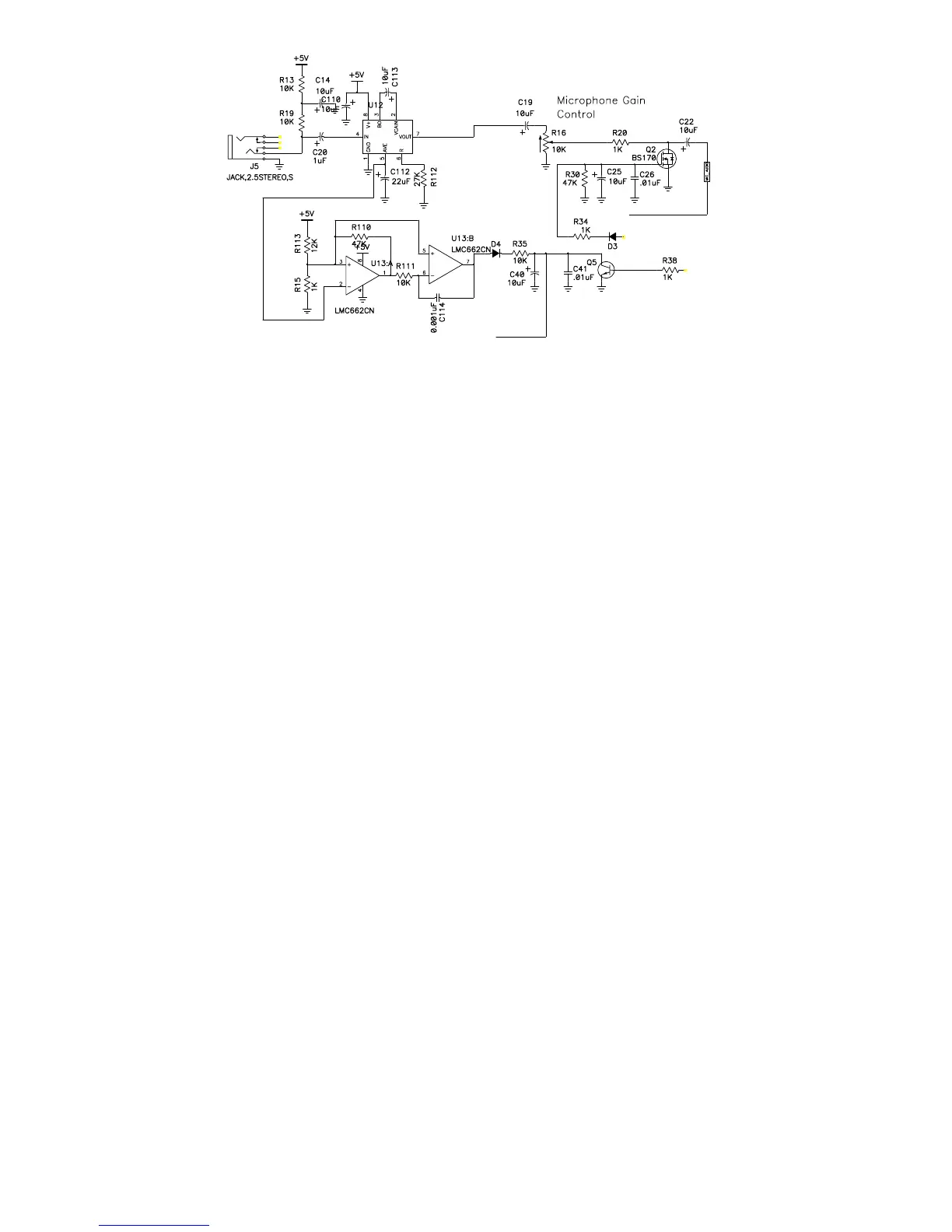
B. MICROPHONE AMPLIFIER
1B. Orient the board so that the jacks and switches would be right in front of
you if they had been installed yet and the Revision number and other
information is on the righthand side. .
2B. Install R13, a 10K ohm resistor (brown-black-orange).
3B. Install R19, a 10K ohm resistor (brown-black-orange).
4B. Install R112, a 27K ohm resistor (red-violet-orange).
5B. Install R113, a 12K ohm resistor (brown-red-orange).
6B. Install R15, a 1K ohm resistor (brown-black-red).
7B. Install R110, a 47K ohm resistor (yellow-violet-orange).
8B. Install R111, a 10K ohm resistor (brown-black-orange).
9B. Install C114, a 0.001 uF ceramic capacitor (marked 102).
10B. Install R35, a 10K ohm resistor (brown-black-orange).
11B. Install R20, a 1K ohm resistor (brown-black-red).
12B. Install R38, a 1K ohm resistor (brown-black-red).
13B. Install R30, a 47K ohm resistor (yellow-violet-orange). This resistor
sets the restore time for the “soft switch” when the microcontroller turns the
microphone audio on and off.
14B. Install R34, a 1K ohm resistor (brown-black-red). The silkscreen for
this part and the next one are confusing because of where they are on the
board. It looks like the silkscreen for R34 says R3 but it is the correct
position, the 4 was simply cut off.


 To Next Page