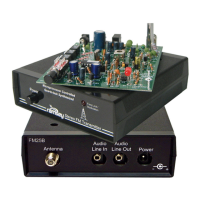
FM100B • 45
K. REAR PANEL WIRING
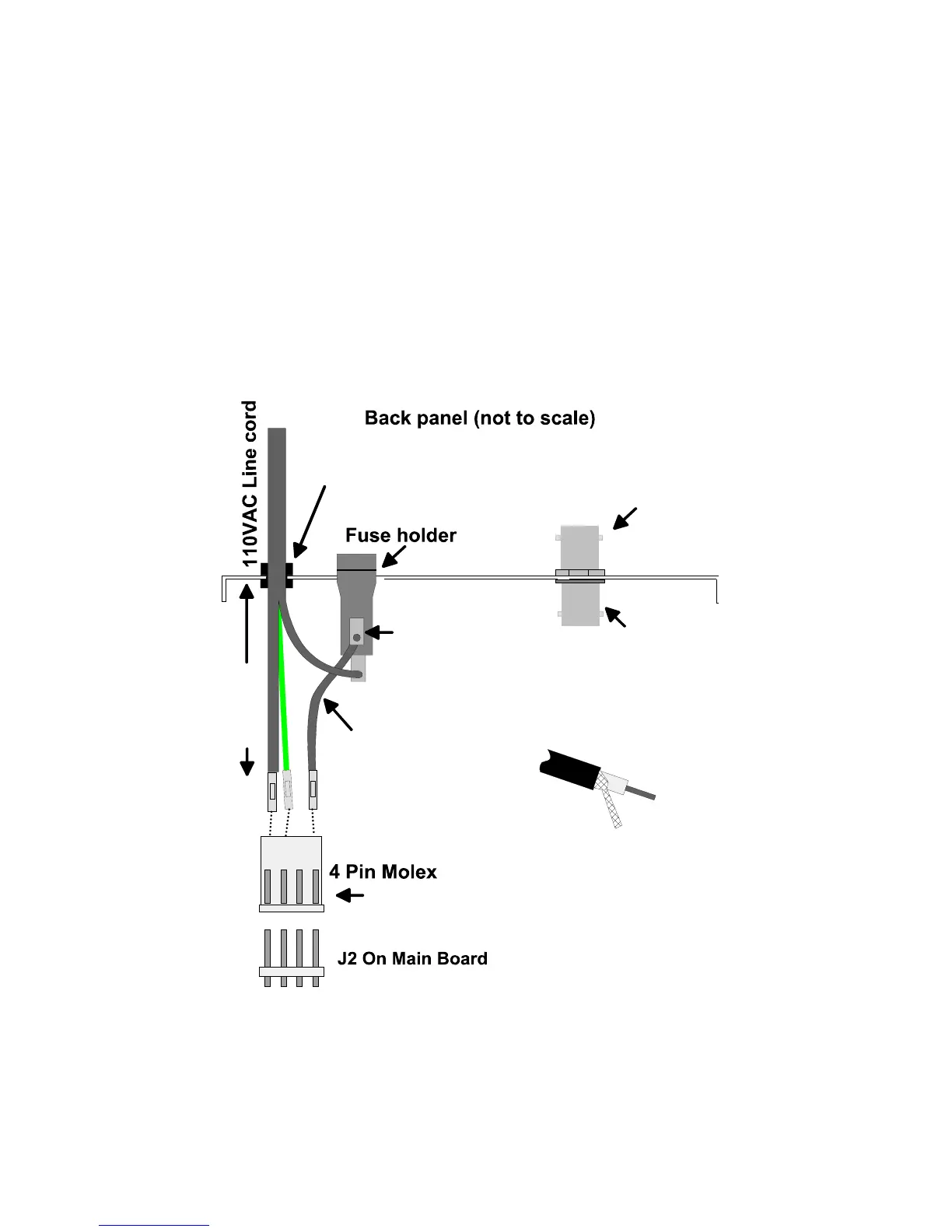
1K. Find the parts for the AC line entry shown in the diagram below.
2K. Thread about 8” of the line cord through the ‘AC Input’ hole on the
back of the case so there is a little extra length to play with inside the case.
3K. Insert the plastic strain relief on the line cord that goes through the ‘AC
Input’ hole. Use a pair of pliers or vise grips to squeeze the strain relief and
position it. Make sure the plug end is on the silk screen side of the panel,
and the Molex end of the line cord is on the non-silk screen side (inside the
case).
4K. Your 110VAC line cord has three wires; black, white, and green. The
black wire does not have a factory installed Molex pin on it; this is the HOT
side of the power connection. Strip and tin the end of the black wire.
5K. Locate the female Molex connector and insert the white line cord wire
(as shown above) into the header jack. Notice there is a small catch tab on
one side of the pin. Insert the pin into the Molex jack so the tab faces the
side with the slotted holes (you’ll hear a small “click” if properly installed).
(use the open slots in the header for orientation)
White
Green
Black
Black
Top tab
must face up
RF Output
BNC connector
About 8"
8" Black Wire
Nut
Plastic
Strain Relief
Premade cable with
BNC connector on
other end
This end to PC board
(see directions)
BNC end
connects here


 To Next Page