FM100B • 51
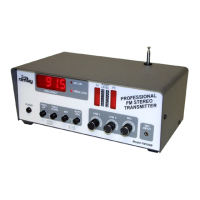
N. FINAL CASE UP
1N. Install the rubber antenna grommet in the top of the case so the an-
tenna does not short-out to the metalwork.
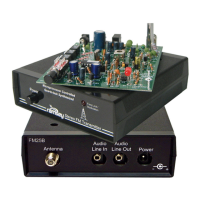
2N. Connect your BNC cable to the rear panel external antenna jack.
3N. Install the top case half using the 6 provided #6-32x1/4” black self tap-
ping screws.
4N. Install one small sheet metal screw into each of the holes for the RCA
jacks on the back panel. This prevents physical damage to the RCA jacks.
5N. Use the four sticky pad feet on the bottom of the case in each corner.
6N. Install all five switch buttons on the end of each switch.
7N. Use the set screw knobs on both of the line level controls and the mi-
crophone control.
You are finished! Now enjoy your project. Remember, read through and thor-
oughly understand your FCC rules and regulations before broadcasting.
TROUBLESHOOTING
PROBLEM: Nothing happens at all when I turn it on.
SOLUTION: Check your fuse. If it is blown you will want to check section K for
rear panel wiring or section J for the power supply. Use a volt meter to check
your power supply voltages. Verify that there is +12, and –12 volts on the out-
put of the power supply and +5V on the output of VR1. Also check U1 pin 3 for
a 4 MHz +/- 1 MHz clock signal with an oscilloscope or frequency counter.
PROBLEM: Everything works, but only some or no lights light up on the front.
SOLUTION: Check section A and make sure you put your LED displays in the
correct way. Also check your 5 wire jumpers for correct installation.
PROBLEM: I can’t get the FREQ LOCK LED to light and I can’t pick up the
signal on the receiver.
SOLUTION: You will definitely want to check your parts placement in section
F for misplaced components. If the PLL voltage display shows 0V or greater
than 9.9V then the VCO may not be oscillating. Make sure the crystal is 7.60
MHz. Check around L1, Q3, Q4, U2, D2, and D1.
PROBLEM: One channel is out completely, other one sounds OK.
SOLUTION: More than likely there is a short somewhere in any one of the


 To Next Page