FM100B • 48
L. PC BOARD MOUNTING
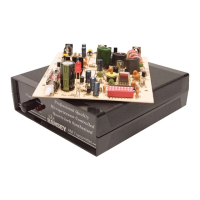
In order to test the unit it is much easier to have the PC boards mounted in the
case assembly. This keeps down the possibility of wires crossing or metal ob-
jects shorting out across the back of the PC board (not to mention the live AC
circuitry).
MAIN BOARD MOUNTING
1L. Mount the main board to the bottom of the case making sure the holes
line up with the standoffs in the bottom. Note that you will be installing 5
board screws; the screw under the power switch is not used.
2L. Using the shorter pre-made 5 wire jumper cable, connect from J4 to
J11. Make sure pin 1 of J4 is connected to pin 1 of J11 (J11 pin 1 is closest
to DISP1). Verify your orientation of the connectors by looking at the mark
you made previously indicating pin one.
3L. Using the other pre-made 5 wire jumper cable, connect from J8 to J10.
Again make sure that pin 1 of J8 is connected to pin 1 of J10 (J10 pin 1 is
the top pin closest to R96).
4L. Connect the 4 pin Molex connector from the rear panel to J2 on the
main board. You can then set the cover in place without having to screw it
down until your initial tests are made.
FRONT PANEL MOUNTING
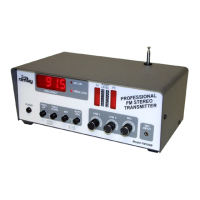
5L. Align the front panel display PC board with the holes in the front panel
assembly.
6L. Check the LEDs for proper installation height and positioning. If they
are misaligned, now is a good time to correct that.
7L. Using 3 of the #4-40x1/4” screws, mount the board securely to the front
panel.
8L. Admire your work up to this point. (WOW!)
Now we are getting somewhere! Is it ever tempting to plug it in. But wait, flip
the page first!


 To Next Page