16
Truck GPS
>
Timers and Logs
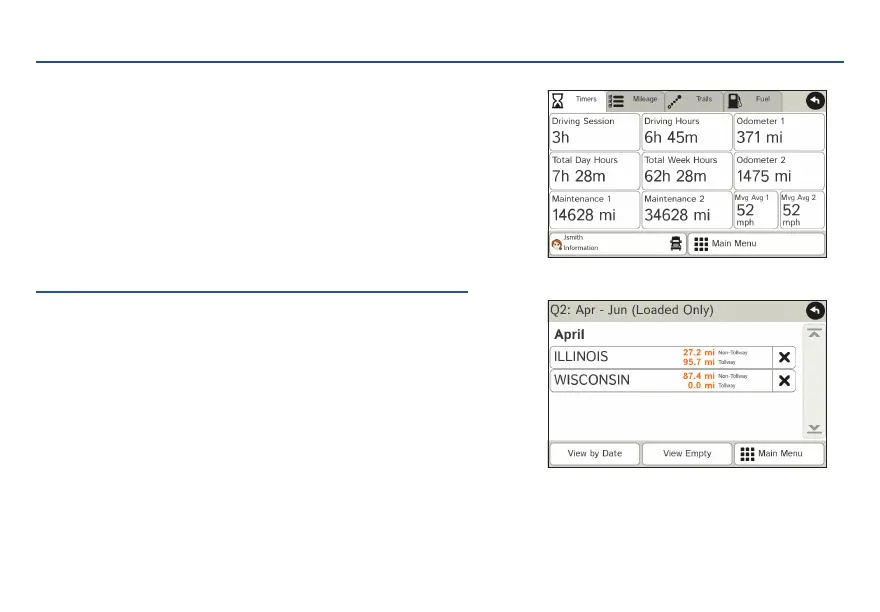
1. Tap Truck Tools > Timers, Logs, Trails, Fuel.
2. Tap Timers to view timers, odometer readings, and average speed.
3. Tap on a field to change or reset the number.
NOTE: Countdown timers are controlled by the Driver Status
(Driving, On Duty, or Off Duty) selected on the Main
Menu.
To switch driver profiles, tap the driver information field.
4. Tap Logs to view a list of mileage logs by quarter.
5. Tap on a quarter to view individual logs by state.
For Sales Information Please Contact RoadTrucker Inc (www.RoadTrucker.com)
8312 Sidbury Rd.; Wilmington, NC 28411 - (800) 507-0482 / (910) 686-4281














 To Next Page