DST-64T / DST642D Wheel Balancers 29 P/N 5900192 — Rev. F — March 2021
About Measurements
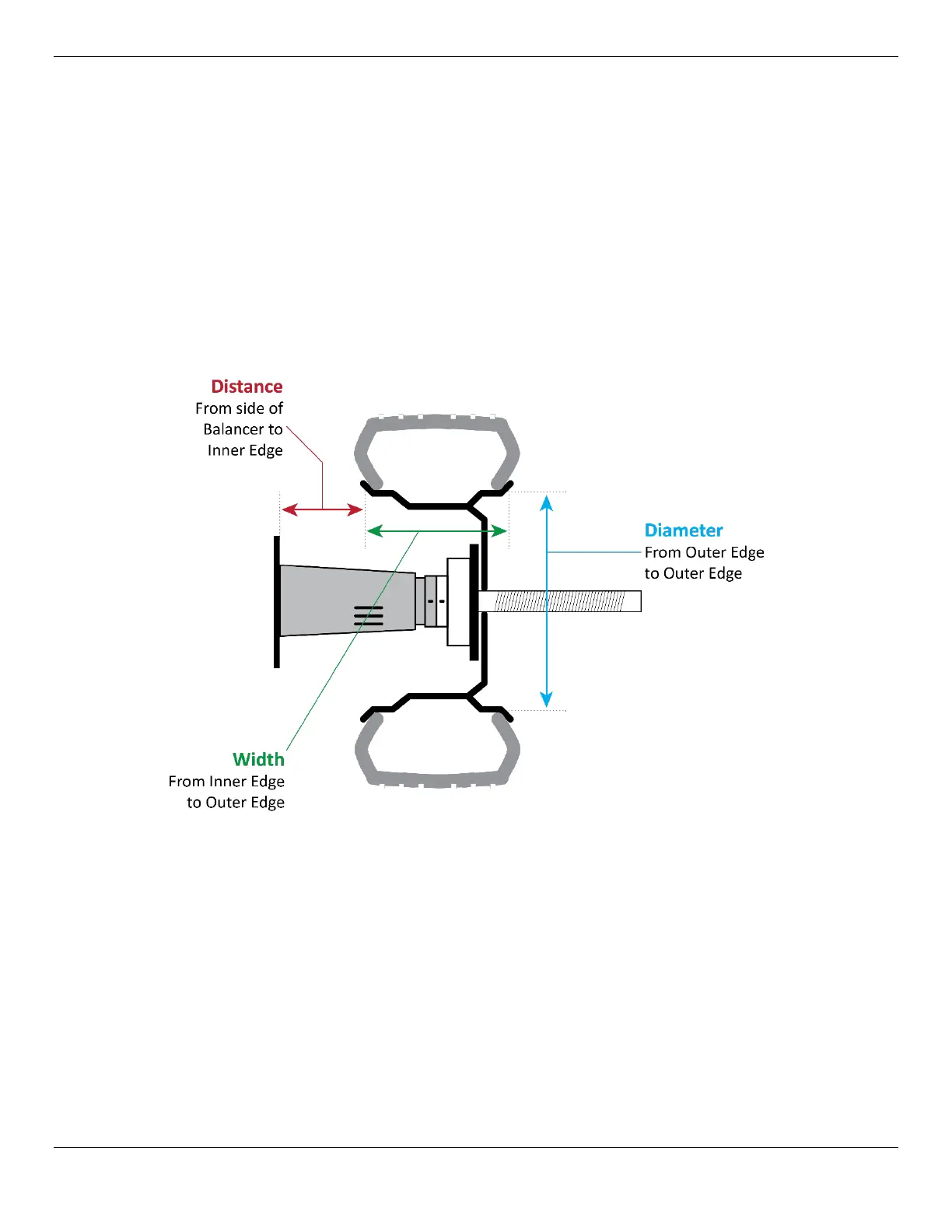
There are three measurements of a Wheel that are required for the Balancer to determine the correct
weight and placement corrections.
The three measurements are:
• Distance. The distance from the side of the Balancer to the Inner Edge/Plane of the Wheel.
Measured by the Inner Arm.
• Width. The distance from the Inner Edge of the Wheel to the Outer Edge. Width is either
determined automatically from the Distance and Diameter values on the DST-64T or measured
using the Caliper and entered manually on the DST642D.
• Diameter. The distance from Outer Edge to Outer Edge. Automatically measured by the Outer
Arm on the DST-64T. Read from the sidewall of the Tire or measured using the Caliper and
entered manually on the DST642D.
Inputting Measurement Data Manually
The Balancer determines measurement data automatically when you use the Inner Arm and the Outer
Arm (DST-64T only), but you can enter all measurement data manually on both models:
• Distance. Pull out the Inner Arm to the Inner Edge of the Wheel, note the value that you see on
the Ruler, then enter that value using the Distance
+ and — buttons on the Display Panel. Use
the buttons to change the displayed value (a default) to the value you measured.
• Width. Measure with the Calipers, then enter that value using the Width
+ and — buttons on the
Display Panel.
• Diameter. Read the value from the tire sidewall or measure with the Calipers, then enter that
value using the Diameter
+ and — buttons on the Display Panel.


 To Next Page
 Loading...