DST30P Wheel Balancer 30 P/N 5900163 — Rev. C1 — March 2020
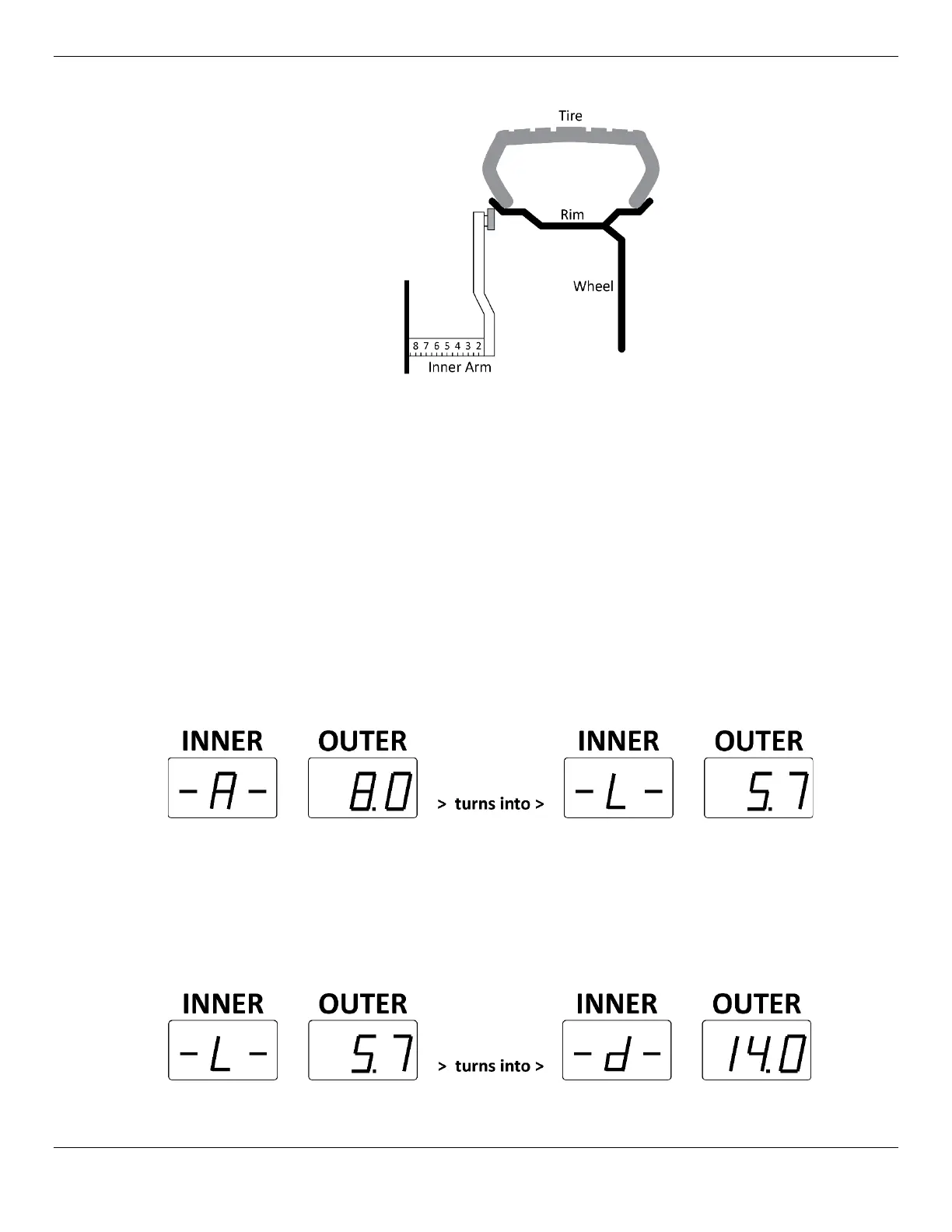
9. Pull out the Inner Arm and place it against the Inner Edge.
This tells the Balancer the distance from the edge of the Balancer to the edge of the Wheel being
balanced.
10. On the Inner Arm Ruler, note the distance from the Balancer to the Inner Edge; 8.5 in the drawing
above.
11. Return the Inner Arm to its normal location.
12. Input the distance you noted on the Inner Arm Ruler using the + and – buttons under Distance.
The 8.0 is replaced by the value you enter. It goes up and down in small increments as you press
the + and – buttons.
13. When the Distance value is correct, use the Caliper to measure the width of the Rim, Inner Edge to
Outer Edge.
14. Input the distance you measured using the Calipers using the + and – buttons under Width.
When you press the + or – button under Width for the first time, the Inner Window changes from
–A– to –L– and displays the default value of 5.7 in the Outer Window.
The value in the Outer Window changes as you press the + and – buttons under Width.
15. When the Width value is correct, use the Calipers to measure the diameter of the Rim or read the
diameter off the Sidewall of the Tire.
16. Input the diameter using the + and – buttons under Diameter.
When you press the + or – button under Diameter for the first time, the Inner Window changes
from –L– to –d– and displays the default value of 14.0 in the Outer Window.
The value in the Outer Window changes as you press the + and – buttons under Diameter.


 To Next Page