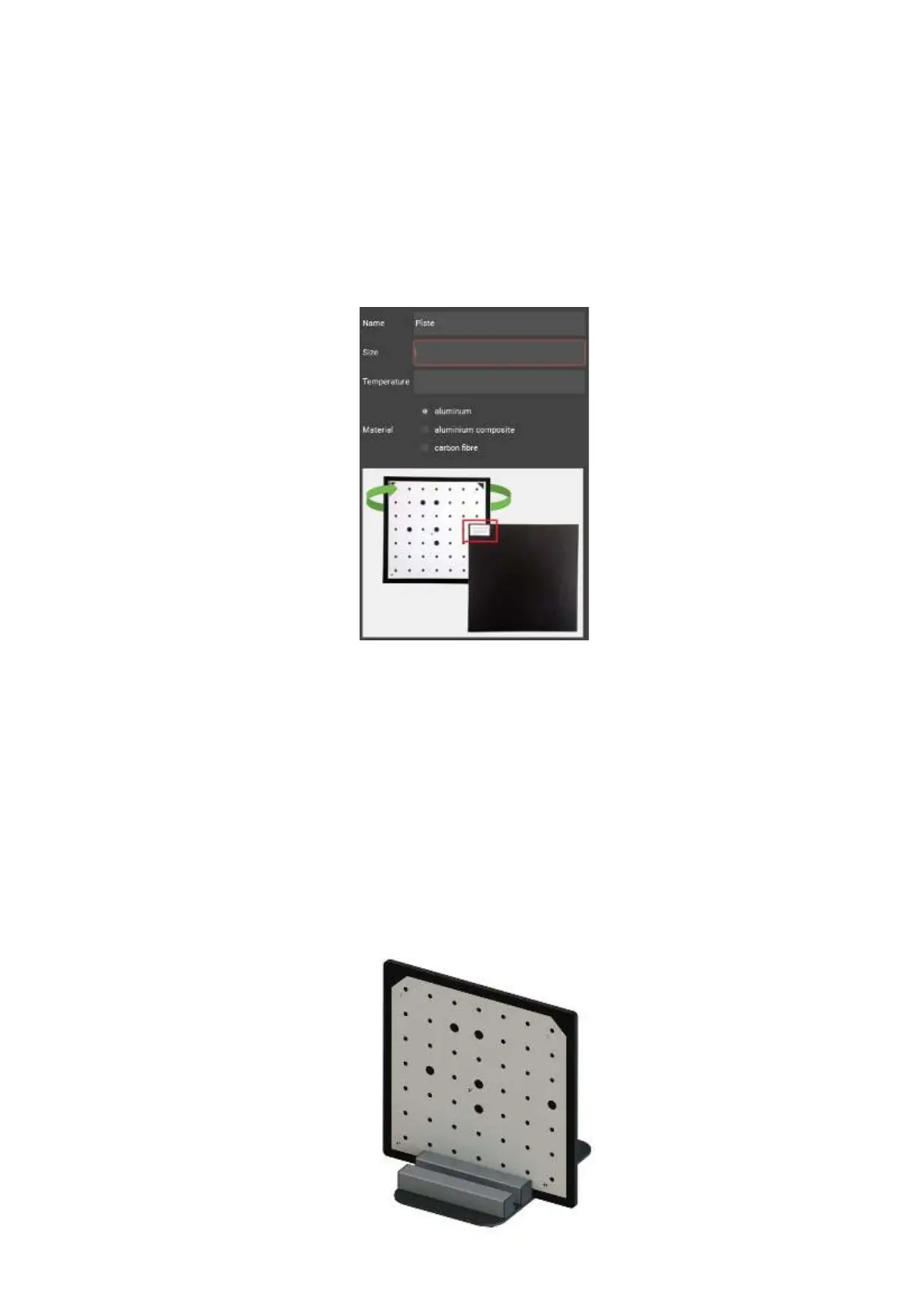
Calibrationfieldparameters
Takethenecessarycalibrationtoconfigurethescannertotheselectedscanarea. Make
sure thatthescanareaisincludedinthepackageofyourscanner.
The exact size and measurement temperature are written on the label on the reverse side
of the calibration plate. Enter these values into the Configuration Wizard or select from
the drop-down list of previously entered values.
Placingthecalibrationplate
To find a working distance place the calibration plate in front one of the cameras. To
install calibration plate use special stands.
For plates L and M use large stand with special slots for plate installation; for plates S
and axis evaluation plate use a small stand.
13


 To Next Page