Settingupyourcomputerforworkwiththe scanner
ForthecorrectoperationofRаngevisiоn3Dscanneryouwillneedtosetupyour
computer. Thisprocedureisperformedoncebeforethefirstuseofthescanner.
Connectingprojector
TurnontheprojectorandconnectittotheHDMI-portofyourvideocard.After
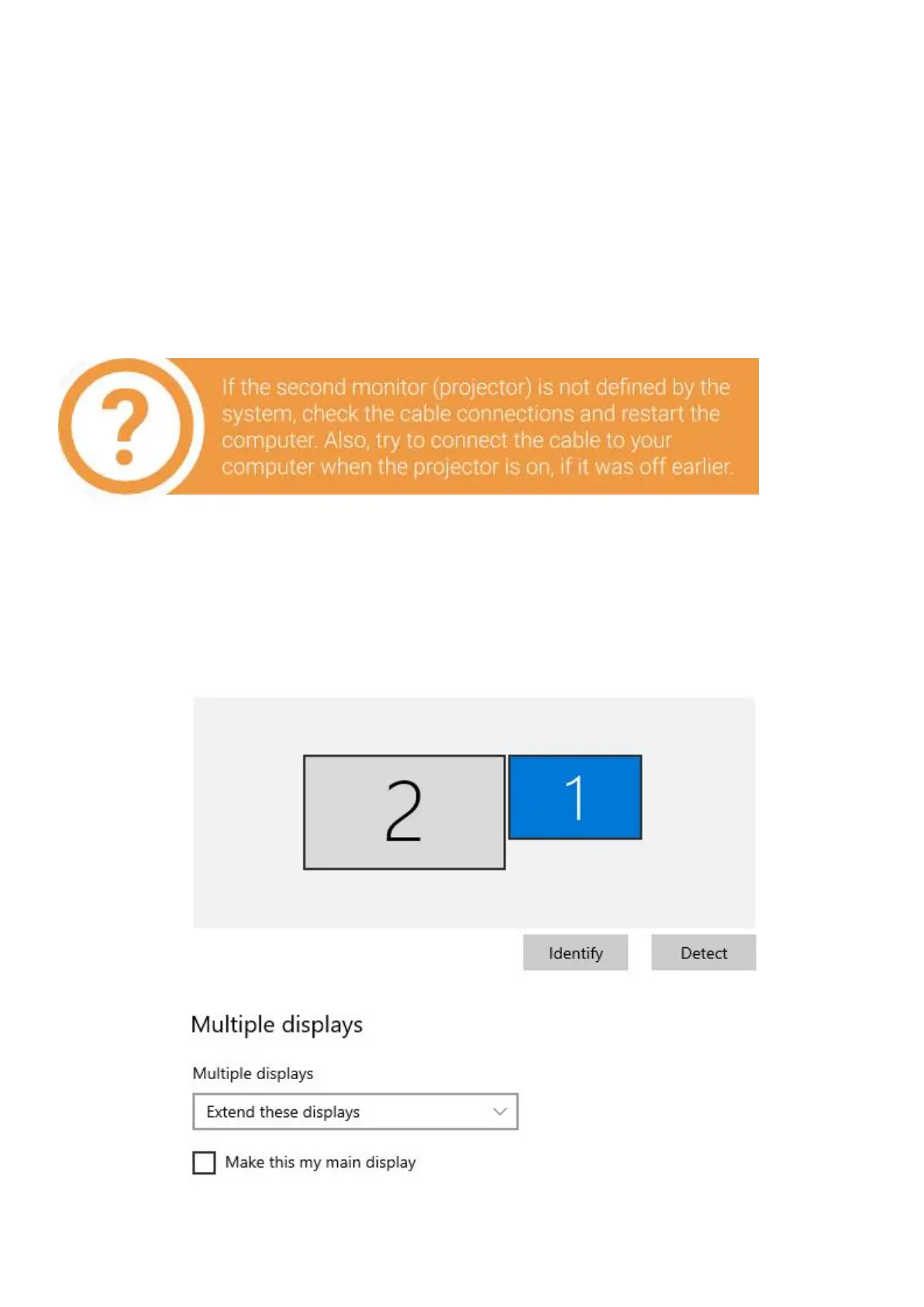
connecting the projector,itshouldbedisplayedinthesystem.Ifthecomputer has
several videooutputs,definetheonetobeused.
1. Right click on the desktop, select Screen resolution,
2. Makesurethattheprojectorhasbeensuccessfullyrecognizedbythesystem
andthatbothconnectedscreensaredisplayed.
8


 To Next Page