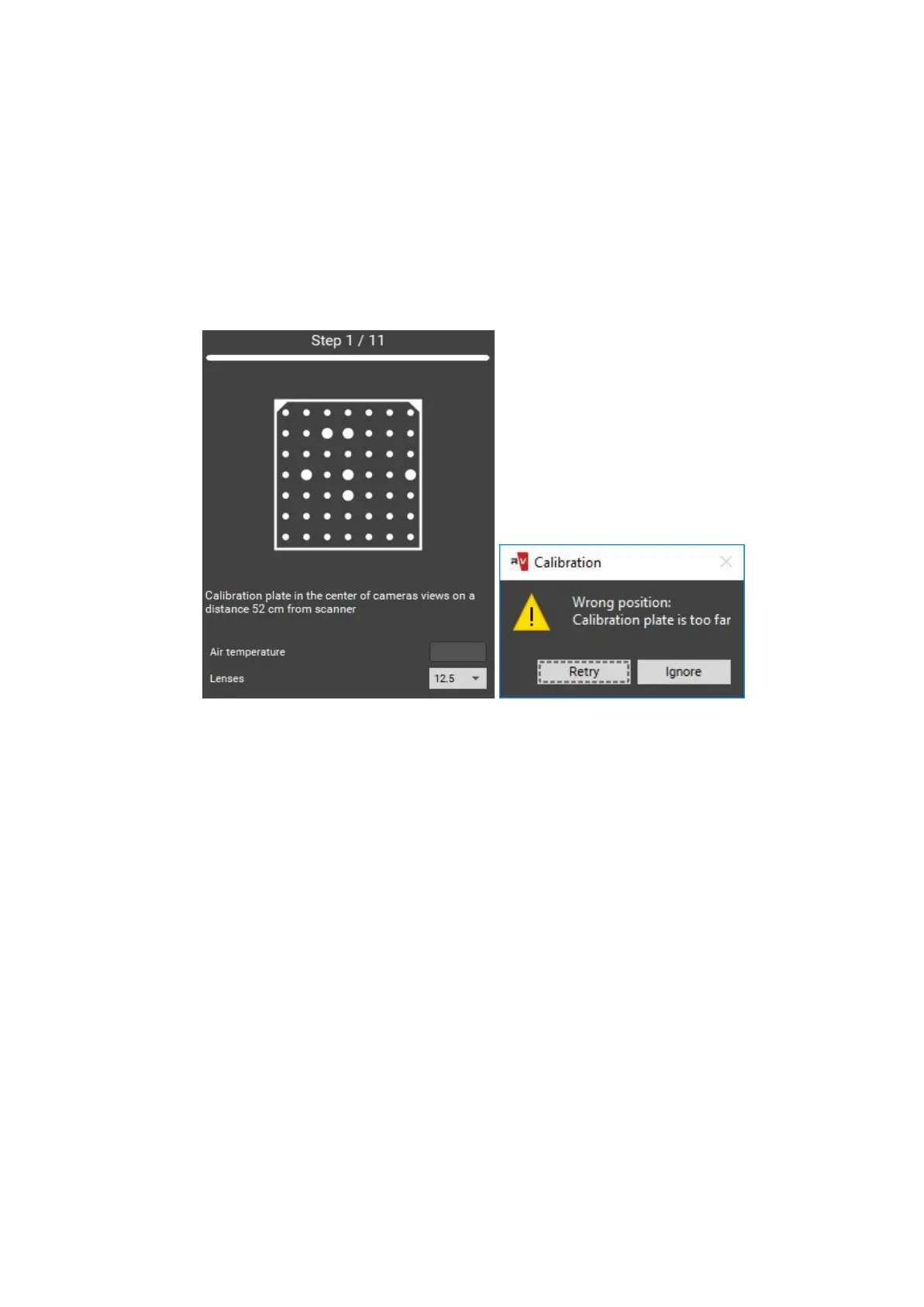
2. Inaccordancewiththetextpromptandsymbolimageinstallthe calibration plate
in thedesiredposition.Thebrightnessoftheimagesof calibration plate can be
adjusted withexposurecontroller.Youshouldnot allow very dark images or
images with excessivebrightnessareas.Press the Capture button. Original plate
position - theposition at the working distance from the scanner (marking on the
view from cameras matches the markers on the plate), the cross is projected on
the central marker.
3. Iftheplateplacementisincorrectaerrormessagewillappear.Correct the
placement and repeat the step.
In case if not all marks are found on the image, you will also see the error message. It
may mean the following:
● not all markers are visible on one of the snapshots,
● not all markers are lit by the projector,
● calibration plate is mounted at large angle to the scanner,
● plate is too close or too far from the scanner - the image is not sharp,
the plate is damaged or dirty.
Please correct all deficiencies and press Capture.
24


 To Next Page