EasyManua.ls Logo

Rath Command Center - User Manual

Rath Command Center
12 pages
Print Icon
To Next Page IconTo Next Page
Loading...
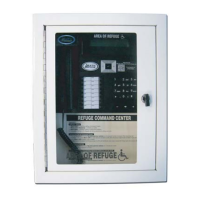
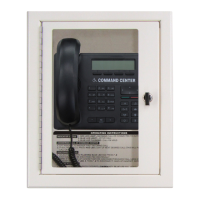
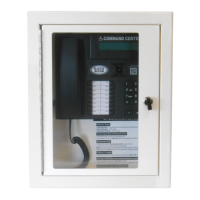
VoIP Command Center
Installation & Operations Manual
N56W24720 N. Corporate Circle Sussex, WI 53089
800-451-1460 www.RATHCommunications.com
RP8500PBXVOIPG
Ver. 5
10/19
Made in the USA
3 Year Warranty

Questions and Answers

  • J
    Janet PonceSep 8, 2025
    What does it mean when the lights periodically blink on my Rath Conference System Command Center?
    • J
      Jose LeeSep 8, 2025
      If the lights periodically blink on the Rath Conference System Command Center, this indicates that the phone is doing a phone line check. This is a normal function of the system and no action is needed. To disable this function, refer to the 2100 Series SmartPhone Programming Guide.
  • X
    xjohnsonSep 9, 2025
    Why can my Rath Command Center Conference System phones make internal calls but not external calls?
    • T
      tonirobinsonSep 10, 2025
      If your Rath Conference System phones make internal calls but not external calls, check that the phone line is connected to the correct interface on the Distribution Module. Verify the phone line by making sure it has 48-52vdc on the line and use an analog phone to verify you are able to call in and out.
  • J
    Jessica HaynesSep 12, 2025
    How to fix calls that won’t forward out on a Rath Command Center?
    • S
      Stacey MelendezSep 12, 2025
      If calls won’t forward out from your Rath Conference System, verify call forwarding has been set up on the Command Center. Also, verify the Command Center can place a call out by lifting the handset, dialing 9, then a phone number. If a message shows up on the Command Center screen saying, “All Trunks Busy”, the system does not have an active phone line connected to it. Finally, verify dialing string for forwarding number.
  • A
    Ann McdonaldSep 13, 2025
    What to do if light continuously blinks on button for Rath Command Center phone?
    • M
      Monica GainesSep 13, 2025
      If a light continuously blinks on a button for a Rath Conference System phone, it means the phone is not properly hung up. Lift the Command Center handset, select the blinking light, then hang up the handset.
  • G
    gmiddletonSep 15, 2025
    How to increase the volume on Rath Command Center Conference System phones?
    • J
      Janet FoleySep 15, 2025
      If you are experiencing insufficient volume on your Rath Conference System phones, adjust the volume on 2100 Series SmartPhones by turning the VR1 potentiometer. To adjust the volume on 2400 Series Phones, use the VOL key.
  • G
    gmaddenSep 18, 2025
    How do I stop a message from continuously playing on my Rath Conference System?
    • K
      Kelly TaylorSep 18, 2025
      If the message won’t stop playing on your Rath Conference System, for a 2400 Series Phone, verify that the answering party is pressing the # key 4 times AFTER the beep. Verify the verbiage in the message includes instructions on how to stop the message. The message can only be stopped during the 3 second gap after the first message ends and before the second message begins.

Summary

Items Needed

Typical System Layout

Installation Steps

Distribution Module Wiring

Connecting System to Network

VoIP Card Programming

Registering Emergency Phones

Emergency Phone Programming

Setting the Date and Time

Command Center Operating Instructions

Indicator Status

Lists the status of Red and Blue LEDs for incoming calls, active calls, and calls on hold.

Answering Call at Command Center

Instructions for answering the first incoming call and handling multiple incoming calls.

Disconnecting Calls

Procedures for disconnecting calls using LED indicators and specific button presses.

Joining a Call Already in Progress

Steps to join an ongoing call, creating a three-way conversation.

Calling a Location

Method for initiating a call to a specific location from the Command Center.

Sub-Master Phones

IP Command Center Phones

Troubleshooting

Rath Command Center Specifications

General IconGeneral
BrandRath
ModelCommand Center
CategoryConference System
LanguageEnglish

Related product manuals