USER MANUAL
– RAVAS-3200
22
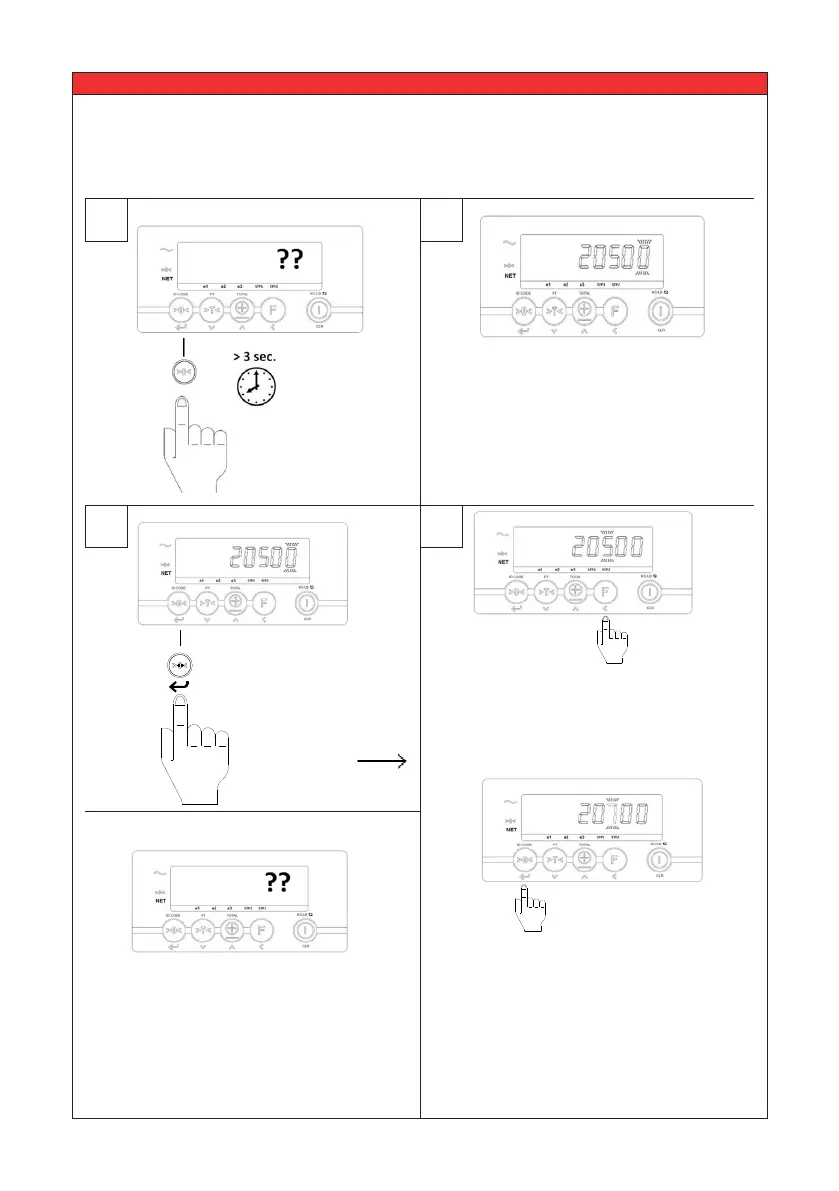
5.7 Entering ID-Code
1 2
To accept the new
value press Enter.
To accept the old
value press Enter.
Press the ID-code
key for 3 sec.
3a
Last used code is shown (e.g. 20500).
Right digit is ashing.
e1 e2 e3 F1 F2
NET
ID CODE PT TOTAL KG/LB
CLR
3b
or:
Press < to scroll through the digits
and press the up or down key until
the desired value is reached.
Note:
If the code is ‘00000’ it will be
ignored and will not be printed on
the print out.
The code is activated, the indicator
returned to the weighing mode.



 To Next Page