USER MANUAL
– RAVAS-3200
32
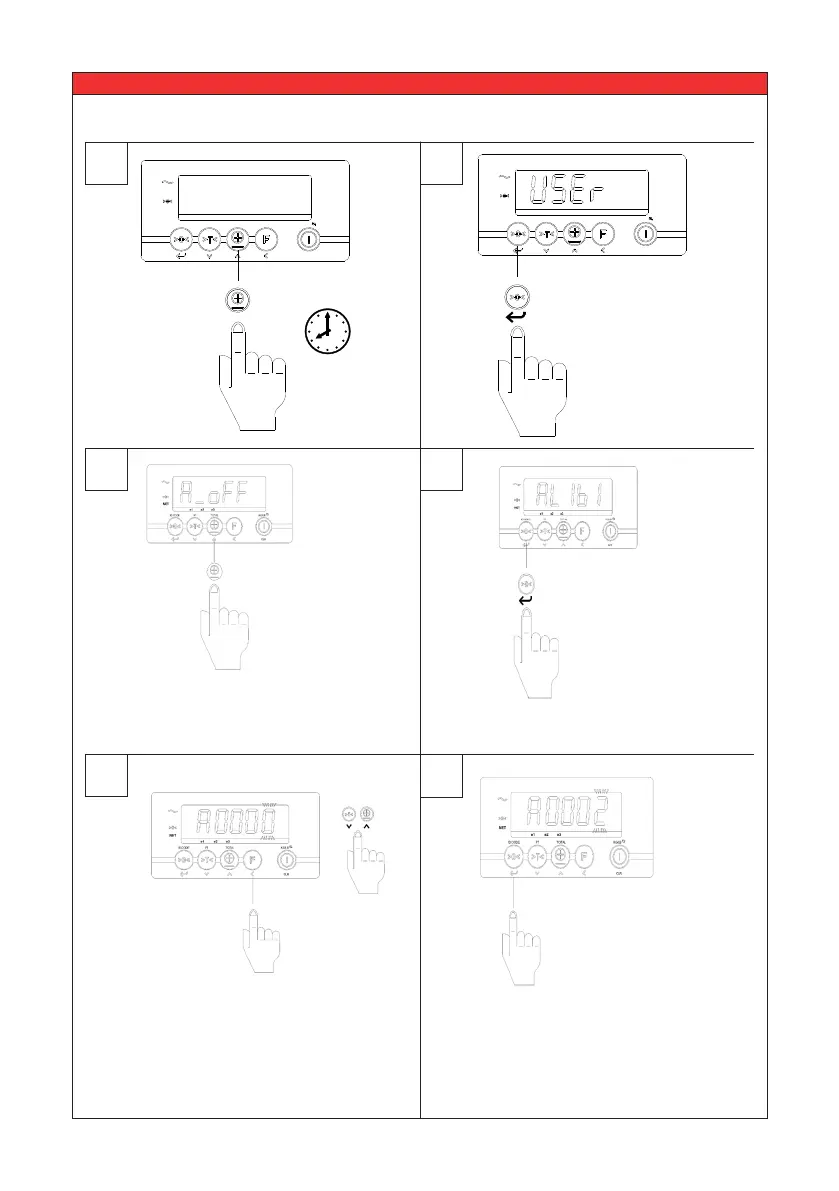
For reading out the data saved in the alibi memory please follow next steps:
1
3
4
5
6
2
e1 e2 e3 F1 F2
NET
ID CODE PT TOTAL KG/LB
CLR
10 sec.
??
The user menu
can be entered
by pressing the
TOTAL key for at
least 10 sec.
Press the up /down key until the
display shows the user setting
‘ALibi’.
Enter the requested alibi number by
using the up and down keys and the
shift key.
In this example we enter alibi
number 2’.
e1 e2 e3 F1 F2
NET
ID CODE PT TOTAL KG/LB
CLR
Press enter to
Select.
Press enter to conrm.
Press enter to
conrm.
>



 To Next Page