Manuale uso e manutenzione S70- S90- SC90
Pag.34
Rev.0 18/05/2020
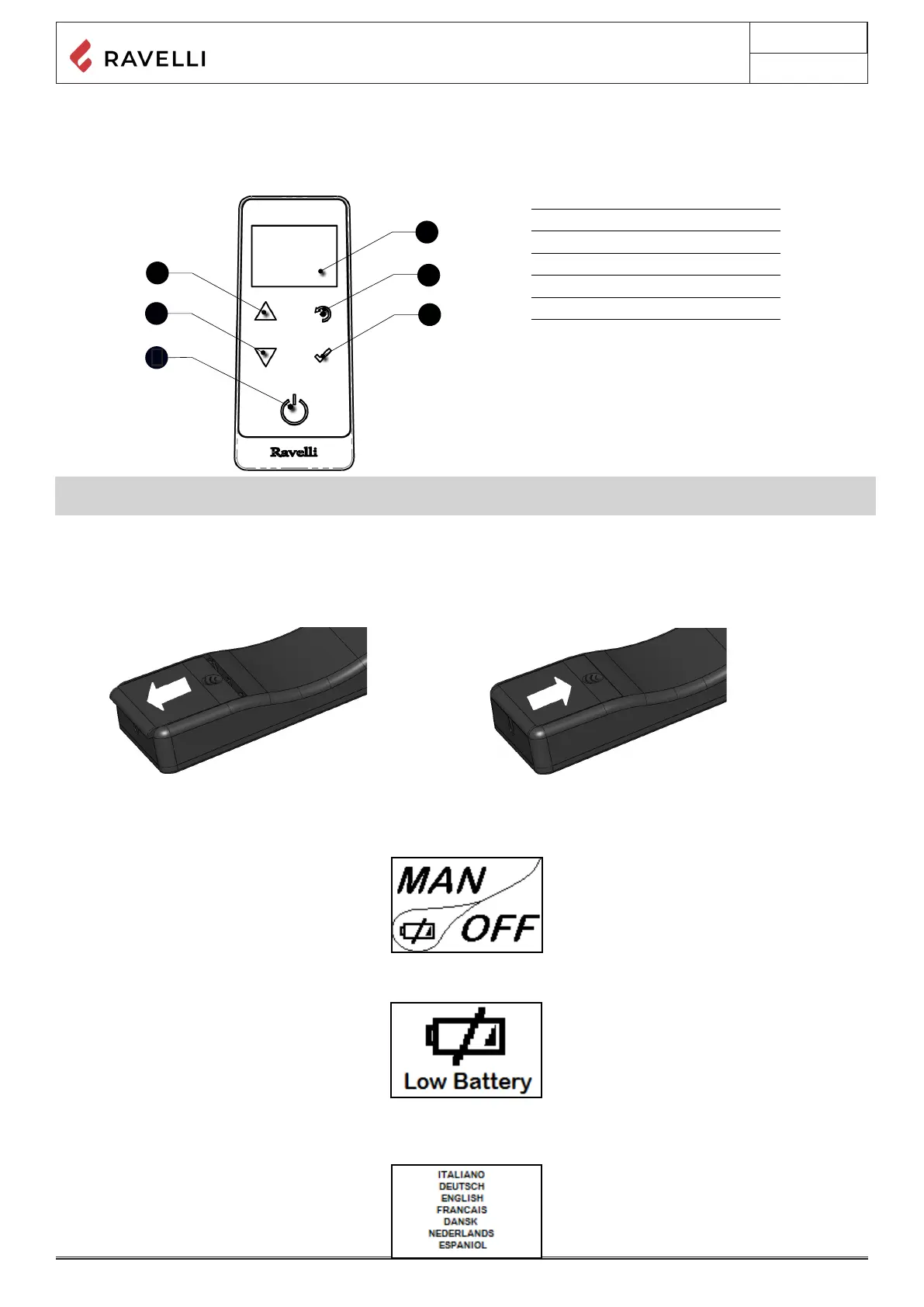
Description of the handheld set.
The PDA looks like the following picture:
The information below will familiarize you with the product and give you the best performance.
1
Increase button “UP” (selection key)
2
Decrease key “DOWN” (selection key)
3
ON/OFF or reset from “Sleep” mode key.
4
Display
5
Key for accessing the MENU and back
6
Conrmation key
1
2
5
6
4
3
📌In “Sleep” mode, the handheld computer screen is darkened, but radio communication with the stove is still active in order
to reduce battery consumption.
How to insert the batteries in the handheld set:
Remove the protective cover of the battery on the back of the remote control as shown in Figure A, and insert the 3 batteries (mini
pen style battery AAA 1.5V) in the housing of the handheld set and observe the poles. Install the battery protective cover as shown
in gure B
Figura A
Figura B
As soon as the level of the battery prevents the radio communication the handheld set displays on full screen the picture of empty
battery and all device functions are locked until the batteries are replaced.
What happens if the batteries are empty
If the battery is discharged, within the “drop” is shown a symbol that indicates that the battery is empty, while maintaining active the
features of your device.
Handheld touch radio initialization
The handheld, after a rst short screen showing the Ravelli logo, will list the languages available in the menu.
Select the desired language with the scroll buttons and conrm your selection with the conrmation button.



 To Next Page