User’s guide Ytterbium Pulsed Fiber Laser RFL-P10Q/P20Q/ P30Q/ P20QE/P50QB Ver.: 2.0
5 / 9
3. Control Interface
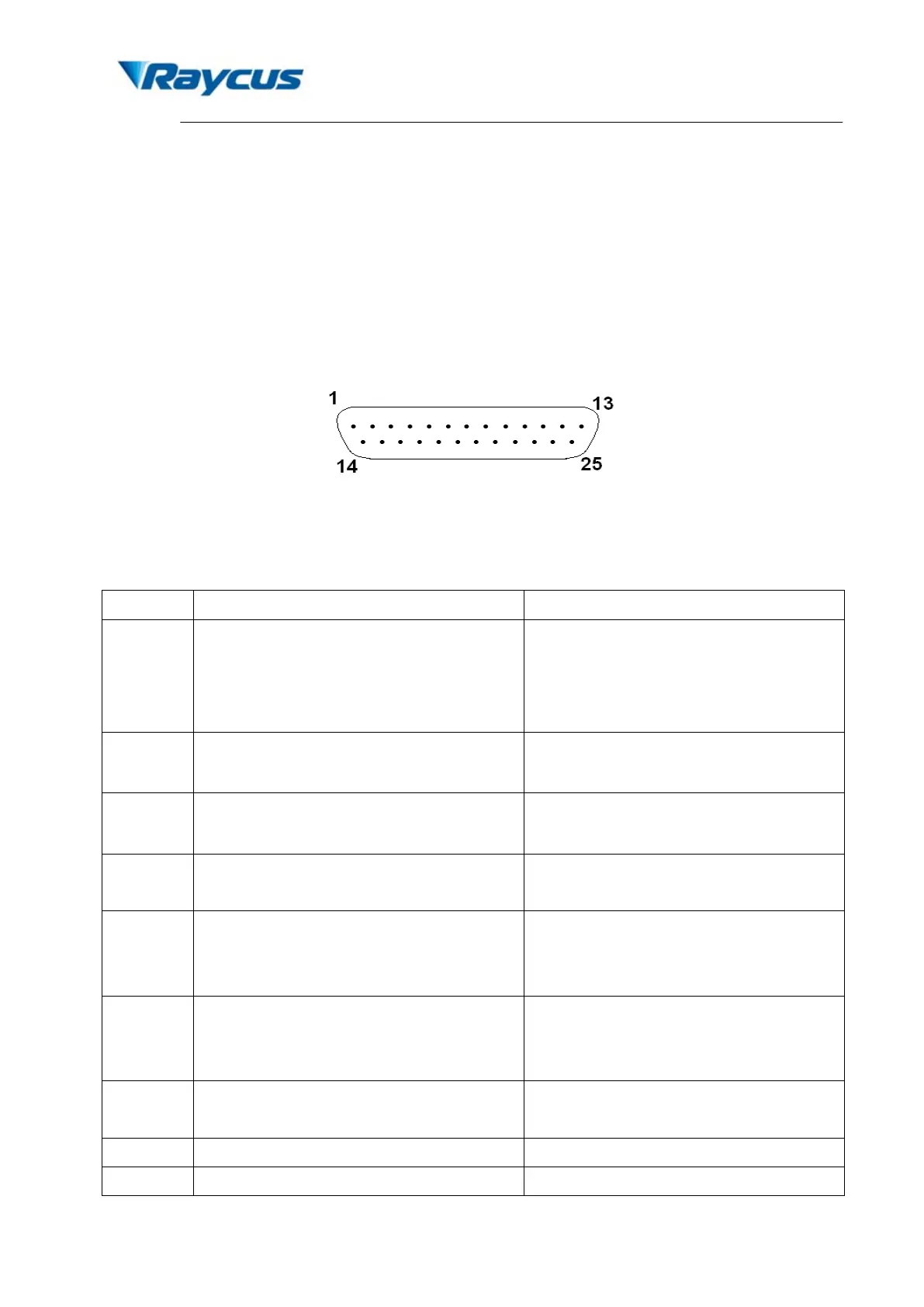
There are DB9 and DB25 interfaces at the rear of the laser. The DB9 is a RS232 interface
only used for debugging, no needs to connect. And DB25 is the joint interface connecting control
system with laser system, please make sure the connection is reliable before operation. Feet of
the DB25 are defined as follows in Fig. 5.
Figure 5. Connect port of controller
Table 3 Definition of connect ports of controller
1-8
(D0-D7)
Power Setting
8 bit Parallel port; D0 is minimum bit and D7
is maximum bit; Range: 0-255 (hexadecimal:
0X00-0XFF); 0 is minimum power and 255 is
maximum power.
10,13-15,
24-25
Ground Digital GND
11,12,16,
21
Laser alarms status see alarm codes in the table below
17 VCC
+5VDC power supply input for independent
operation of the guide laser and PCB
18 EE
Emission Enable (EE) signal.
HIGH: Emission Enable
LOW or disconnected: Emission Disable
19 EM
Emission Modulation (EM) input.
HIGH (>3V): Emission ON
LOW or disconnected (<1V): Emission OFF
20 Sync
Pulse Repetition Rate (Synchronization)
input, square wave.
Guide Laser (red diode) ON/OFF input.


 To Next Page