PART I. User & Installation Manual
1417WCE 45
3. Installation and Calibration
3.1 Installation
3.1.1 Software Installation
The installation must be proceeded in the Administrator mode.
1. Insert the CD that comes with the detector.
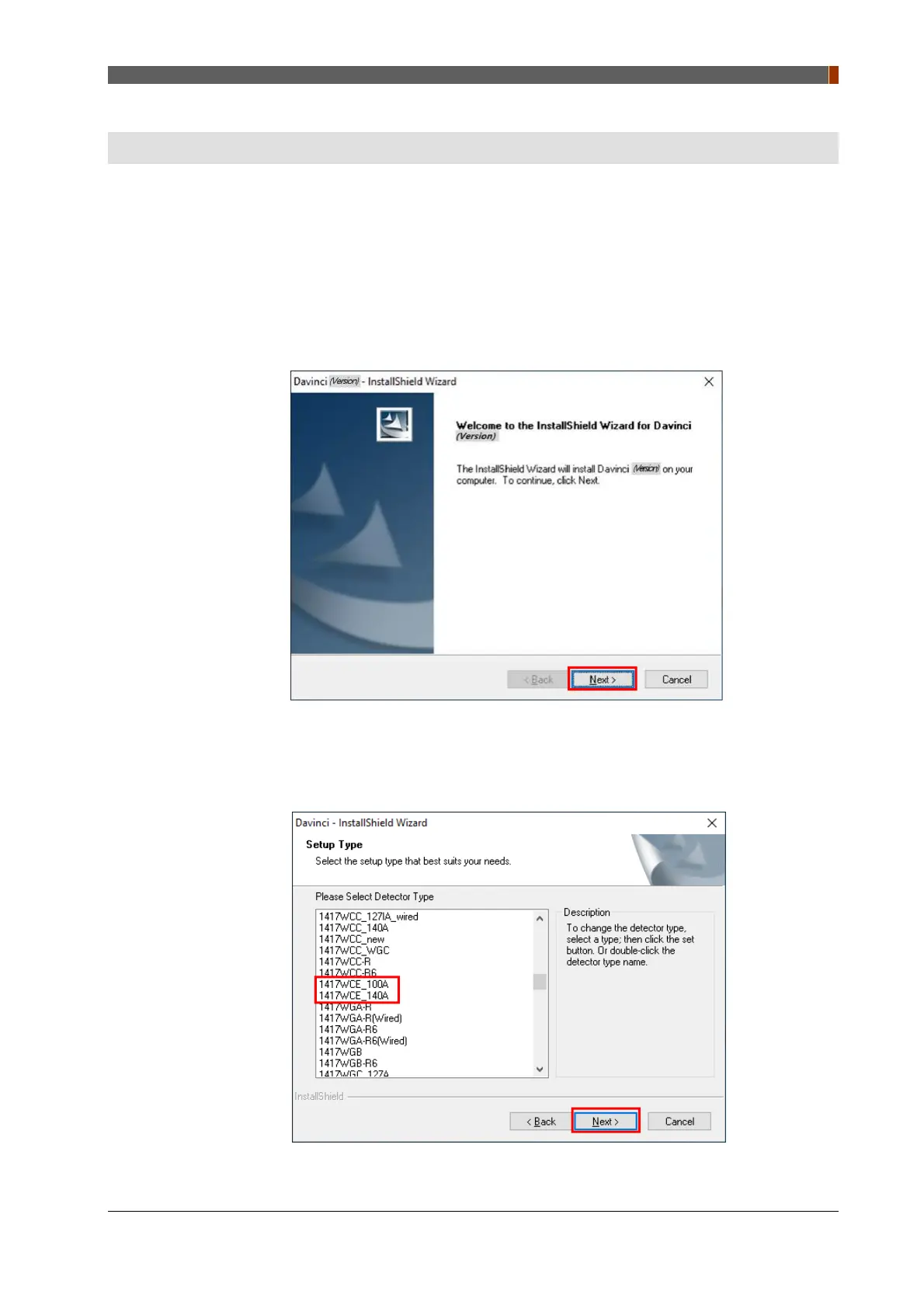
2. Install "setup.exe" from "\Release Davinci_(version)" and click "Next".
3. Choose the model from the Detector Type list and click "Next".



 To Next Page