PART II. Service Manual
96 1417WCE
2.2 SSID, PSK (Pre-Shared Key) Set Up
1. Turn on the detector and connect to the PC. (IP address: 2.2.2.100)
• Connect as wired mode with the link cable (IP address: 2.2.2.101) or wireless mode (IP
address: 2.2.2.100)
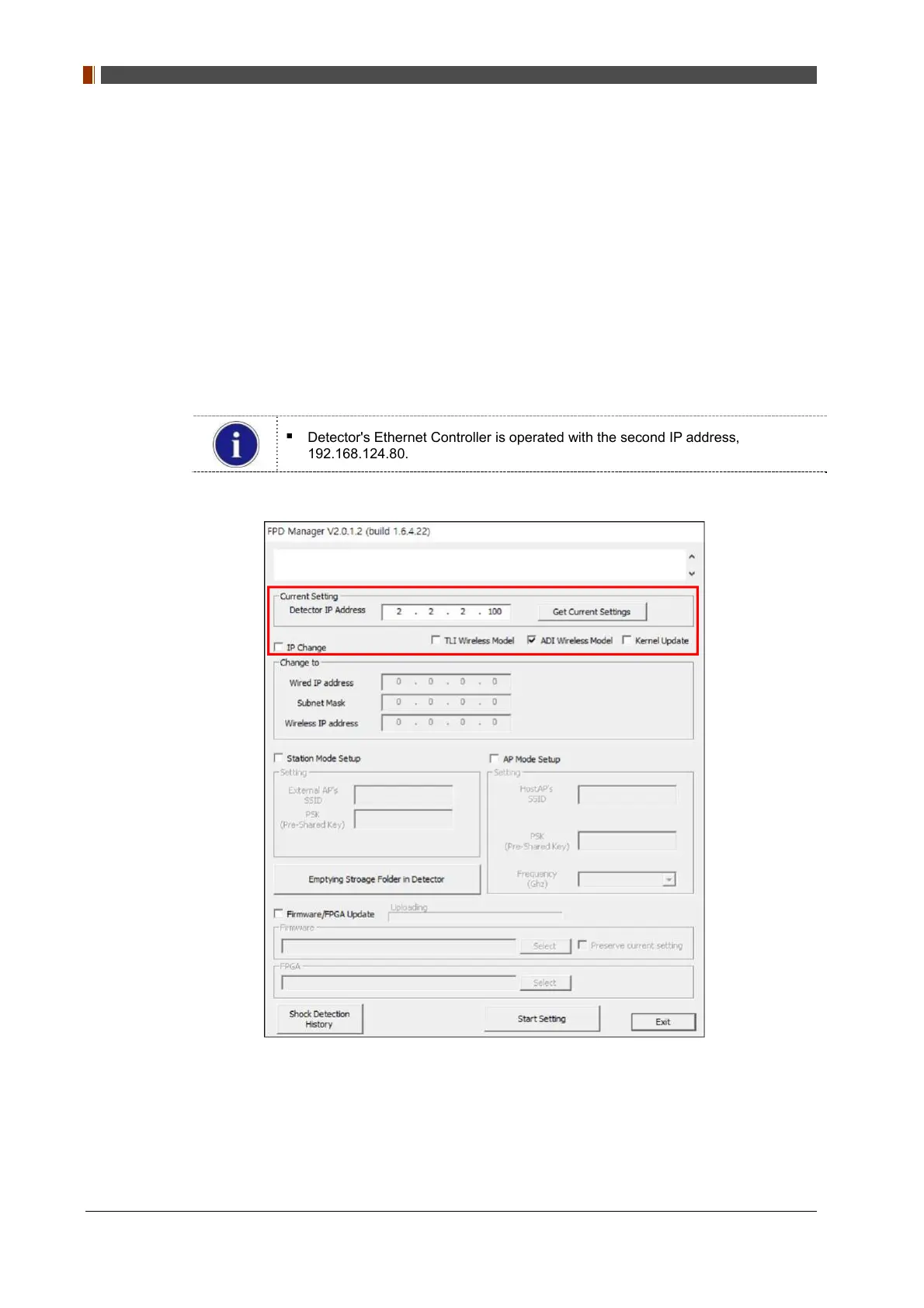
2. After the detector is turned on, open “FPD_Manager.exe".
3. Check “ADI Wireless Model” check box.
4. Type detector's current IP address at "Detector IP Address" from "Current Setting" as
below.
Detector's Ethernet Controller is operated with the second IP address,
192.168.124.80.



 To Next Page