PART II. Service Manual
1417WCE 97
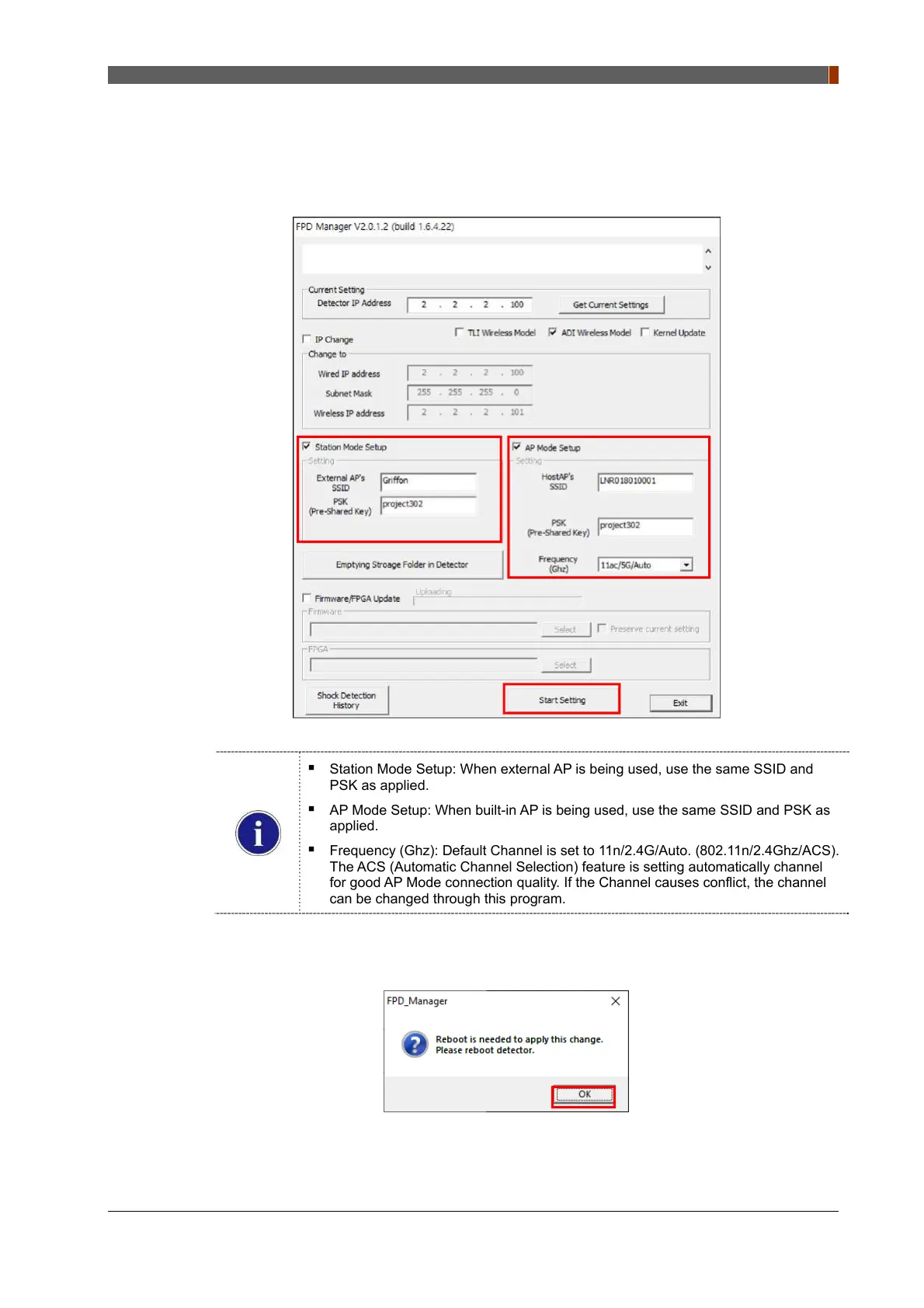
5. Press “Get Current Settings” and current SSID and PSK(Pre-Shared Key) is displayed.
6. Check "Station Mode Setup" and "AP Mode Setup" check box. Type the SSID and PSK and
click "Start Setting".
Station Mode Setup: When external AP is being used, use the same SSID and
PSK as applied.
AP Mode Setup: When built-in AP is being used, use the same SSID and PSK as
applied.
Frequency (Ghz): Default Channel is set to 11n/2.4G/Auto. (802.11n/2.4Ghz/ACS).
The ACS (Automatic Channel Selection) feature is setting automatically channel
for good AP Mode connection quality. If the Channel causes conflict, the channel
can be changed through this program.
7. Click "OK" once the message below pops up.
8. Turn off the power of the detector and after 5 seconds, turn the power back on.



 To Next Page