PART I. User & Installation Manual
68 1417WCE
4.1.2 Image Set Up
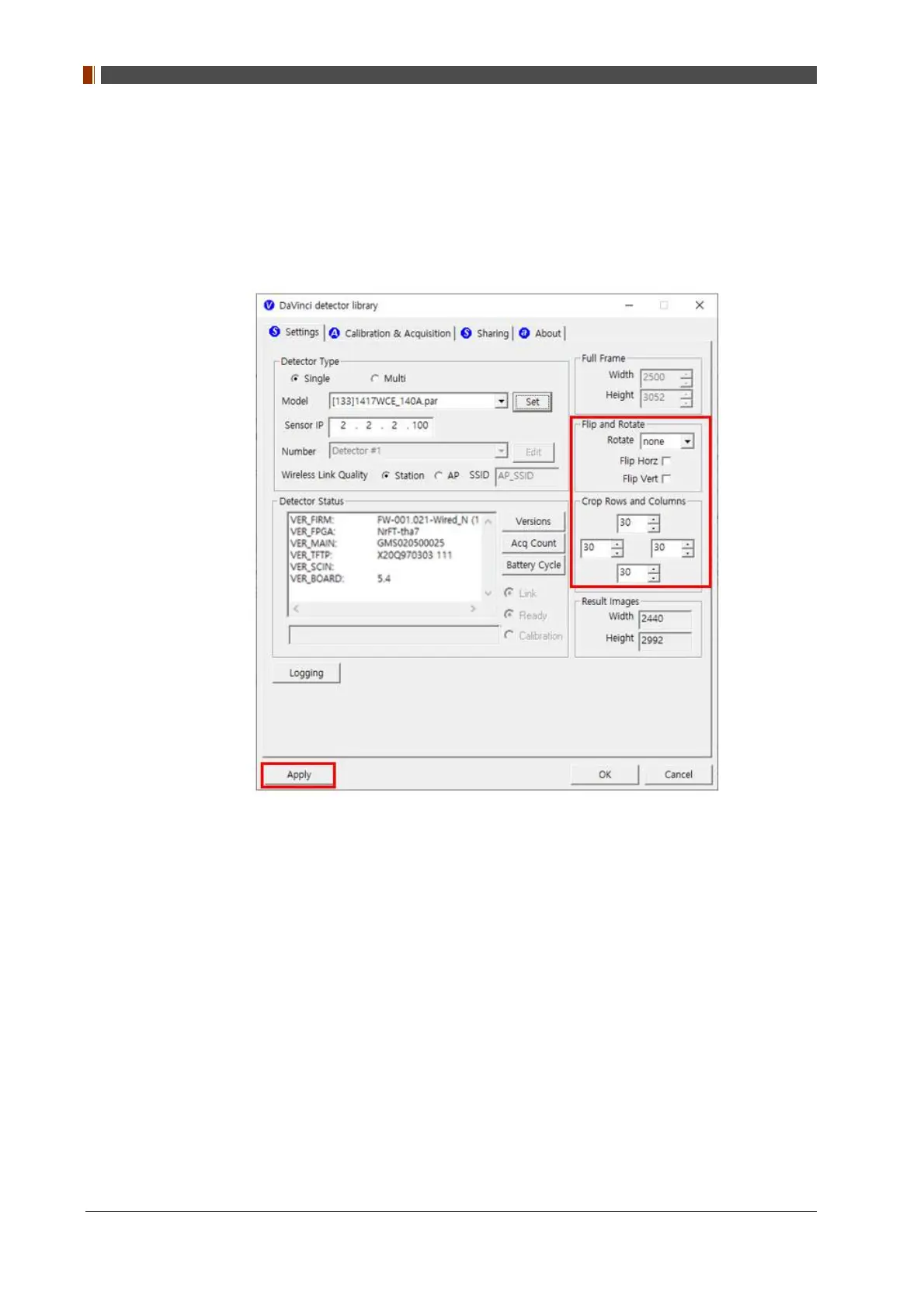
1. In order to rotate or flip an image, use "Flip and Rotate" option as shown below.
2. In order to change the size of an image, use "Crop Rows and Columns" option as shown
below.
3. Click "Apply" to save.
4.1.3 Multi Detector Set Up
Refer to PART II. Service Manual Chap. 3 Multi Detector Set Up for multi-detector setting.



 To Next Page