PART I. User & Installation Manual
70 1417WCE
4.2.2 Image Acquisition
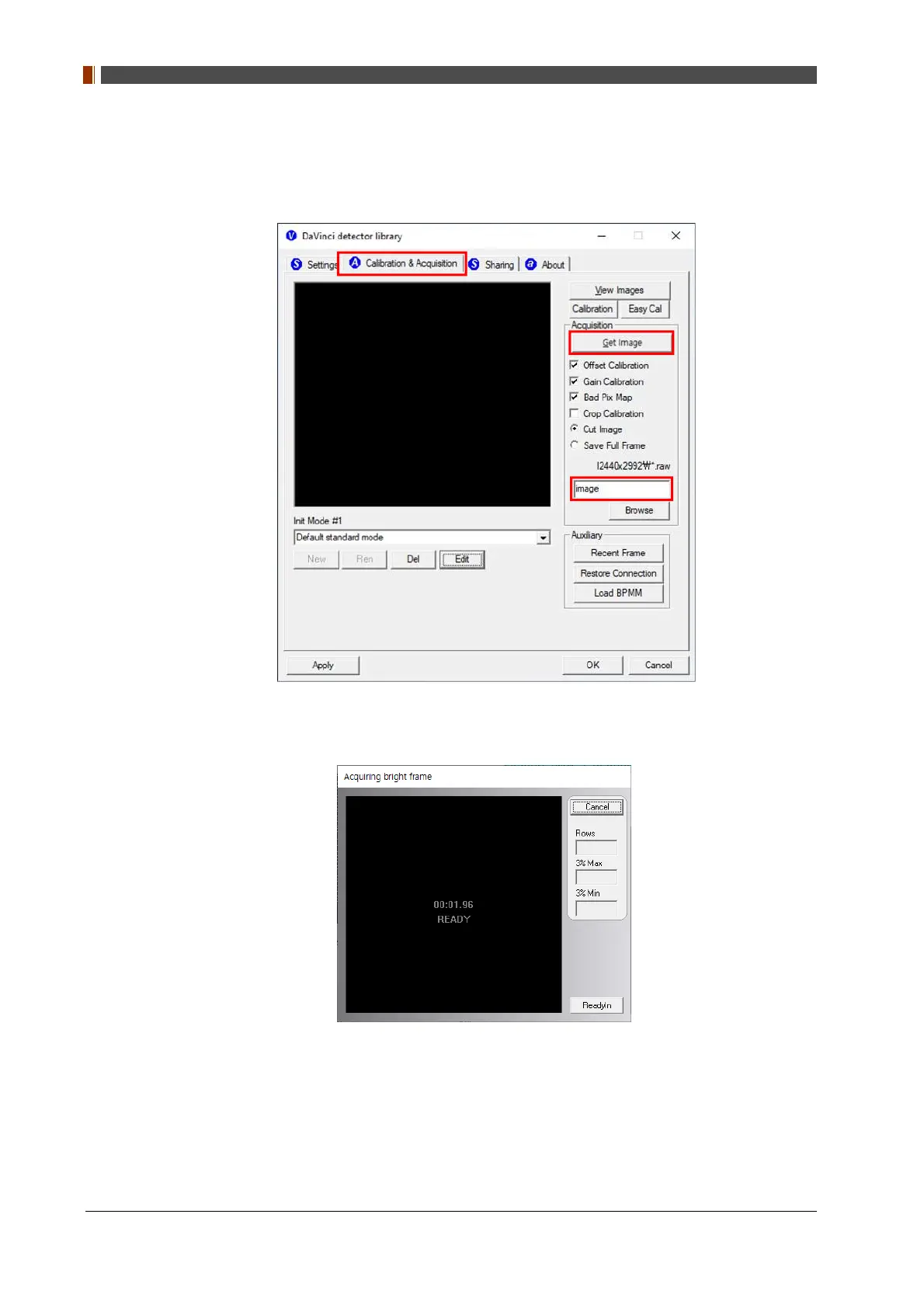
1. Go to the "Calibration & Acquisition” tab and set the name of the image inside the marked
box below. After naming the image, click “Get Image”.
2. Shoot an X-ray once the "Acquiring bright frame" window pops up.
3. An acquired image will be stored in “C:\Davinci\I3450x4218” for 100 type or
“C:\Davinci\I2440x2992” for 140 type. The name of the file will be "(typed name from Step
1).raw”.


 To Next Page
 Loading...
