PART II. Service Manual
1417WCE 99
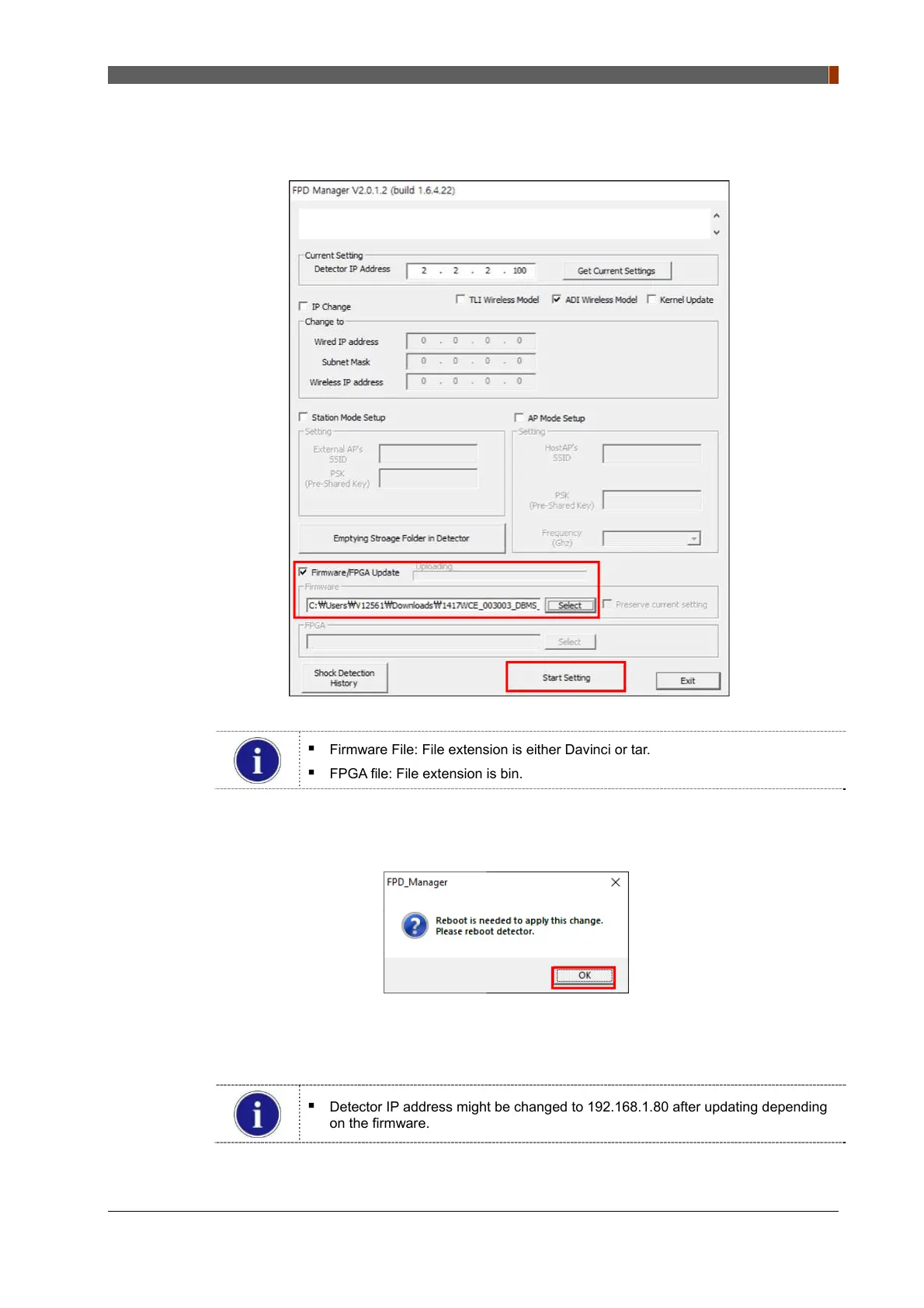
5. Select "Firmware/FPGA Update" and click "Select" to browse the Firmware and FPGA.
Once the files are selected, click "Start Setting".
Firmware File: File extension is either Davinci or tar.
FPGA file: File extension is bin.
6. Click "OK" once the message below pops up.
7. Turn off the power of the detector and after 5 seconds, turn the power back on.
Detector IP address might be changed to 192.168.1.80 after updating depending
on the firmware.



 To Next Page