ii.Ifyouwanttoroutetheantennacableoutofthesideofthe
antenna(optionB),removethetwoplastictabsfromthe
cablechannel,thenfeedthecablealongthechannel.
5.Ensuringyoudonottrapthecable,placetheGPSantennaon
thepolemountadaptorsothescrewholesalign,thensecurethe
antennawiththe2screwsretainedatstep2.
3.17Systemchecks
Switchingon
Whentheinstallationiscomplete,observetheSTATUSindicator
and:
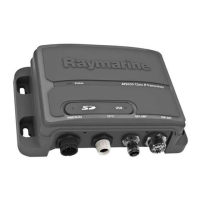
1.SwitchonpowertotheAIStransceiver.
2.Checkthat:
i.Whenpowerisswitchedon,theSTATUSindicatorashes
RED,thenafterafewsecondsgoesAMBER.
Theamberconditioncontinueswhilethetransceiveracquires
aGPSxthentransmitsapositionreport.Thiscantakeup
to2minutes.
ii.Whentherstpositionreporthasbeentransmitted,the
STATUSindicatorgoesGREEN.
Thisconditionremainsallthetimethetransceiverisoperating
normallyandtransmitting.
Conguration
Warning:Congurebeforeuse
ThisRaymarineproductmustbecorrectlycongured,
toensureoptimumperformanceandminimizethe
chancesofunsafeorothererroneousdata.
Congurationrequirement
Afterinstallationandsuccessfulswitchon,theAIStransceivermust
beconguredforoptimumperformanceaboardthevessel.The
personconguringtheAIStransceiverneedstoknowthefollowing
vesselinformation:
•MMSInumber
•Name
•Callsign
54AIS350/AIS650Installationinstructions



 To Next Page
 Loading...