23
Chapter 3: General Operations
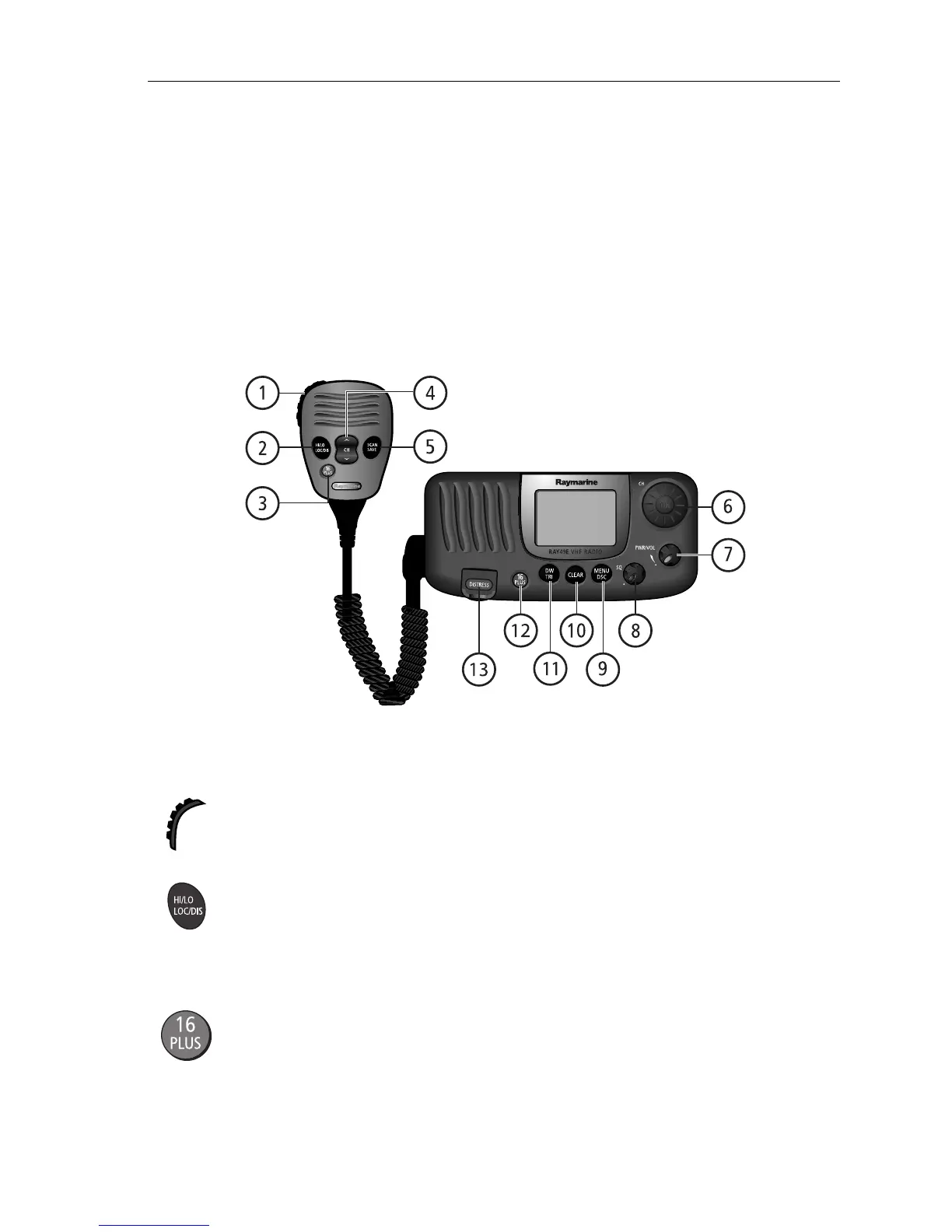
3.1 Keypad and Rotary Knobs
Several of the keys on the front panel of the transceiver serve multiple purposes.
For the most part, the function indicated on the first line of the key is accessed by
pressing that key for fewer than 3 seconds and then releasing it. The function
indicated on the second line of the key is accessed by pressing and holding the key
for greater than 3 seconds.
Microphone Keys
1. PTT
Press this Push-to-Talk key to transmit.
2. HILO / LOC DIST
Press and release to toggle the transmit power from HI to LO. Can also be used to
select items in menu mode. Press and hold for to toggle between full receiver
sensitivity (Distant mode) and attenuated receiver sensitivity (Local mode).
3. 16/PLUS
Use this key to switch to the priority channel or to change the value of the
Secondary Priority (PLUS) Channel.
D10242-1



 To Next Page
 Loading...




