Chapter 4: Menu Settings 55
4.5 System Configuration
Use these menu items for selecting general system-wide settings.
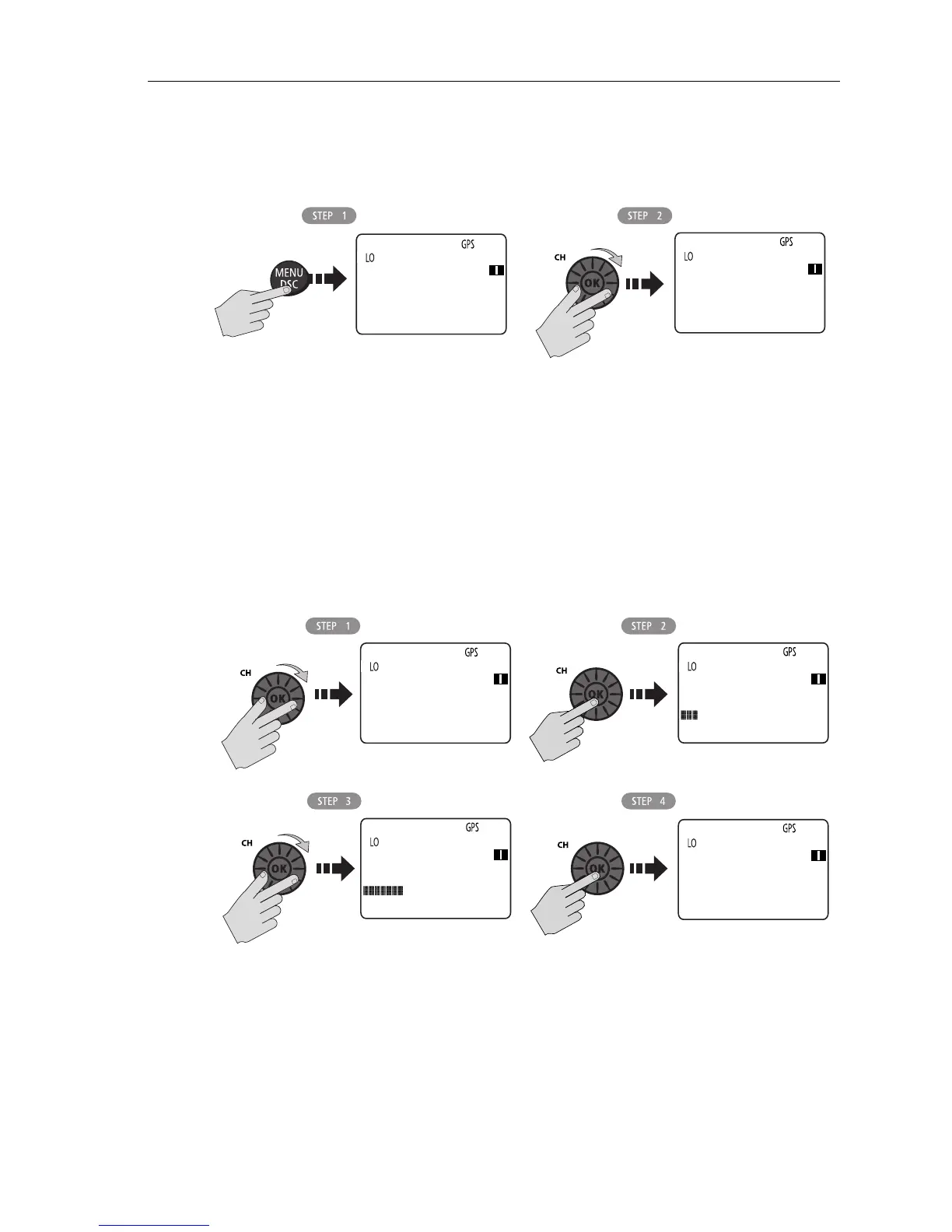
Backlight Adjustment
This setting adjusts the backlight brightness for the LCD, microphone keypad and
transceiver keypad. Choose from 10 brightness settings or OFF.
Rotate the
CH/OK knob or use the microphone up/down arrow keys to select the
desired backlight level. The number of blocks illuminated in the bar indicates the
level, one through ten. For HI all 10 are illuminated; for OFF none are illuminated.
Press the transceiver
CH/OK knob or microphone HI/LO key to accept.
D10275-1
MAIN MENU
>VHF OPS
GPS SETUP
ATIS OPS
08
MAIN MENU
ATIS OPS
>SYS CONFIG
[EXIT]
08
D10276-1
SYSTM CONFIG
>BACKLIGHT
CONTRAST
KEY BEEP
72
BACKLIGHT
OFF HI
PRESS [OK]
72
BACKLIGHT
OFF HI
PRESS [OK]
72
SYSTM CONFIG
>BACKLIGHT
CONTRAST
KEY BEEP
72



 To Next Page
 Loading...




